
Automation Can Move Fast—But Your People Still Feel It
When you introduce automation into your business, the visible benefits are usually easy to notice: faster processing, fewer manual steps, and more consistent decisions. The less visible question is whether your employees are being placed in uncomfortable, unsafe, or stressful situations while the system is still learning.
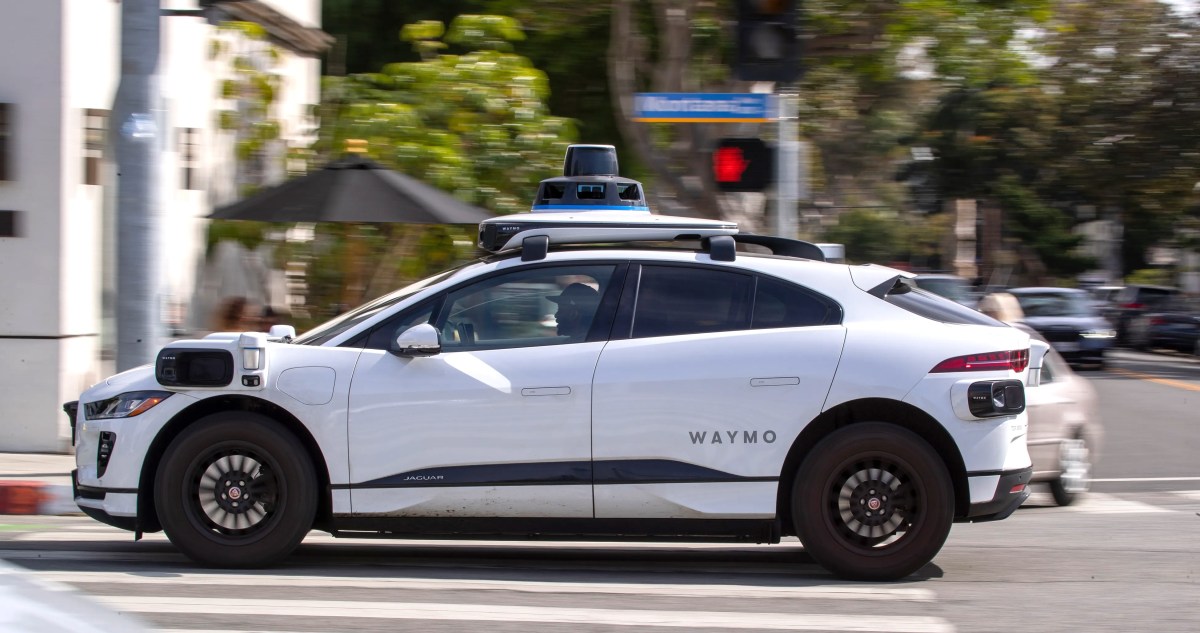
A recent report on robotaxi testing shows why that question matters. Test drivers working with Waymo and Zoox suffered more than two dozen reported injuries in 2024 and 2025 after autonomous vehicles braked harshly, swerved suddenly, or performed unexpected manoeuvres, according to data reviewed by TechCrunch. The lesson is not limited to self-driving cars. It applies to any Malaysian SME introducing software, machines, artificial intelligence, or automated workflows before every edge case is understood.
TL;DR: Automation should reduce unnecessary work, not transfer hidden risk to your employees. Start with controlled pilots, monitor exceptions, and create a clear way for staff to stop or override an automated process.
The practical message for you is simple: do not measure automation only by how many transactions it completes. Measure how safely and predictably it behaves when conditions change.
What This Means
Robotaxis are designed to make driving decisions without continuous human control. Test drivers remain inside the vehicle to monitor the system, intervene when necessary, and report problems. That means an automated system can still affect a human operator physically and mentally, even when the person is not actively controlling the vehicle.
In the reported cases, workers experienced sprains, strains, whiplash, shoulder pain, back pain, and other injuries after sudden braking or unexpected vehicle movements. Transdev, which manages Waymo test drivers, reported 16 injuries connected to Waymo depot operations in three cities. Zoox reported up to eight worker injuries linked to hard braking, with seven of those entries explicitly referring to hard braking, system shutdowns, or internal “brake jab” events, based on the OSHA data described by TechCrunch.
The technology may work correctly in many situations and still create unacceptable risk in a smaller number of situations. A system that processes thousands of orders accurately may still produce a serious problem when a supplier changes a product code. A warehouse device may work for weeks before an unusual obstruction causes a sudden movement. An automated approval tool may make sensible recommendations until it encounters incomplete customer information.
Automation is not safe merely because it is accurate most of the time. It is safe when people can recognise, stop, and recover from its failures.
This is particularly important for SMEs because your team is usually small. One employee may monitor several systems, train new staff, answer customers, and handle exceptions. If automation behaves unpredictably, there may not be a dedicated safety or engineering team available to respond immediately.
How This Applies to Malaysian SMEs
Imagine you operate a wholesale business in Shah Alam or Johor Bahru and introduce automated stock replenishment. The system reviews sales records and generates purchase requests. Most of the time, this saves your staff from checking spreadsheets. But if a product is duplicated under two stock-keeping units, the system may read demand incorrectly and recommend replenishment that does not match your actual stock. Your team then has to correct the result under time pressure. The risk is operational rather than physical, but the principle is the same: automated decisions can create sudden consequences when the system encounters conditions outside its assumptions.
For a restaurant, café, or catering company, automated ordering and kitchen displays can create a different problem. A duplicated order, delayed status update, or incorrect modifier may send staff rushing between the counter and kitchen. During peak periods, employees may develop workarounds that bypass the intended process. You should review not just whether the software records orders correctly, but whether the workflow encourages hurried movements, repeated checking, or confusion between front-of-house and kitchen teams.
For a logistics, courier, or service business, route planning and dispatch automation can increase pressure on drivers and technicians. A system may assign too many stops, fail to account for loading time, or send a worker to a location with access restrictions. Before relying on automated schedules, include real operating conditions such as traffic, weather, parking, customer waiting time, rest breaks, and equipment handling. A plan that looks efficient on a dashboard may be unrealistic on the ground.
Even office-based automation deserves the same attention. Suppose you use a customer relationship system to send reminders, classify leads, or escalate unpaid invoices. If the system sends the wrong message to a long-standing customer, your staff may spend hours repairing the relationship. If employees cannot see why a task was escalated, they may either trust the system too much or ignore it altogether. Give them an obvious review step and a clear method for correcting the record.
These examples point to a useful Malaysian SME rule: automate repetitive work, but keep human control around decisions that affect safety, service quality, compliance, or customer relationships.
Numbers Worth Keeping in View
| Reported detail | What it suggests for your business |
|---|---|
| More than two dozen injuries in 2024 and 2025 | Small failure events can accumulate as automation scales |
| Waymo-related reports rose from 5 injuries in 2024 to 11 in 2025 | Growth can increase exposure before controls mature |
| One reported worker was away for 157 days | A single serious incident can disrupt staffing and operations |
| Another reported absence lasted 175 days | Business continuity planning must include automation failures |
| Zoox reported 8 injuries, with 7 mentioning hard braking, system shutdowns, or brake jabs | Repeated exception patterns should trigger investigation, not normalisation |
All figures in the table come from the OSHA data and worker accounts reported by TechCrunch. The report also notes that the public dataset may not include every injury because disclosure rules depend on industry classification and establishment size. That limitation matters for SMEs: an absence of public incidents does not prove that a process is safe.
Practical Takeaways for Your Automation Project
- Run a limited pilot first. Begin with one branch, one department, or one workflow. Observe actual behaviour before expanding.
- List failure scenarios. Ask what happens when data is missing, duplicated, late, incorrect, or outside the normal range.
- Keep an override. Employees should be able to pause an automated task, reject a recommendation, or return to a manual process.
- Track near misses. Record confusing alerts, duplicate tasks, incorrect assignments, and customer complaints, even when no serious harm occurs.
- Review workload, not only output. Check whether automation reduces effort or simply creates more monitoring and correction work.
- Train for exceptions. Show staff what to do when the system behaves unexpectedly, rather than teaching only the normal process.
- Assign ownership. Name one person responsible for reviewing incidents, escalating recurring faults, and coordinating improvements.
- Set expansion conditions. Do not scale the system until error rates, response times, and staff feedback meet agreed standards.
- Protect customer-facing decisions. Require human review for refunds, complaints, sensitive messages, safety matters, and unusual transactions.
A Simple Review Checklist
- What manual task are you trying to remove?
- What could go wrong if the system misunderstands the input?
- Who notices the error?
- How quickly can that person stop the process?
- What temporary manual method will you use during downtime?
- How will you record and review near misses?
- What evidence will show that the automation is ready to expand?
The Bigger Picture
The robotaxi example shows that scaling technology is not the same as completing technology. The more locations, employees, customers, and transactions involved, the more frequently the system will meet unusual conditions. Growth increases the number of opportunities for a hidden weakness to affect someone.
For Malaysian SMEs, this does not mean avoiding automation. It means introducing it with operating discipline. Choose workflows where the result is easy to check, the consequences of an error are manageable, and employees can intervene. Improve the system using real incidents from your business rather than assumptions from a software demonstration.
Over time, the strongest businesses will treat automation as a working partnership between software and people. Software handles repeatable steps. People provide judgement, context, empathy, and recovery when something unexpected happens. Your goal is not to remove people from every process. Your goal is to give them fewer repetitive tasks while making their remaining decisions clearer and safer.
Before your next automation rollout, ask your team one direct question: “What is the most uncomfortable or confusing thing this system could make you do?” Their answers may reveal the risk that your dashboard cannot see.
Ready to Streamline Your Operations?
Your business should run itself. AutoRunBiz deploys AI agents to automate your daily operations — WhatsApp orders, invoicing, customer follow-ups, and accounting. Book a free 15-min ops audit to see where automation fits your business →