
Why Your iPad May Still Feel Awkward for Business Work
You may already use an iPad for meetings, customer presentations, site visits, stock checks, or signing documents. Yet when you need to write notes or sketch an idea, the experience can feel less natural than using paper. The smooth glass screen and hard stylus tip can make handwriting slippery, especially when you are moving quickly.
That matters when you run a Malaysian SME. A sales representative may need to annotate a quotation during a customer visit. A renovation contractor may want to mark up a floor plan. A café owner may sketch a new counter layout. A tuition-centre operator may prepare handwritten explanations. The device is capable, but the writing experience can determine whether your team actually uses it consistently.
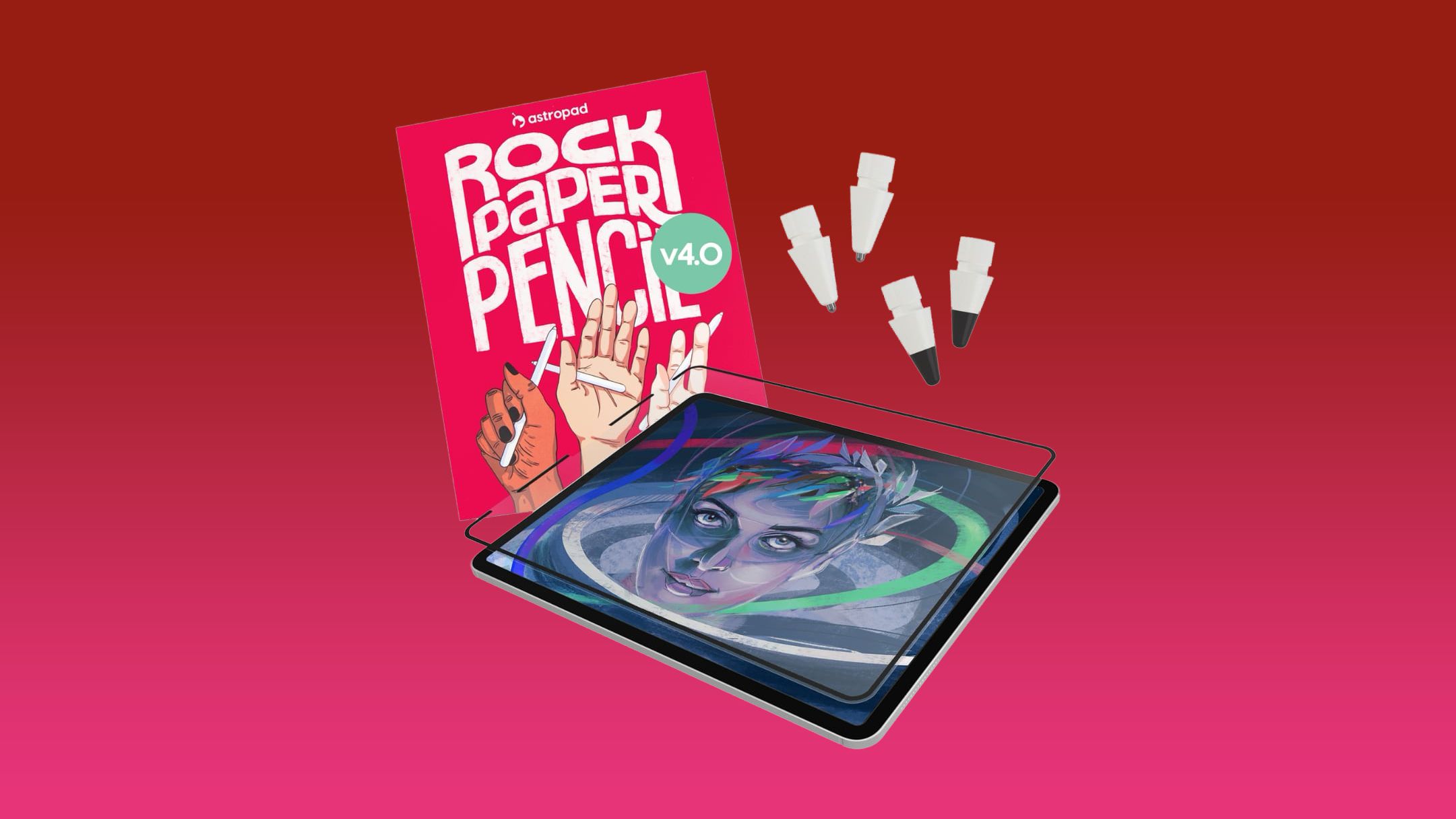
A recent MacRumors giveaway highlights this issue through Astropad’s updated Rock Paper Pencil kit, paired with an iPad Air and Apple Pencil Pro. The product uses a textured, removable screen protector and replacement pencil tips to make digital writing feel closer to writing on paper. Source: MacRumors
TL;DR
A paper-textured screen accessory can make tablet note-taking, drawing, and document mark-ups more comfortable. For Malaysian SMEs, the bigger lesson is to improve the tools your staff already use instead of forcing paper-heavy processes.
Before adopting any accessory, test it with your actual work, check device compatibility, and create a clear system for storing and sharing digital notes.
What This Means
The Rock Paper Pencil concept is simple. A non-adhesive screen protector adds microscopic texture to the iPad display, creating more friction between the screen and Apple Pencil. A customised pencil tip adds another layer of control. According to the source article, the latest version includes graphite-style tips intended for sketching and shading, plus ballpoint-style tips for smoother writing and linework. Two of each tip are included in the kit. Source: MacRumors
The screen protector attaches using Astropad’s NanoCling technology rather than permanent adhesive. It can also be removed and stored in a protective sleeve when you want to watch videos or use the iPad for other activities. Source: MacRumors
This is not just about making a premium device feel nicer. It is about reducing friction in a daily business task. If writing on a tablet feels uncomfortable, employees may return to notebooks. That creates scattered information, slower follow-up, and extra work when someone else needs to access the notes.
The best business device is not necessarily the one with the most features; it is the one your team can use comfortably and consistently.
How This Applies to Malaysian SMEs
For sales and customer service teams, a more paper-like writing surface can make face-to-face discussions easier. You can bring a product catalogue, quotation, order form, and customer notes on one device. During a meeting, you can write down requirements directly on the relevant document instead of using loose paper. After the meeting, the notes can be shared with your operations or fulfilment team without requiring someone to retype them.
For contractors, interior designers, and maintenance businesses, digital annotation can support faster site work. You can photograph a site, mark the location of defects, draw measurements, or highlight areas requiring follow-up. A textured writing surface may be especially useful when making quick sketches or shading sections of a plan. Your team should still verify technical measurements using the correct professional tools, but the tablet can become a practical visual record of the job.
For retailers, cafés, restaurants, and small manufacturers, tablets can support daily checklists and layout planning. You might use one for opening procedures, stock observations, display planning, menu changes, or equipment maintenance notes. A manager can circle a problem on a photo, add a short explanation, and assign the next step. This creates a clearer handover between shifts than a handwritten note left near the cashier or storeroom.
For education, training, and professional services, handwriting can remain useful even when the final record is digital. Tutors can explain equations or diagrams naturally. Trainers can annotate presentation slides. Consultants can sketch a process during a workshop and send the completed page to participants afterwards. The aim is not to replace every conversation with software; it is to capture useful work in a format others can retrieve.
However, the accessory alone will not solve poor workflow. You need an agreed method for naming files, synchronising notes, protecting customer information, and assigning follow-up actions. Otherwise, digital handwriting simply becomes another place where information gets lost.
Useful iPad Workflows for a Small Team
| Business activity | Practical tablet use | Next action to standardise |
|---|---|---|
| Customer meeting | Annotate quotation and capture requirements | Send notes to a shared folder after the meeting |
| Site inspection | Mark defects on photographs or plans | Use a standard file name with client and date |
| Stock check | Record issues beside product images | Assign each issue to a staff member |
| Staff training | Write examples directly on training material | Save a clean copy for future sessions |
| Daily operations | Complete opening, closing, or safety checklist | Review exceptions before the next shift |
The source article says the accessory is compatible with Apple’s M2, M3, M4, and M5 iPads, along with many older models, but you should confirm your exact model before making a decision. Source: MacRumors
Practical Takeaways
- Start with one workflow: Choose a task such as site inspections, customer notes, or stock checks rather than deploying tablets everywhere at once.
- Test the writing experience: Ask two or three employees to use the setup for real work and report whether it improves control and comfort.
- Check compatibility: Confirm the iPad model, Apple Pencil model, case fit, and software before standardising the setup.
- Create a file rule: Use a consistent format such as ClientName_Project_Date_DocumentType.
- Separate notes from decisions: Require staff to record the agreed action, responsible person, and deadline after each meeting.
- Protect business information: Use device passcodes, account controls, backups, and appropriate access permissions.
- Keep a paper fallback: Maintain an alternative process for situations involving low battery, poor connectivity, or device damage.
- Review usage after one month: Check whether the tool reduced repeated data entry, missing notes, or delayed follow-up.
What the Giveaway Reveals About Product Adoption
The MacRumors promotion is limited by location. The article states that eligibility is restricted to residents of the United States, the United Kingdom, and Canada who meet the applicable age requirements. The contest period runs from September 4 at 9:00 a.m. Pacific Time to September 11 at 9:00 a.m. Pacific Time, and the selected winner has 48 hours to respond. Source: MacRumors
For Malaysian business owners, the important point is not whether you can enter. It is that manufacturers are paying attention to a common adoption barrier: people like the flexibility of digital tools but still prefer the physical sensation and control of paper. When a device is made more familiar, staff may be more willing to include it in their normal work.
The Bigger Picture
Small businesses do not need to digitise every process at once. A better approach is to identify where paper creates repeated effort: retyping meeting notes, searching for inspection forms, sending photographs separately, or asking staff to explain handwritten instructions.
Accessories such as textured screen protectors address the human side of automation. Comfort, habit, and confidence influence whether a workflow survives beyond its first week. A sophisticated system that employees dislike will be ignored. A simple workflow that fits how your team already works can produce more reliable results.
For your SME, the next step is practical: choose one paper-heavy activity, run it on an iPad for a short trial, and measure whether the information becomes easier to capture, share, and act on. The device is only part of the solution. The real improvement comes from connecting comfortable input with organised follow-up.
Ready to Streamline Your Operations?
Your business should run itself. AutoRunBiz deploys AI agents to automate your daily operations — WhatsApp orders, invoicing, customer follow-ups, and accounting. Book a free 15-min ops audit to see where automation fits your business →