
A New Smartphone Is Really a Workflow Question
If you run a Malaysian SME, a smartphone is rarely just a personal gadget. You may use it to reply to WhatsApp enquiries, approve documents, photograph stock, update social media, check delivery status, join video calls and handle customers while away from your desk.
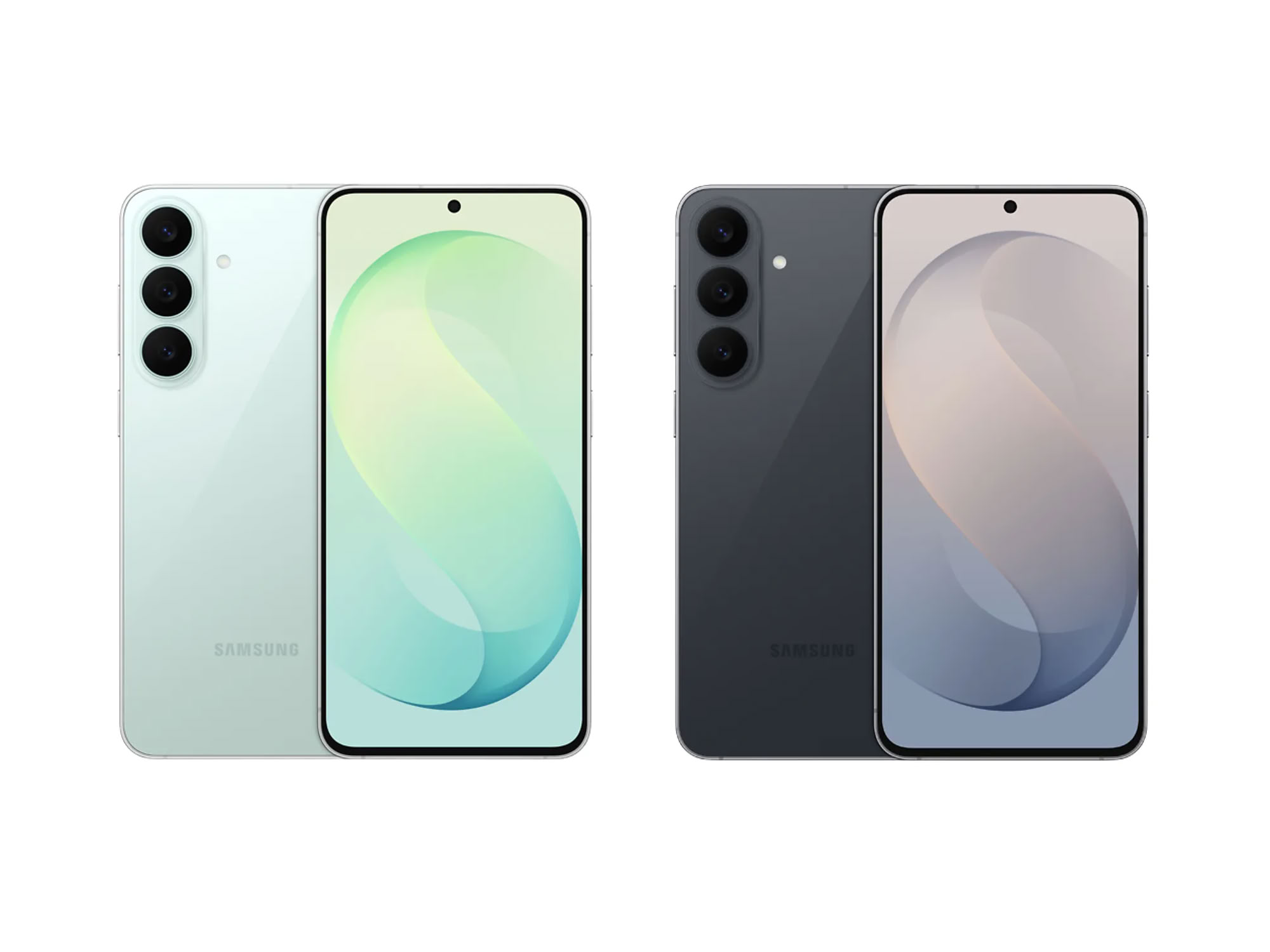
That is why reports about the Samsung Galaxy S26 FE deserve a practical look. The leaked specifications and hands-on video do not automatically mean you need a new phone. The more useful question is whether a newer device could help you and your team work with fewer interruptions, clearer communication and better access to business systems.
TL;DR: The Galaxy S26 FE leak points to a possible new option for owners who depend heavily on mobile work. Treat the information as unconfirmed until Samsung makes an official announcement, then assess the device against your actual workflows rather than its specifications alone.
Note: The source article reports leaked information dated 19 August 2026. Leaked specifications may change before an official launch, so verify final details directly with Samsung before making a business decision. Source: SoyaCincau
What This Means
The “FE” label generally refers to a phone positioned as a more accessible version of Samsung’s flagship Galaxy S range. In business terms, that usually means you may get many features associated with a premium phone without choosing the highest-tier model.
However, a specification sheet only tells part of the story. A processor may affect how quickly apps open and switch. Camera features may help you document products or site work. Battery capacity may influence whether you need to recharge during a long day. Software support may matter more than a slightly sharper screen because business data and applications need to remain usable and secure over time.
The leaked hands-on video is also worth treating carefully. A device shown before launch may be an early unit, a test sample or a product intended for another market. Malaysian availability, network compatibility, warranty terms, final software and included accessories may differ.
| Business question | What to check | Why it matters |
|---|---|---|
| Will staff use it all day? | Battery performance, charging and durability | Reduces interruptions during field work |
| Will it handle business apps? | Multitasking, storage and operating system support | Keeps communication and records accessible |
| Will it capture useful images? | Camera quality, focus and low-light performance | Helps with product, site and delivery documentation |
| Will it remain suitable? | Update policy, security features and device management | Supports responsible long-term use |
How This Applies to Malaysian SMEs
For retail and food businesses, the phone can become a frontline operations tool. You may receive customer orders through WhatsApp, respond to questions on Instagram, photograph new products and coordinate deliveries from the same device. A reliable phone with strong multitasking can reduce the need to repeatedly close and reopen applications. Before choosing the Galaxy S26 FE, list the apps your team uses every day, including payment, inventory, accounting, messaging and delivery platforms. Then check whether the final model supports them properly.
For contractors, service providers and field teams, durability and documentation may matter more than headline specifications. A technician visiting a customer site may need to record equipment conditions, share photographs, access a job checklist and obtain confirmation before leaving. A renovation business may use the phone to document progress, communicate with suppliers and update customers. In these cases, camera consistency, clear calls, dependable connectivity and easy file sharing are practical requirements. A phone that performs well in a showroom but is awkward to use on-site will not solve the operational problem.
For professional services, security and continuity should lead the decision. Accountants, consultants, insurance agents and small legal practices may handle identification documents, contracts and confidential conversations through mobile devices. You should check screen-lock options, biometric access, encrypted backups, application permissions and the process for removing a device when an employee leaves. A newer handset is useful only when it fits your broader access-control and document-management process.
For sales teams, presentation quality can influence follow-up speed. Your staff may show product catalogues, record customer requirements, join online meetings or prepare quotations while travelling between appointments. A responsive screen and dependable battery can make these tasks easier, but consistency across devices is just as important. If every salesperson uses a different phone, files may be stored in different places and settings may vary. Standardising a small number of approved models can make support simpler.
For owners managing hybrid or mobile work, connectivity deserves special attention in Malaysia. Your team may move between office Wi-Fi, customer premises, home broadband and mobile networks. Confirm the final device’s supported network bands and eSIM or physical SIM options for the Malaysian market. Also consider whether staff can connect securely to your business applications without relying on informal file transfers.
The best business phone is not the one with the longest specification sheet. It is the one that removes friction from the tasks you repeat every day.
Practical Takeaways Before You Decide
- Wait for confirmed Malaysian details. Compare the final local specifications, warranty, software support and network compatibility with the leaked information.
- Audit your current pain points. Note whether your team struggles with battery life, slow app switching, poor photographs, storage limits or unreliable communication.
- Test your real app combination. Open your messaging, accounting, cloud storage, video meeting and inventory applications together. This is more meaningful than testing one app at a time.
- Set a security baseline. Require screen locks, automatic updates, approved cloud storage and a clear process for lost or replaced devices.
- Separate business and personal use. Use managed accounts, shared folders and role-based access instead of keeping critical files only on one employee’s phone.
- Prepare a replacement process. Record device ownership, business accounts, SIM details and backup arrangements before issuing phones to staff.
- Compare total usefulness, not specifications alone. A familiar device that your staff can manage confidently may be more practical than a newer model that creates training and support issues.
A Simple Decision Checklist
- Write down the five mobile tasks that consume the most time in your business.
- Identify which task is slowed by your current phones.
- Check the Galaxy S26 FE’s final specifications against those specific tasks.
- Confirm Malaysian support, warranty and compatibility before purchase.
- Test one device with a real user and real work applications.
- Measure whether response times, documentation quality or follow-up consistency improve.
- Only then decide whether wider deployment makes sense.
The Bigger Picture
The Galaxy S26 FE leak is part of a wider pattern: business work is increasingly carried out through small, portable devices rather than a fixed office computer. Customer communication, approvals, content creation, service records and team coordination can all happen from a phone.
That shift creates an important responsibility for SME owners. Every phone used for work can become an access point to customer information, documents and internal systems. Device selection should therefore sit alongside account permissions, backup routines and staff training. Buying newer hardware without improving these habits leaves the underlying risk unchanged.
It also suggests that your technology policy should be based on roles. A delivery coordinator may need strong camera and communication tools. An administrator may need dependable document access. A sales representative may need presentation and video-call capability. You do not necessarily need identical devices for every person, but you do need a clear standard for security, support and business access.
When Samsung confirms the Galaxy S26 FE, use the announcement as an opportunity to review your mobile workflow rather than simply asking whether the phone is worth buying. If the device addresses a documented problem, supports your Malaysian business applications and fits your security process, it may deserve consideration. If not, improving your file organisation, automation and communication routines may deliver a more useful result.
For many SMEs, the real benefit does not come from owning the newest handset. It comes from making sure every device, app and business process works together so you can respond faster, keep better records and serve customers with fewer avoidable delays.
Ready to Streamline Your Operations?
Your business should run itself. AutoRunBiz deploys AI agents to automate your daily operations — WhatsApp orders, invoicing, customer follow-ups, and accounting. Book a free 15-min ops audit to see where automation fits your business →