
A Business Phone Is More Than a Communication Tool
If you run a Malaysian SME, your smartphone may be handling far more than calls and messages. It could be where you approve invoices, reply to customers, check stock, join supplier meetings, photograph products, update social media and access your accounting or customer relationship systems.
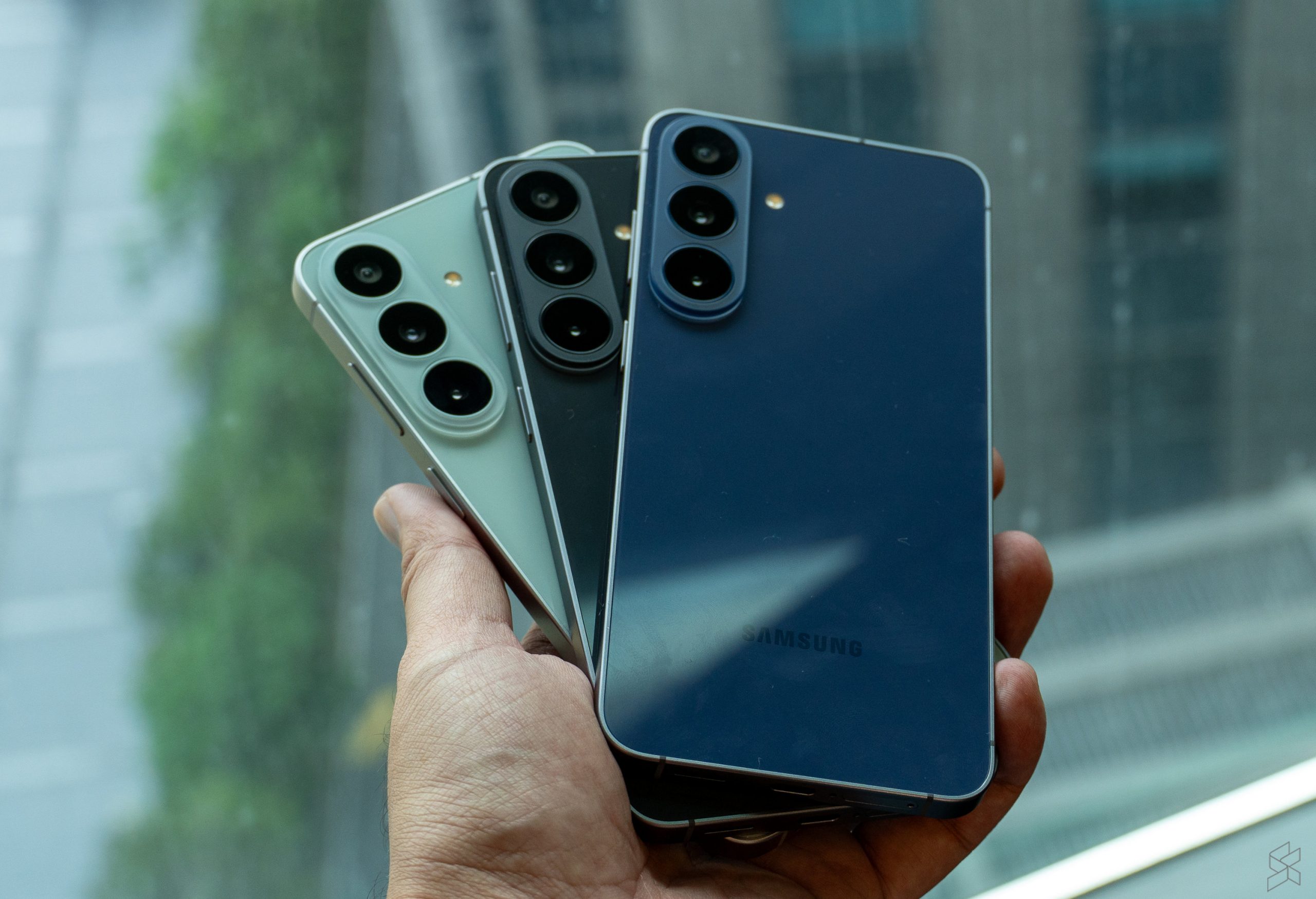
That makes a phone upgrade a business decision, not simply a personal technology purchase. The recently announced Samsung Galaxy S26 FE brings a newer Exynos 2500 processor and additional artificial intelligence features to Samsung’s FE range. For Malaysian buyers, the device starts from RM2,899, according to SoyaCincau.
The important question for you is not whether the phone has the longest specification list. It is whether the device can help you and your team complete daily work with fewer interruptions, clearer information and better control over business data.
TL;DR
The Galaxy S26 FE combines a newer Exynos 2500 processor with AI-focused features that may help with communication, content creation and routine mobile tasks.
For an SME, assess it by workflow: customer response speed, document handling, staff coordination, product content and security. A capable phone only creates value when it fits the way your business operates.
What This Means
The “FE” label generally refers to a phone that brings selected flagship-style features into a more practical model. In this case, Samsung is positioning the Galaxy S26 FE around performance and AI improvements rather than treating it as a basic handset. The Malaysian starting price of RM2,899 is reported by SoyaCincau, so you should still confirm the final specification, promotion and warranty terms before making a purchase decision.
The Exynos 2500 is the processor inside the device. In plain language, the processor affects how quickly the phone handles apps, multitasking, image processing and other workloads. For you, this matters when you move between WhatsApp Business, email, cloud documents, banking applications, video calls and your sales or inventory tools.
AI features are more useful when connected to specific tasks. They may assist with summarising information, improving images, editing content or helping you find what you need. However, AI does not remove the need for human checking. You still need to verify customer details, order quantities, delivery dates and business claims before sending anything externally.
The best business phone is not the one with the most features; it is the one that removes friction from the work you already do every day.
How This Applies to Malaysian SMEs
For retail and service businesses, faster customer handling matters. If you operate a boutique, salon, repair shop, café or small showroom, you may receive enquiries through WhatsApp, Instagram, Google Business Profile and phone calls. A responsive device can make it easier to switch between product photos, price lists, appointment calendars and payment instructions. You can also use the camera to record product condition, completed work or display changes, creating a clearer record for your team and customers.
For mobile sales teams, one device can support the entire visit. A salesperson meeting a customer in Shah Alam, Johor Bahru or Kota Kinabalu may need to present a catalogue, check availability, capture notes and send a quotation before leaving. A newer processor and a larger set of AI-assisted functions may help reduce the number of separate steps. You should test this against your actual workflow: open your CRM, product catalogue, video meeting app and document editor together, then see whether the experience remains smooth.
For professional services firms, document work is a daily bottleneck. Accountants, consultants, property agents, insurance teams and small legal practices often review PDFs, scan forms, annotate documents and communicate with clients while travelling. AI-assisted summarisation or transcription could help you organise meeting notes, but confidential information requires careful handling. Before enabling any AI feature, check whether information is processed on the device, sent to a cloud service, retained, or used for service improvement.
For food, logistics and field businesses, the camera can become an operational record. A delivery coordinator can photograph damaged packaging, a technician can capture equipment conditions, and a restaurant manager can record receiving issues. Consistent photos with dates, locations and job references can reduce disputes. The phone itself will not create a process, so establish a simple naming convention and storage location that every staff member follows.
For small marketing teams, content creation may become more practical. You can photograph products, create short videos, remove distractions from images and prepare draft captions from the same device. These tools can shorten the path from an idea to a publishable draft. You should still review brand tone, product claims and customer privacy before publishing. Never upload sensitive customer images or internal documents to an AI tool without understanding its data controls.
Where the Phone Fits in Your Business Stack
A smartphone should work alongside your existing systems, not become another isolated tool. Review whether it supports the applications your team already uses for accounting, customer enquiries, stock management, scheduling, cloud storage and communication.
| Business task | What to test | Useful result |
|---|---|---|
| Customer enquiries | WhatsApp Business, email and browser open together | Fewer missed replies |
| Sales visits | Catalogue, CRM and quotation workflow | Faster follow-up |
| Field operations | Camera, location, forms and cloud upload | Clearer job records |
| Content work | Photo editing, captions and social publishing | Shorter content turnaround |
| Management | Video calls, documents and approvals | More reliable remote decisions |
Practical Takeaways Before You Buy
- Map the work first: List the five tasks you and your staff perform most often on mobile. Do not buy based only on processor names or AI labels.
- Test your real applications: Install your accounting, CRM, messaging, cloud storage and payment apps. Test them together, not one at a time.
- Set an information policy: Decide what employees may upload to AI tools, where business documents are stored and which files must remain private.
- Use separate business accounts: Keep company email, cloud storage and device management under business-controlled accounts rather than one employee’s personal login.
- Protect access: Require a strong screen lock, biometric authentication where appropriate, automatic updates and remote-wipe capability.
- Standardise photo workflows: Create simple rules for file names, customer consent, storage folders and deletion schedules.
- Check after-sales support: Confirm Malaysian warranty coverage, service arrangements, update commitments and compatibility with your accessories.
- Train staff briefly: A short guide on secure sharing, suspicious links and AI verification can prevent avoidable mistakes.
Questions to Ask Your Team
Before approving a purchase, ask each employee where their current phone slows them down. Is it difficult to review documents? Do video calls drop when several apps are open? Are product photos inconsistent? Does the team lose customer information in personal chats? These answers will tell you whether a new device addresses a real operating problem.
Also ask what should not happen. Employees should not copy customer identification details into unapproved AI services. They should not store company quotations indefinitely in personal galleries. They should not install unknown applications simply because a feature promises convenience. A practical device policy is as important as the hardware itself.
The Bigger Picture
The Galaxy S26 FE reflects a wider direction in business technology: capabilities once associated with computers are increasingly appearing on devices employees carry everywhere. AI-assisted writing, image handling, transcription and search may become normal parts of daily work.
That does not mean every SME needs to replace its phones immediately. The long-term benefit will come from connecting mobile capabilities to disciplined processes. If your customer records are scattered, your approvals are unclear and your files are poorly organised, a newer handset will only make the same problems faster.
For you as an SME owner, the sensible approach is to start with one or two measurable workflows. Choose customer follow-up, field reporting or product content. Test whether the device reduces delays and whether staff can use it securely. If the results are clear, expand the approach with standard settings, shared accounts and simple training.
The Galaxy S26 FE may be a capable option for Malaysian SME teams looking for a modern business phone, particularly where mobile multitasking and AI-assisted work are relevant. Treat the reported RM2,899 starting price as one purchase detail, not the entire decision. The stronger test is whether the phone helps your people serve customers, record work and make decisions with less friction.
Ready to Streamline Your Operations?
Your business should run itself. AutoRunBiz deploys AI agents to automate your daily operations — WhatsApp orders, invoicing, customer follow-ups, and accounting. Book a free 15-min ops audit to see where automation fits your business →