
Why Apple’s next device matters to your business
You do not need to sell smartphones to be affected by a major device change. If your team uses phones for WhatsApp enquiries, sales follow-ups, field work, stock checks, content creation or customer support, a new form factor can influence how work gets done.
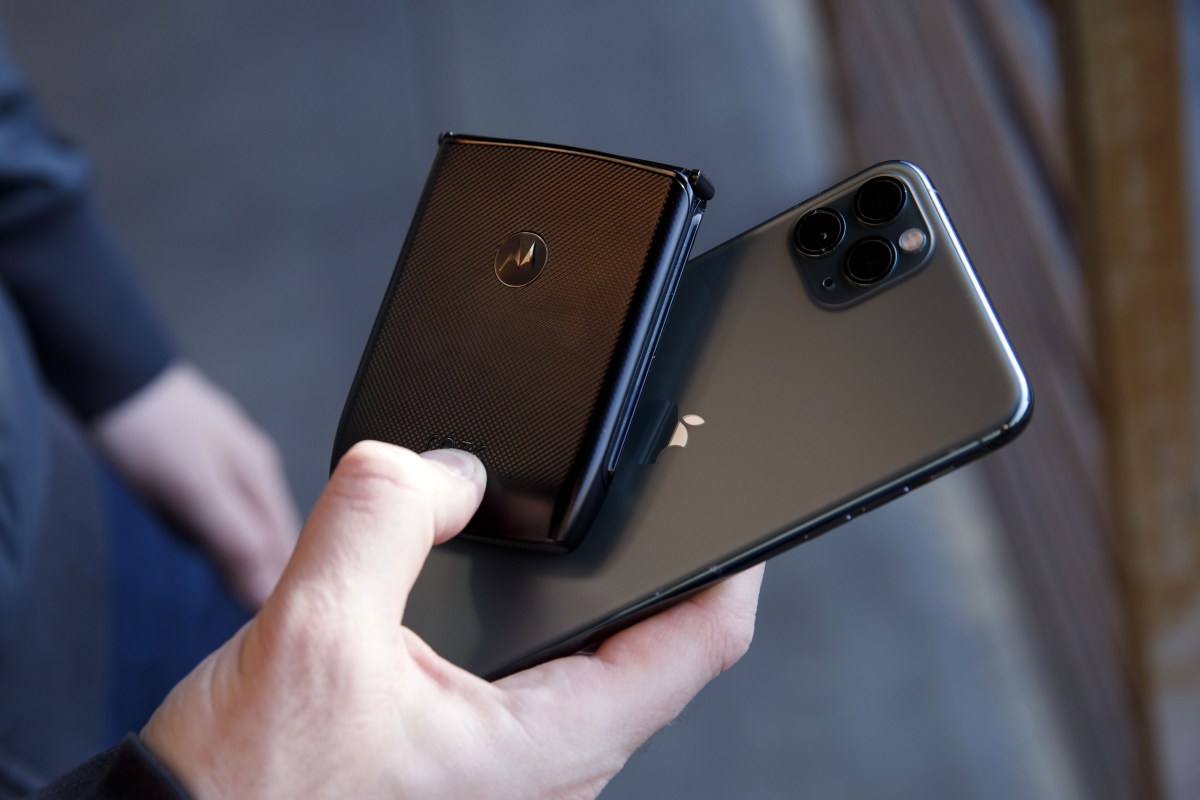
Apple is expected to introduce its first foldable iPhone at its September 9 launch event. Reports suggest the device may open from a phone-sized screen into a display similar to a small tablet, while other expected products include the iPhone 18 line, refreshed HomePods, and AirPods with visual capabilities.
For a Malaysian SME, the important question is not whether you should rush out and buy a new device. It is whether your customer experience, internal systems and business content are ready for people using larger, smarter and more capable mobile screens.
TL;DR
Apple’s expected foldable iPhone points towards phones becoming more useful for multitasking, visual search and AI-assisted work. You should review your mobile workflows, website layouts and data privacy practices before new devices become common among customers and staff.
Start with simple checks: test your business systems on different screen sizes, organise your product information, and set clear rules for camera-enabled or AI-enabled devices.
What This Means
A foldable phone is designed to work in two modes. When closed, it behaves like a regular smartphone. When opened, its larger display can show more information and support side-by-side applications. The reported device is expected to have a 5.5-inch cover display and a 7.8-inch unfolded display.
That difference matters because many business tasks involve switching between applications. You may need to read a customer’s WhatsApp message while checking inventory, compare a supplier quotation with an order form, or refer to a product photo while updating a quotation. A larger screen could reduce the need to constantly close and reopen apps.
The expected device is also reported to support side-by-side multitasking while still running iOS. That means the business benefit will depend less on the hardware alone and more on whether your apps and systems are designed to work well on changing screen sizes.
Apple is also reportedly developing AirPods with cameras that could provide low-resolution visual information to Siri, rather than functioning simply as a conventional camera. The report says the feature may help users identify or save things they see. This raises useful possibilities for business, but also requires careful thinking about privacy, consent and workplace boundaries.
The practical lesson: new devices do not automatically improve your business. They improve work only when your processes, software and information are prepared for them.
How This Applies to Malaysian SMEs
1. Retail and wholesale businesses can make product information easier to access. If you operate a boutique, hardware shop, furniture business, beauty supply store or distributor, staff often answer questions while standing in the shop or warehouse. A larger foldable screen could let them view product specifications, customer history and stock details together. Instead of writing down a customer’s request and checking later, a salesperson may be able to open the catalogue beside the order system and respond immediately.
You can prepare by organising your product data now. Each item should have a clear name, product code, current availability, key specifications, photos and frequently asked questions. This information can sit in your point-of-sale system, online catalogue or shared business database. The device is not the main improvement; having reliable information in one place is.
2. Service companies can improve field work. Air-conditioning contractors, maintenance teams, renovation companies, cleaners and technical service providers frequently work away from the office. A wider screen could help a technician view a job checklist while referring to customer notes, photos or safety instructions. They may also complete a digital form without carrying a separate tablet.
Before changing devices, review your current field process. Can staff receive job details, update status, attach photographs and obtain customer confirmation from one mobile workflow? If they are still relying on screenshots, paper forms and separate WhatsApp messages, a foldable phone will not solve the underlying problem. A simple automation system that connects enquiries, scheduling, job updates and invoicing may deliver more practical value.
3. Restaurants and food businesses should expect more visual customer interactions. A larger mobile display can make digital menus, ordering pages and loyalty programmes easier to browse. For a café, caterer or restaurant, this means your online menu should remain clear whether it is viewed on a narrow phone, a wide unfolded phone or a desktop screen. Product photos should load quickly, prices and options should be easy to read, and ordering buttons should not disappear when the screen changes orientation.
Camera-enabled accessories may also affect how customers discover products. A customer could potentially use visual assistance to identify an ingredient, remember a menu item or find a similar product. You do not need to build a complicated feature immediately. Start by ensuring your product names, descriptions and images are structured clearly enough for search tools and AI assistants to understand.
4. Professional services should pay attention to privacy. Accountants, clinics, tuition centres, property agencies and legal practices handle personal information. A device that can interpret what a user sees may create new risks if sensitive documents, customer records or private conversations are visible in the background.
Set basic rules before these devices become widespread. Staff should avoid using personal AI assistants to process confidential files unless the approved system allows it. They should know when recording or visual features must be disabled. Your customer-facing privacy notice should also explain how photographs, documents and messages are handled. Clear rules protect trust more effectively than relying on employees to guess what is acceptable.
What You Should Check Before Upgrading
| Business area | What to review | Useful first action |
|---|---|---|
| Website | Layouts on narrow, wide and rotated screens | Test your main pages on several screen sizes |
| Sales | Product details, customer records and quotations | Put essential information into one searchable system |
| Field operations | Job instructions, forms and photo updates | Replace repeated manual updates with a mobile workflow |
| Customer support | WhatsApp, email and order history | Connect conversations to customer records where practical |
| Privacy | AI, camera and document handling | Create a short acceptable-use policy for staff |
The reported Apple launch may also include a new standard iPhone line arriving later than the premium models, according to TechCrunch’s report. This is a reminder not to plan your business around one model or one launch date. Customers and employees will use a mixture of older phones, Android devices, tablets and computers.
Practical Takeaways
- Test your key systems: Open your website, order form, booking page and customer portal on different screen sizes.
- Reduce app switching: Identify tasks that require staff to copy information between WhatsApp, spreadsheets and separate software.
- Prepare product data: Keep names, codes, images, specifications and availability consistent across your sales channels.
- Improve mobile forms: Ensure staff can complete enquiries, delivery updates and job reports from a phone.
- Set privacy rules: Explain when camera, recording and AI features may or may not be used at work.
- Do not buy first: Wait until your actual workflow shows a clear benefit from a new device.
- Measure operational friction: Record how often staff repeat data entry, search for information or wait for approval.
The Bigger Picture
The expected foldable iPhone is part of a wider movement: mobile devices are becoming work surfaces rather than communication tools alone. Phones can increasingly display more information, understand visual context and assist with routine decisions. Apple’s reported AI update for Siri and possible camera-enabled AirPods show that this direction extends beyond screens, as described in the source article.
For a small business, this does not mean adopting every new feature. It means building processes that are flexible enough to work when customer behaviour changes. Your website should adapt. Your business information should be structured. Your staff should understand privacy responsibilities. Your systems should allow one person to complete a task without unnecessary searching and copying.
Technology adoption is easier when you start with a business problem. If your sales team struggles to find product information, fix that first. If field workers lose job updates in chat threads, create a proper workflow. If customers cannot complete forms on mobile, improve the form before replacing every device.
The upcoming Apple launch may attract attention because of a new phone shape, but the more important message for your SME is simple: your customers and employees expect business systems to work wherever they are, on whatever screen they use. Preparing your information and workflows now will help you benefit from new devices without depending on them.
Ready to Streamline Your Operations?
Your business should run itself. AutoRunBiz deploys AI agents to automate your daily operations — WhatsApp orders, invoicing, customer follow-ups, and accounting. Book a free 15-min ops audit to see where automation fits your business →