
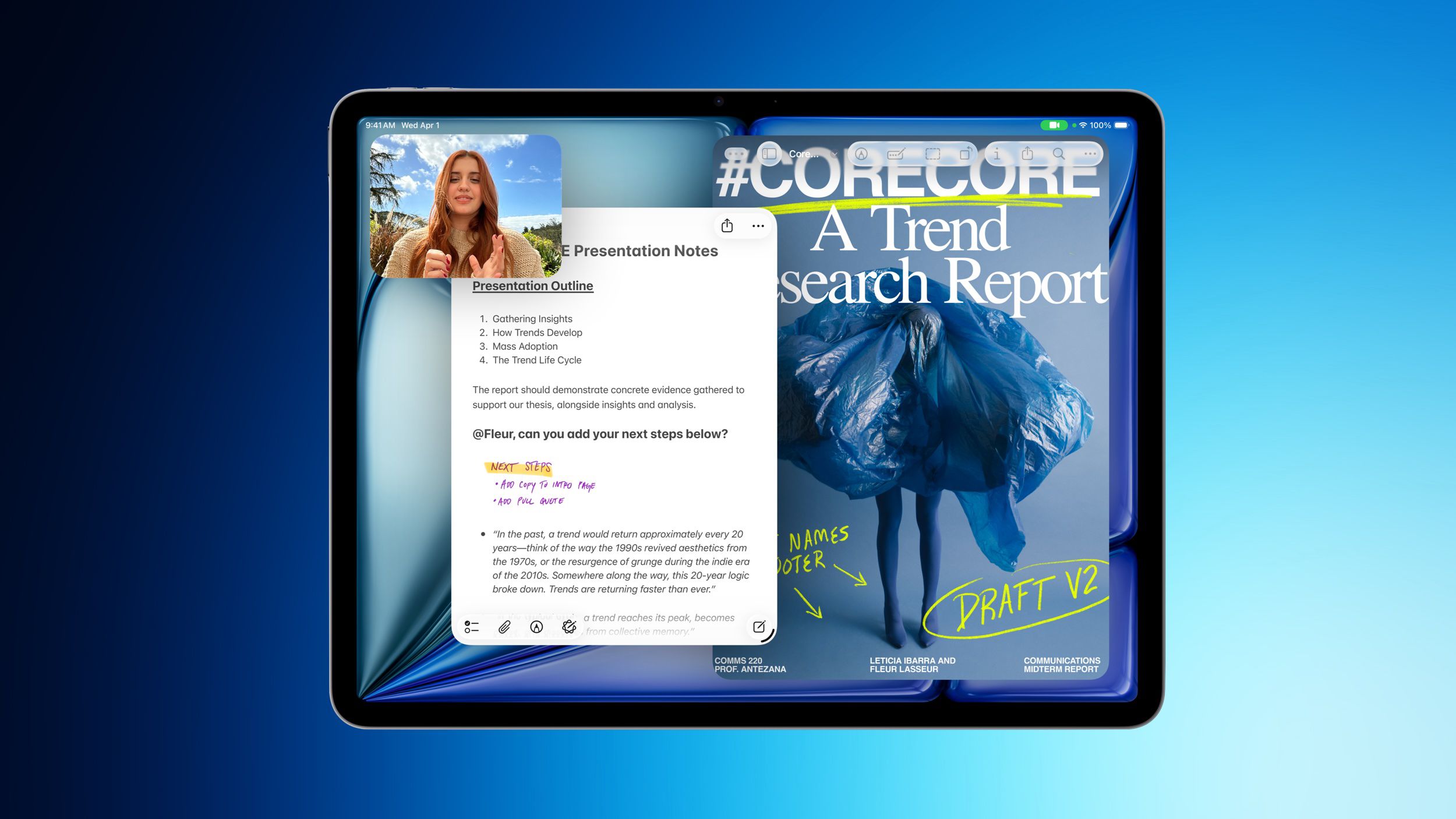
Should Your SME Consider a New Business Tablet?
You may not need another device. What you may need is a faster way for your sales team to present products, for supervisors to approve work, or for field staff to update records without returning to the office. For a small Malaysian business, the right tablet can support these tasks. The wrong one can become an expensive screen that nobody uses consistently.
Recent discounts on Apple’s M4 iPad Air have brought attention back to tablets for business use. The reported promotion covers 11-inch and 13-inch models, with selected Wi-Fi configurations receiving discounts of up to $149 in the United States, according to MacRumors. However, the more useful question for you is not whether a device is discounted. It is whether the device fits your daily workflow, staff habits, and data controls.
TL;DR: An M4 iPad Air may suit Malaysian SMEs that need a portable device for customer presentations, site work, digital forms, and approvals. Before buying, test the workflow, confirm your business apps work properly, and decide how you will manage devices, accounts, and company information.
What This Means
The M4 iPad Air is Apple’s mid-range tablet using the M4 chip. The reported 2026 models retain the same general design as the previous generation, including an edge-to-edge display, slim bezels, and an aluminium chassis, while adding Apple’s M4 chip, C1X modem, and N1 networking chip, according to MacRumors.
In plain language, this means the tablet is designed to handle more demanding applications while remaining lighter and easier to carry than a conventional laptop. It can be useful for cloud accounting, customer relationship management, video calls, electronic forms, inventory applications, document review, and digital signatures.
However, hardware alone does not automate a business. A tablet only creates value when it is connected to a clear process. For example, a sales representative can use it to capture a customer enquiry, attach product photos, submit the information into your CRM, and trigger a follow-up task. Without that process, the tablet may simply replace paper with another place for information to become scattered.
What the reported models offer
| Model | Storage | Reported promotion | Possible SME use |
|---|---|---|---|
| 11-inch M4 iPad Air | 128GB Wi-Fi | $100 discount reported by MacRumors | Sales visits, approvals, counter service |
| 11-inch M4 iPad Air | 256GB Wi-Fi | $100 discount reported by MacRumors | More offline files and product materials |
| 13-inch M4 iPad Air | 128GB Wi-Fi | $100 discount reported by MacRumors | Forms, dashboards, training, presentations |
| 13-inch M4 iPad Air | 256GB Wi-Fi | $100 discount reported by MacRumors | Supervisors handling larger documents |
| 13-inch M4 iPad Air | 1TB Wi-Fi | $149 discount reported by MacRumors | Large media libraries and offline project files |
These configurations and reported discounts come from the source article and are not Malaysian retail quotations. Availability, local taxes, warranty terms, cellular support, and exchange rates may differ in Malaysia. Treat the promotion as a buying signal, not as a final purchasing reference.
How This Applies to Malaysian SMEs
Retail and food businesses: If you operate a showroom, café, bakery, or small retail outlet, a tablet can help staff display catalogues, check stock, collect customer details, and send digital invoices. You might use it at a pop-up booth in a mall, at a wedding venue, or during a weekend market. The key is to connect the tablet to your inventory and customer systems so information does not remain inside a messaging app or handwritten notebook.
Construction, renovation, and field services: A supervisor can use a tablet to review drawings, record site observations, photograph completed work, and obtain customer acknowledgement. This is practical for Malaysian contractors managing several locations around Klang Valley, Penang, Johor, or Sabah and Sarawak. Before deployment, confirm whether the application supports offline work, because construction sites and rural locations may not have reliable connectivity.
Professional services: Accountants, consultants, training providers, property agents, and insurance teams may use a tablet for meetings, document review, onboarding, and electronic forms. A larger 13-inch display can make spreadsheets, floor plans, and presentations easier to inspect. A smaller 11-inch model may be simpler for staff who travel by public transport or move between multiple client locations.
Wholesalers and distributors: Your sales team could use tablets to show product ranges, check customer-specific catalogues, capture orders, and confirm delivery details. If staff need to store product videos or large technical documents offline, storage capacity becomes important. If they only access cloud systems, a lower storage configuration may be sufficient. Decide based on actual workflow rather than selecting the largest specification automatically.
Education, clinics, and appointment-based businesses: Tablets can support registration, consent forms, scheduling, and customer feedback. You must pay particular attention to privacy. Use managed accounts, screen locks, automatic updates, and role-based access. Staff should not share one personal account across the whole business, especially when the device handles identification documents or health-related information.
Key insight: The best business tablet is not the fastest device on paper; it is the device that makes one important process quicker, clearer, and easier to control.
Practical Takeaways Before You Buy
- Start with one workflow. Choose a specific problem, such as paper-based site reports or slow customer quotation approvals.
- List the required applications. Check your accounting, CRM, inventory, document management, video meeting, and form applications on the device before deployment.
- Test your connectivity. The reported configurations focus mainly on Wi-Fi models, so decide whether staff need reliable mobile data when travelling between customer sites.
- Choose the screen size by task. An 11-inch tablet is easier to carry; a 13-inch tablet may be more comfortable for drawings, dashboards, and detailed documents.
- Match storage to usage. Estimate the size of offline documents, product photos, videos, and application data your staff will actually keep.
- Protect company information. Require passcodes, enable device location and remote-wipe controls where appropriate, and avoid storing sensitive files without access controls.
- Assign ownership. Keep a simple register showing the device user, serial number, business account, accessories, and return status.
- Create a replacement process. Decide what happens when a worker resigns, a device is lost, or an account needs to be transferred.
- Measure the result. Track practical indicators such as form completion time, approval delays, missing information, and follow-up speed.
Questions to Ask Your Team
- Which paper or manual process causes the most repeated work?
- Who needs the device: sales staff, supervisors, technicians, or customers?
- Will the device be used mainly at a desk, in a vehicle, at a site, or during meetings?
- Which business records must be available offline?
- What happens if the tablet is lost while travelling?
- Can a new employee be trained to use the workflow quickly?
Ask staff to demonstrate the full process, from receiving information to storing it in the correct system. A device may look suitable during a product demonstration but fail when your team needs to print, scan, sign, upload, or work without a stable connection.
The Bigger Picture
The long-term trend is not simply that tablets are becoming more powerful. It is that small businesses are moving more operational work away from fixed desks. Customer information, approvals, checklists, stock records, and service evidence increasingly need to be captured where the work happens.
For you, this creates an opportunity to simplify operations gradually. You do not need to issue tablets to every employee immediately. Start with one team and one measurable workflow. If the result is reliable, document the process and expand it. If the result is poor, identify whether the problem is the device, the software, the internet connection, or unclear staff responsibilities.
The M4 iPad Air discounts reported by MacRumors may make the product worth evaluating, but the promotion should not decide your business process. Compare local availability and support, test the applications your staff already use, and plan device management before assigning company data to the tablet.
When technology is connected to a clear workflow, a tablet can help your team respond faster and record work more consistently. When it is purchased without a process, it becomes another item for you to manage. Your best next step is simple: choose one recurring task, test it with a small group, and measure whether the work genuinely becomes easier.
Ready to Streamline Your Operations?
Your business should run itself. AutoRunBiz deploys AI agents to automate your daily operations — WhatsApp orders, invoicing, customer follow-ups, and accounting. Book a free 15-min ops audit to see where automation fits your business →