
When Your Business Phone Cannot Keep Up
For many Malaysian SME owners, a smartphone is not just a device for calls. You may use it to reply to WhatsApp enquiries, approve documents, check delivery updates, record product videos, manage social media, scan receipts and coordinate staff throughout the day. When the battery drops at the wrong time, a simple business task can become a delay.
This is especially relevant if you operate from different locations. A retailer may move between shoplots and suppliers, a food operator may spend hours handling orders, while a contractor or service business may work at customer sites. Charging access is not always convenient, and carrying a power bank adds another item to manage.
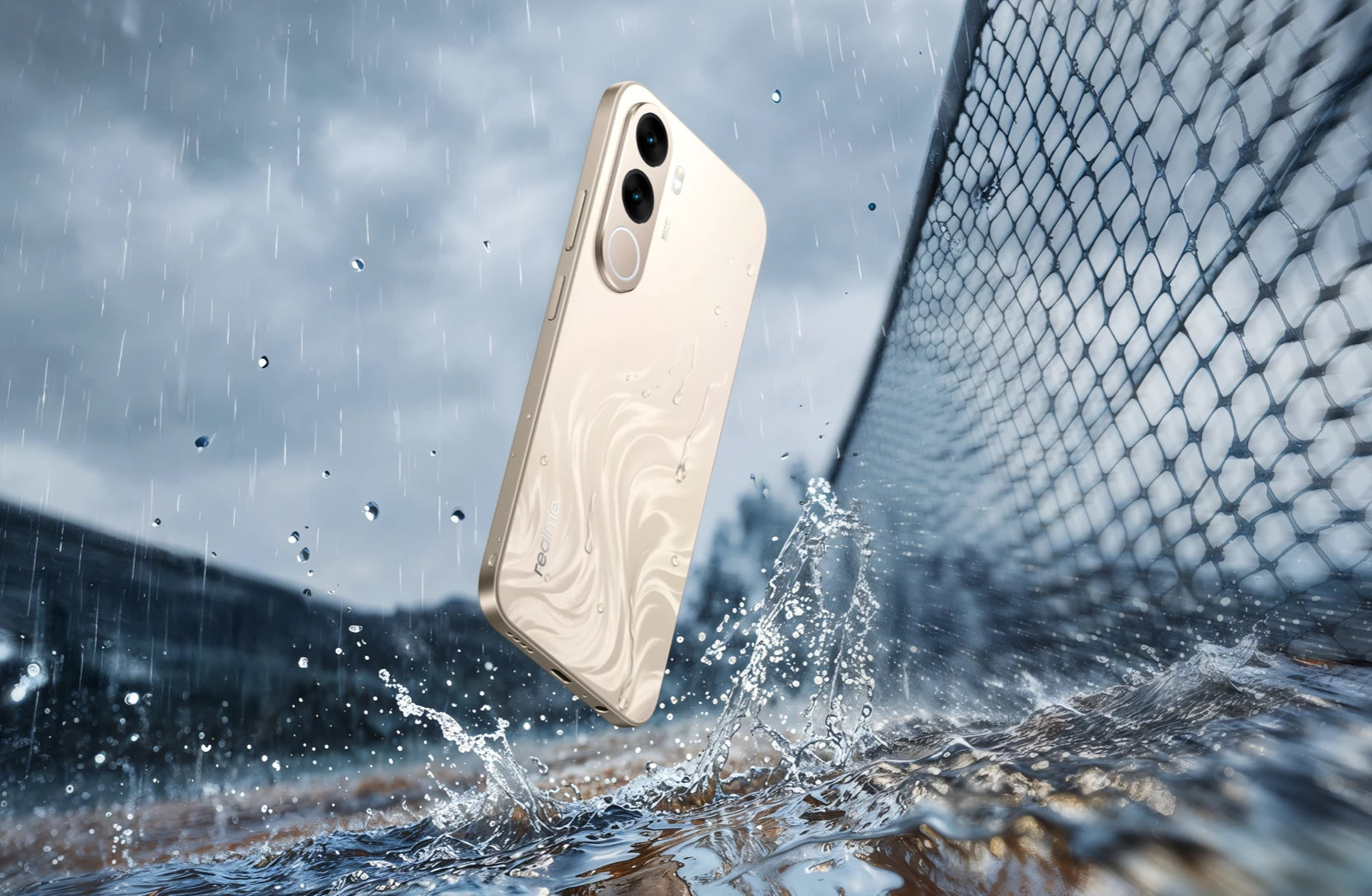
Realme’s C100x, announced for Malaysia, focuses on two practical features: an 8,000mAh battery and a 6.8-inch display with a 120Hz refresh rate. The reported Malaysian price is RM999, according to SoyaCincau. The important question for you is not whether the specifications look impressive. It is whether the phone fits the way your business actually operates.
TL;DR
The Realme C100x is designed for users who prioritise long battery life and a large, smooth display. Its 8,000mAh battery could suit SME owners and staff who spend long hours handling communication and mobile work away from a desk.
Before choosing it for business use, check its camera, storage, connectivity, software support, durability and compatibility with the apps your team depends on.
What This Means
An 8,000mAh battery is substantially larger than what you commonly see in ordinary smartphones. In plain language, the phone has a larger energy reserve before it needs to be connected to a charger. Actual battery life will still depend on mobile signal strength, screen brightness, video use, GPS, camera activity and background applications.
The 6.8-inch display gives you more screen space than a compact phone. That can make it easier to read order details, review spreadsheets, inspect product photos or type longer replies. A 120Hz refresh rate means the screen can update more frequently, making scrolling and animations appear smoother. This may be noticeable when browsing catalogues, moving through chat conversations or reviewing dashboards.
However, a larger screen and a bigger battery do not automatically make a phone the best business device. A business phone must also be dependable for calls, messaging, authentication codes, documents, photographs, navigation and security. The right decision depends on your daily workflow rather than one headline specification.
The best business phone is not the one with the longest specification sheet; it is the one that keeps your essential work available when your schedule gets messy.
How This Applies to Malaysian SMEs
Retail and shoplot businesses: If you run a boutique, mini market, hardware shop or specialty retailer, your phone may serve as a mobile point of contact for customers and suppliers. You might receive stock photos through WhatsApp, verify bank transfer notifications, update online listings and answer questions while serving people at the counter. A large display can help you read product variants and order details without constantly zooming in. The high-capacity battery may also reduce interruptions during long operating hours, particularly when the phone is used as the main communication device.
Food, beverage and delivery operations: Restaurant operators, home-based food sellers and caterers often coordinate orders across multiple channels. You may need to check a delivery address, contact a rider, confirm a custom request and update a customer while preparing items. These activities can involve constant screen use, mobile data and location services. A phone built around battery capacity may be practical for the person managing orders from the kitchen, stall or event venue. You should still test how clearly the screen works under bright outdoor conditions if your operation includes markets, kiosks or open-air events.
Field service and project businesses: Plumbers, electricians, renovation teams, cleaning companies, maintenance providers and event crews rarely spend the entire day at a desk. Their phones may be used for directions, before-and-after photos, job instructions, customer calls and digital forms. In this setting, reducing charging anxiety can be useful. The 6.8-inch screen may also make job notes and photo evidence easier to review. You should pair the phone with a reliable protective case and establish a process for uploading important files, because a large battery does not protect data if the device is damaged or misplaced.
Sales and customer-facing teams: A salesperson may show catalogues, product demonstrations, quotations or reference images from a phone. A larger display can make this more comfortable for both the salesperson and customer. The smooth 120Hz experience may also make browsing feel more responsive. Yet presentation quality depends on more than refresh rate. Check colour accuracy, outdoor visibility, speaker quality and camera performance before using the phone as a product demonstration tool.
Small teams sharing operational responsibilities: If your business has fewer than 10 employees, one device may be used by an owner, supervisor or runner for several tasks. That creates a need for clear access controls. Avoid leaving banking, customer records or email accounts permanently signed in without protection. Use a screen lock, separate business accounts where possible and a clear handover procedure when staff share devices.
Useful Numbers to Compare
| Feature | What is reported | Why it may matter to your business |
|---|---|---|
| Battery capacity | 8,000mAh, reported by SoyaCincau | More battery reserve may help during long days of messaging, navigation and mobile work. |
| Display size | 6.8 inches, reported by SoyaCincau | More room for order details, dashboards, forms and product images. |
| Refresh rate | 120Hz, reported by SoyaCincau | Smoother scrolling when reviewing chats, catalogues and business applications. |
| Malaysia launch price | RM999, reported by SoyaCincau | Gives you a reference point when comparing devices for business deployment. |
Practical Takeaways Before You Buy
- List the essential apps first. Test WhatsApp Business, email, accounting tools, delivery applications, cloud storage, point-of-sale software and any two-factor authentication apps you use.
- Check real working conditions. Try the device under bright sunlight, inside your shop, in a noisy location and while connected to mobile data.
- Assess the camera for your workflow. If you record product images, receipts, defects or job progress, make sure the camera produces files that are clear enough for customers and internal records.
- Confirm storage requirements. Product photos, videos and chat attachments can accumulate quickly. Decide how files will be moved to cloud storage or a computer.
- Protect the device. A large phone can be more awkward to handle. Use a suitable case, screen protector and lanyard or secure pocket for field staff.
- Set up business security. Enable a strong screen lock, automatic updates, remote location features and account recovery methods.
- Create a charging and handover routine. Even a large battery eventually needs charging. Nominate a responsible person and document what happens when the phone is passed to another staff member.
- Compare the complete specification. Battery size and display smoothness should be considered alongside network support, charging speed, software updates, warranty service and repair arrangements.
How to Put It Into a Simple SME System
If you decide to use a high-capacity phone for business, do not treat it as an isolated purchase. Configure it around a repeatable process. Create folders for orders, supplier documents, customer evidence and marketing assets. Use consistent file names and sync important information to an approved cloud location. This reduces the risk of one employee becoming the only person who knows where essential records are stored.
You can also create a short mobile-work checklist for staff. Before leaving the premises, they should confirm the phone is charged, mobile data is active, required applications are updated, navigation is available and emergency contacts are saved. After a site visit or delivery, photos and notes should be uploaded promptly rather than left on one device.
For customer communication, separate personal and business conversations wherever possible. A dedicated business number can make staff handovers clearer and helps prevent important enquiries from remaining on an employee’s personal phone. The device can support this arrangement, but your process is what keeps it reliable.
The Bigger Picture
Phones are becoming more important to small-business operations because many tasks now happen away from a computer. Customer enquiries, payments, delivery coordination, content creation and internal approvals can all take place on a mobile screen. This means hardware choices should be connected to your operating procedures.
The Realme C100x’s focus on battery capacity suggests that sustained mobile use remains a meaningful concern. For you, that may point to a broader review: which employees depend on their phones, which tasks cause the most disruption and which information must remain accessible during travel or site work?
Do not choose a device solely because one specification is large. Instead, match the phone to a defined role. An order coordinator may value battery endurance and screen size. A product photographer may care more about camera performance. A manager handling confidential records may prioritise security and software support. A field technician may need durability and reliable navigation.
Used thoughtfully, a long-lasting phone can support smoother daily operations. The real benefit comes when it is combined with clear communication rules, secure data handling and a simple system for keeping work moving even when you are away from the office.
Ready to Streamline Your Operations?
Your business should run itself. AutoRunBiz deploys AI agents to automate your daily operations — WhatsApp orders, invoicing, customer follow-ups, and accounting. Book a free 15-min ops audit to see where automation fits your business →