
Typing Less Is Not the Same as Working Less
If you run a Malaysian SME, your day is probably split between customer messages, staff instructions, quotations, supplier updates, meeting notes and approvals. Much of that work happens through text, yet typing every reply can slow you down—especially when you are moving between a shop floor, office, warehouse, site visit or client meeting.
Voice-to-text tools are becoming more capable. They can turn spoken thoughts into cleaner messages, recognise context and, in some cases, take actions inside business applications. The question is not whether you should replace every keyboard task. The better question is: which repetitive communication tasks could you complete more naturally by speaking?
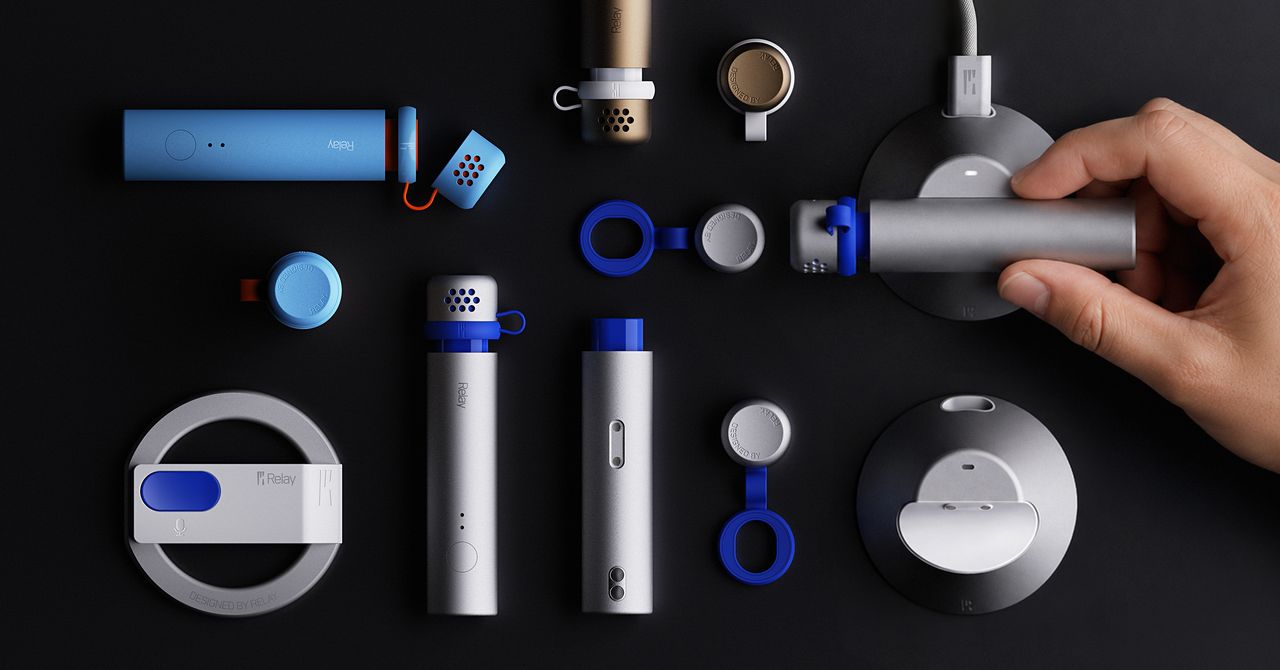
The article from WIRED describes Relay, a voice-to-text software service and a planned portable microphone called Relay Q. The hardware is expected in early 2027, while the software is currently available for macOS. The tool uses Google’s Gemini models for transcription and can connect with apps such as Slack, WhatsApp and Google Calendar. Source: WIRED
TL;DR
Voice-first AI can help you draft messages, clean up spoken ideas and trigger selected actions without constant keyboard use.
For an SME, start with low-risk tasks such as meeting notes, internal updates and first drafts. Set clear privacy rules before allowing any AI tool to view screens, access business apps or handle customer information.
What This Means
Traditional dictation simply converts speech into words. Newer AI voice tools try to understand what you mean and how you usually communicate. They may remove filler words, correct an unfinished sentence, adjust punctuation and format a message for a particular situation.
Relay works by using a hotkey in any text field. You press and hold the key, speak, and the tool inserts the result into the application. Its optional “Skills” can perform actions such as drafting a message in Slack or creating a Google Calendar event. Users can also create customised instructions, such as keeping messages to a particular colleague casual or translating a message for someone who speaks another language. Source: WIRED
This is different from giving an AI unrestricted control over your business. The tool may need microphone permission and, for certain actions, permission to capture a snapshot of your screen. That creates a practical trade-off: the more context the system can see, the more useful it may become, but the consequences of a mistake or unauthorised access also increase.
The useful question is not “Can AI do this?” It is “What is the safest business task for AI to assist with first?”
How This Applies to Malaysian SMEs
1. Customer service teams can draft replies while staying focused. If you manage a retail outlet, repair business, clinic, tuition centre or service company, staff may receive questions through WhatsApp while serving customers. A voice-first tool could help them dictate a first response, clarify the wording and prepare a polite reply. For example, a staff member could say, “Tell the customer the technician can visit tomorrow afternoon and ask for the address,” instead of typing the message from scratch. A human should still check availability, location and tone before sending.
This is particularly useful for owners who personally handle enquiries after hours. You could speak rough notes such as “follow up with the café owner about the maintenance quotation and mention the replacement parts lead time,” then turn that into a task or message. The benefit is not simply typing speed. It is reducing the number of ideas and follow-ups that remain in your head because writing them down feels inconvenient.
2. Salespeople can capture field notes immediately. Malaysian SMEs often have sales staff visiting restaurants, contractors, retailers, offices and project sites. After several appointments, details can become mixed up: requested specifications, decision-maker names, delivery requirements and next steps. A voice note converted into structured text can create a more consistent record while the conversation is still fresh.
For example, after visiting a potential customer, a salesperson could dictate: “Customer wants three options for outdoor signage, prefers installation before the school holidays, needs the quotation addressed to the operations manager, follow up next Tuesday.” The business can then transfer the approved information into its CRM, spreadsheet or task system. Do not treat the AI output as the official record until someone verifies names, dates and quantities.
3. Managers can turn meetings into clear action lists. Whether your meeting is about stock, staff scheduling, a renovation project or a new branch, the real value comes from knowing who will do what next. Voice-to-text can help capture discussion points and produce a draft action list. This is useful when participants speak in a mix of English, Malay or industry terms, although accuracy should be checked carefully.
A practical workflow is to record only with everyone’s knowledge, produce a draft summary, and ask the meeting owner to confirm it. The final version should identify the task, responsible person and deadline. Avoid allowing an AI tool to automatically send commitments to customers or suppliers until a manager reviews them.
4. Multilingual communication needs human review. Many Malaysian businesses serve customers and staff who use different languages. AI-assisted translation can help prepare a message in English, Bahasa Malaysia, Mandarin or another language. However, names, product descriptions, legal terms and local expressions can be mistranslated. Use it as a drafting assistant, not as the final authority for contracts, complaints or safety instructions.
A Simple Comparison of Potential Uses
| Business task | Possible voice-first use | Human check needed |
|---|---|---|
| Internal updates | Dictate a short announcement for staff | Names, dates and instructions |
| Customer enquiries | Draft a polite reply from spoken points | Availability, promises and tone |
| Sales visits | Capture customer requirements after a meeting | Specifications and follow-up date |
| Calendar management | Prepare a meeting or reminder | Participants, timing and location |
| Translation | Create a first version in another language | Meaning, formality and sensitive wording |
These are workflow examples rather than measured performance claims. The Relay review found that its beta transcription could miss words and punctuation, while some app actions worked inconsistently. Source: WIRED
Practical Takeaways
- Start with one workflow: Choose meeting summaries, internal updates or sales follow-ups rather than giving an AI tool access to every application.
- Use a review step: Require a person to approve customer messages, quotations, schedules and operational instructions.
- Create a correction list: Record common product names, staff names, Malay terms and abbreviations that transcription tools often misunderstand.
- Set permission boundaries: Give microphone, screen and application access only when there is a clear reason.
- Keep confidential information out of tests: Begin with non-sensitive sample messages and avoid exposing identity documents, banking information or private staff matters.
- Tell people when recording is involved: Do not capture meetings or customer conversations secretly. Make consent and internal policy clear.
- Measure the workflow, not the novelty: Track whether staff complete follow-ups more consistently and whether corrections remain manageable.
- Prepare a fallback: Staff should know how to complete the task manually when the AI misunderstands speech, loses connection or triggers the wrong action.
Privacy and Security Questions to Ask
Before adopting any voice assistant for business use, ask where recordings and transcripts are processed, how long they are retained, which staff can access them and whether the provider uses them for further model development. Relay says data is stored locally on the user’s device and is not retained by Relay when sent through its servers to Google for processing, according to the WIRED report. Source: WIRED
You should still assess the tool against your own operations. A small business may handle customer addresses, health information, supplier agreements, employee records or unpublished product plans. Create a simple rule: approved tools may assist with ordinary drafts, but sensitive information requires a separate process and manager approval.
The Bigger Picture
Voice-first AI is likely to become another interface for business software, alongside keyboards, mobile apps and forms. That does not mean every employee should speak commands all day. In a busy workplace, voice is most useful when your hands are occupied, your thoughts are moving faster than you can type, or you need to capture information immediately after an event.
The larger change is in how work gets recorded. Instead of waiting for someone to write a polished update, your team can capture a rough spoken version and refine it into a usable task, message or record. This could help smaller companies preserve operational knowledge that currently disappears in conversations, phone calls and quick site visits.
However, speed without accountability can create new problems. An incorrectly transcribed quantity, date or customer name may lead to confusion. An automated message sent to the wrong recipient may damage trust. Your advantage will come from combining voice convenience with clear approvals, access controls and staff training.
Relay’s planned dedicated microphone is not yet the main point for your business. The more important lesson is that voice-to-text tools are moving beyond simple dictation. You can begin testing the same idea with the tools you already have, provided you select a low-risk process and keep a person responsible for the final decision.
Ready to Streamline Your Operations?
Your business should run itself. AutoRunBiz deploys AI agents to automate your daily operations — WhatsApp orders, invoicing, customer follow-ups, and accounting. Book a free 15-min ops audit to see where automation fits your business →