
Apple’s iOS 27.1 Timing Could Affect How You Run Work
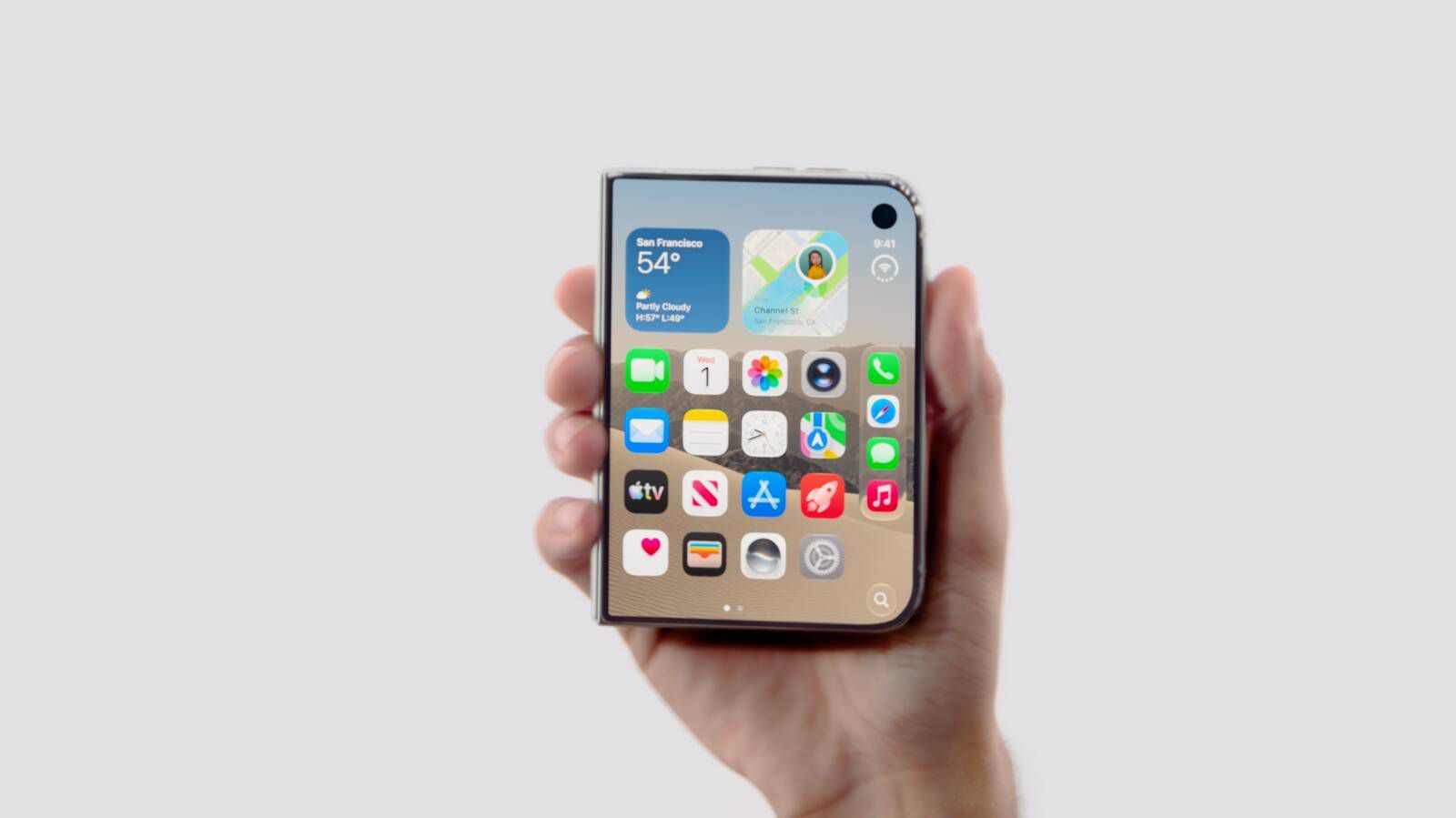
Apple’s upcoming iPhone Duo is expected to ship with iOS 27.1 when it launches on 23 October 2026, according to MacRumors. For a Malaysian SME owner, this is more than an Apple product update. It signals that mobile software is being designed around new screen formats, multitasking layouts and more flexible ways to handle business information.
You may not plan to buy a new iPhone immediately. You may also use Android devices, shared tablets or desktop computers across your business. Even so, a major operating-system update can influence how customers communicate with you, how staff access business apps and how software providers build future features. If your team depends on messaging, mobile payments, customer relationship management, scheduling or cloud documents, changes in mobile layouts can eventually affect daily operations.
What Happened
Apple says the iPhone Duo will ship with iOS 27.1 when the device launches in October 2026, according to MacRumors. The device is scheduled to become available on 23 October, with pre-orders beginning on 16 October. This suggests that iOS 27.1 could arrive shortly before the 23 October launch, although Apple’s exact software-release date was not confirmed in the source report.
The iPhone Duo is expected to use dual displays and a new vertical dock. iOS 27.1 will include updated application layouts designed for those features, as reported by MacRumors. These layouts could allow users to view more information at once, move between applications more efficiently or keep important tools visible while working.
Apple’s iPhone 18 Pro models are scheduled to launch on 18 September 2026 with iOS 27, while iOS 27 is scheduled to launch on 14 September 2026, according to MacRumors. The iPhone Duo is therefore expected to arrive just over a month after the iPhone 18 Pro models. For comparison, iOS 26.1 was released on 3 November in the previous cycle, as stated by MacRumors.
The practical lesson for your business is simple: new device hardware often pushes software vendors to rethink how information is displayed, not merely add another feature.
Why This Matters for Malaysian SMEs
Many Malaysian SMEs operate through mobile-first workflows. A sales representative may answer WhatsApp messages while travelling between customers. A café manager may check stock from a phone. A home-based seller may confirm orders, create delivery notes and monitor online payments from one device. A contractor may need to review a quotation, photograph site progress and send an update before leaving a customer’s premises.
When mobile operating systems introduce new layouts, these workflows can become faster or more complicated depending on how well your business apps adapt. A dual-display device could make it easier to keep a customer conversation visible while checking inventory, reviewing a calendar or updating a quotation. However, the benefit depends on whether your applications support the new interface properly.
This is particularly relevant if you use cloud-based tools for accounting, inventory, customer records, staff scheduling or field service. You should not assume that every app will work perfectly with a new screen arrangement on launch day. Check whether your software provider has published compatibility guidance, especially if your staff use iPhones to access business-critical systems.
For Malaysian businesses, local communication habits also matter. Your team may switch between WhatsApp, email, phone calls and business platforms throughout the day. A larger or dual-screen layout could help staff handle these channels with fewer interruptions. A customer service executive, for example, might keep a product catalogue open while responding to a customer enquiry. A property negotiator might view a listing, appointment schedule and location information in a more structured layout.
Business areas worth reviewing
| Business area | Potential impact | What you should check |
|---|---|---|
| Customer service | More information may be visible while replying to enquiries | Whether your messaging and CRM apps support the updated layout |
| Sales | Quotations, catalogues and customer records may be easier to review together | Whether documents remain readable and easy to share |
| Operations | Staff may manage schedules, tasks and status updates from one device | Whether your workforce app works reliably after the update |
| Retail and F&B | Stock, order and payment information may be accessed more efficiently | Whether your point-of-sale and inventory systems are compatible |
What You Can Do Before the Update
First, create a simple list of the mobile applications your business depends on. Include customer communication tools, accounting systems, cloud storage, delivery platforms, scheduling tools, payment applications and security software. Identify which applications are essential for daily operations and which are merely convenient.
Second, ask your software vendors about iOS 27 and iOS 27.1 compatibility. Do this before allowing staff to update every device at once. You should also ask whether the application supports the iPhone Duo’s dual displays and vertical dock if you are considering that device for selected roles.
Third, establish a testing process. Choose one non-critical device to test the operating-system update and your most important applications. Check login access, document uploads, notifications, camera functions, Bluetooth accessories, printing and payment-related processes. Record any issue clearly so your vendor can investigate it.
Fourth, make sure your business data is not dependent on a single handset. Staff should be able to access essential records through an approved alternative device or browser when appropriate. Keep recovery information, authentication methods and administrator contacts documented securely. This is useful whenever a phone is lost, damaged or affected by a software problem.
The Bigger Picture
The iPhone Duo story shows how business technology is moving towards more adaptable screens and context-based workflows. The important question is not whether every SME needs a dual-display phone. The more useful question is whether your business systems can present the right information at the right time without forcing staff to switch constantly between screens.
This trend will place greater responsibility on software providers. Business applications will need to support different screen sizes, flexible layouts, accessibility settings and secure access across devices. If an application only works well in one fixed format, it may create unnecessary friction as customers and employees adopt newer hardware.
For you as an SME owner, this is a reminder to evaluate technology by workflow rather than novelty. A new phone is useful only when it helps your team respond faster, reduce errors, complete jobs more consistently or serve customers better. Before adopting new hardware, map the tasks your employees perform most often and identify where screen switching creates delays.
You should also treat operating-system updates as part of business continuity planning. Schedule testing, communicate update rules to staff and keep a practical fallback process for essential work. The iOS 27.1 release timing may be connected to the iPhone Duo launch, but its wider lesson applies to any technology platform: hardware changes can influence the software your business relies on.
By preparing early, you can avoid rushed decisions and make sure your mobile tools support the way your Malaysian SME actually operates.
Ready to Streamline Your Operations?
Technology moves fast. Your operations should keep up. AutoRunBiz builds AI systems that run your daily workflows — from WhatsApp order capture to accounting. Book a free 15-min ops audit →