
Why a Phone Update Matters to Your Business
If your team uses iPhones for customer calls, sales follow-ups, delivery coordination, social media, or approving work while away from the office, a software update is not just a personal technology matter. It can affect the way your staff use business apps, access documents, respond to customers, and manage daily tasks.
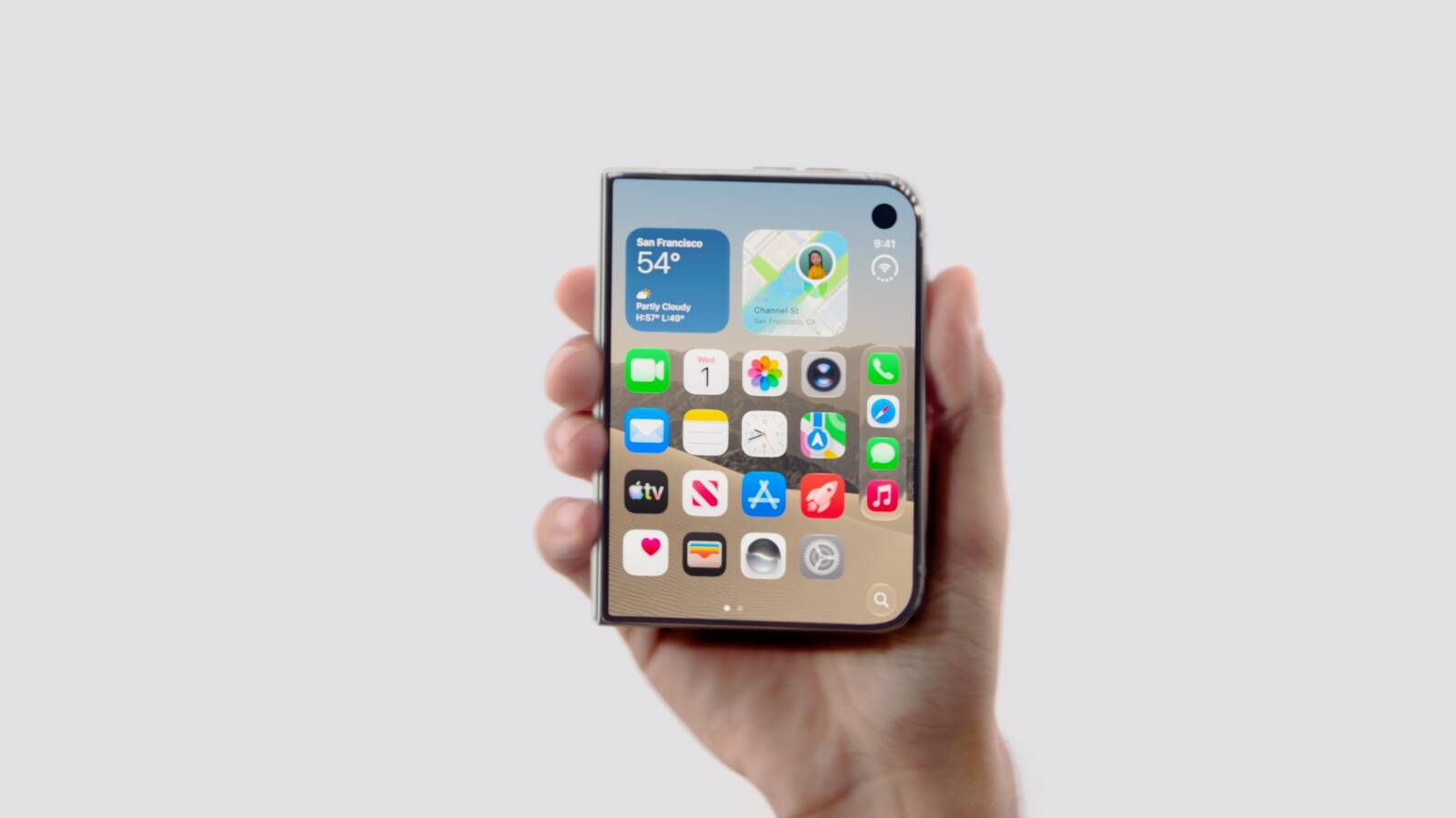
Apple is expected to release the iPhone Duo on October 23, 2026, with iOS 27.1 installed. The update is expected to include app layouts designed for the device’s dual displays and vertical dock, according to MacRumors. For you as a business owner, the important question is not whether you need the newest phone. It is whether your current processes and apps are ready for changes in the devices your team already relies on.
TL;DR: Apple’s iOS 27.1 is expected shortly before the iPhone Duo launches on October 23, 2026. Review your business apps, device policies, backups, and staff workflows before major updates arrive.
The iPhone 18 Pro models are scheduled to launch on September 18, while iOS 27 is expected on September 14, based on the source report. That creates a staged update cycle rather than one single event. Your business may therefore have employees using different iPhone models and iOS versions at the same time.
What This Means
In plain language, Apple appears to be preparing a major iOS update first, followed by a newer iPhone model with hardware that needs specially designed software. The iPhone Duo is expected to have dual displays and a new vertical dock, so apps may need updated layouts to work properly across those screens.
The iPhone Duo is expected to be available on October 23, 2026, with pre-orders beginning on October 16, 2026, according to MacRumors. iOS 27 is expected to launch on September 14, 2026, and the iPhone 18 Pro models are expected to launch on September 18, 2026, according to the same report.
This does not mean you should immediately replace every phone in your company. It means you should treat the update as a small operational change. Check whether your customer relationship management app, accounting software, messaging tools, delivery platforms, online banking apps, password manager, and automation tools remain reliable after the update.
The useful question is not “Should I buy the latest iPhone?” but “Will my team’s daily work continue smoothly when Apple changes the platform?”
How This Applies to Malaysian SMEs
1. Retail and service businesses need dependable customer communication. If you run a salon, repair shop, clinic, agency, or retail outlet, your staff may use iPhones to confirm appointments, answer WhatsApp messages, take product photos, and update customer records. A redesigned app layout could change where buttons, notifications, or customer details appear. Ask your team to identify the three apps they use most often and test those apps after iOS 27 becomes available.
Do not rely only on the owner to test everything. A receptionist may notice a different issue from a salesperson. A field technician may depend on camera uploads, location services, or mobile forms. A business automation company may use a combination of CRM, cloud storage, messaging, and approval tools that behave differently across phone models. Collect feedback from the people who use these tools throughout the day.
2. Sales teams should protect lead follow-up. Many Malaysian SMEs receive enquiries through WhatsApp, Instagram, Facebook, website forms, and phone calls. If a new iOS version changes notification behaviour or causes a business app to log out, a hot lead can be missed. Before updating devices, confirm that notifications are enabled, contact synchronisation works, and enquiries are still being assigned to the correct staff member.
You can make this easier by using a central customer record instead of depending on one employee’s phone. When a prospect’s details, conversation history, and next action are stored in a shared system, another team member can continue the follow-up if a phone is being updated or repaired. This is especially useful when your staff work across Kuala Lumpur, Penang, Johor, Sabah, or Sarawak.
3. Operations teams should review mobile approvals and documents. SME owners often approve quotations, purchase requests, leave applications, supplier documents, and customer refunds from a phone. If your workflow uses a mobile app, browser shortcut, email link, or document-signing tool, test the full approval process rather than simply opening the app.
Check whether you can sign in, receive a verification code, view attachments, approve a request, and confirm that the approval is recorded correctly. If your business uses two-factor authentication, make sure the authentication app and backup method are available. A phone update is a good reminder to document who can approve what, rather than keeping the process inside one person’s device.
4. Businesses handling customer information should review access controls. A new phone or updated operating system may encourage staff to save more files locally, take screenshots, or use personal messaging accounts for convenience. Set clear rules for customer data, passwords, invoices, identity documents, and internal discussions. Staff should know which information belongs in approved business systems and which actions require management approval.
You should also maintain an accurate list of company-owned devices. Record the assigned employee, phone model, business apps, recovery email, and authentication method. This makes it easier to support staff when different devices run different versions of iOS.
Key Dates and What to Check
| Reported item | Reported date | What you should do |
|---|---|---|
| iOS 27 release | September 14, 2026 | Test essential business apps before broad rollout |
| iPhone 18 Pro launch | September 18, 2026 | Expect different iPhone models and software versions in the team |
| iPhone Duo pre-orders | October 16, 2026 | Review device policy and app compatibility |
| iPhone Duo launch with iOS 27.1 | October 23, 2026 | Test dual-display layouts and mobile workflows |
These dates are reported by MacRumors. The report says iOS 27.1 should arrive shortly before the October 23 iPhone Duo launch, but Apple’s final release timing may change.
Practical Takeaways
- List the business apps your team uses every day, including CRM, accounting, messaging, banking, delivery, scheduling, and automation tools.
- Ask each department to test its most important mobile workflow after iOS 27 is available.
- Keep a small group of test devices before updating every company phone.
- Confirm that notifications, file uploads, camera access, location services, and two-factor authentication work correctly.
- Back up important business data before installing major updates.
- Do not update during a busy sales campaign, stock count, event, or delivery period unless the update is urgent.
- Maintain shared customer and operational records so work does not depend on one person’s phone.
- Document a simple fallback process, such as using a desktop browser, shared inbox, or secondary device.
- Review employee access when a device is replaced, reassigned, lost, or returned.
- Ask your software providers whether their iPhone apps support iOS 27 and the new iPhone Duo layout.
A Simple Readiness Checklist
Start with a one-hour review. Write down the apps used for sales, customer service, finance, scheduling, operations, and management approvals. Mark each app as essential, useful, or non-essential. For every essential app, record the login owner, recovery method, support contact, and backup process.
Next, select one or two staff members to test the updated operating system. Ask them to complete real tasks: create a customer record, send a quotation, upload a photo, approve a document, update a delivery status, and respond to a customer message. Record anything that is slower, confusing, or unavailable.
Finally, communicate the update plan in simple language. Tell employees when they may update, whom to contact if something stops working, and which workarounds to use. Clear instructions reduce repeated questions and prevent staff from making rushed changes on their own.
The Bigger Picture
Apple’s move toward specialised hardware and redesigned layouts shows that mobile devices are becoming more closely connected to workplace software. Your phone is no longer only for calls and messages. It may act as a sales terminal, approval desk, document scanner, scheduling tool, camera, navigation device, and access key for business systems.
That makes process design more important than the device brand. If your business relies on manual copying between apps, personal chat histories, or files stored on individual phones, every technology update creates more uncertainty. If your information is organised in shared systems with clear permissions and documented steps, your team can adapt more calmly.
The iPhone Duo and iOS 27.1 may be relevant to your business even if you never purchase the device. Customers, suppliers, and employees may use it, and app developers will increasingly design for different screen formats. Prepare by keeping your business workflows device-friendly, shared, and easy to test.
The best response is practical: identify critical mobile tasks, test them early, protect access to business data, and give your staff a clear fallback. That approach will help you handle this Apple update and future changes without allowing technology to interrupt customer service or daily operations.
Ready to Streamline Your Operations?
Your business should run itself. AutoRunBiz deploys AI agents to automate your daily operations — WhatsApp orders, invoicing, customer follow-ups, and accounting. Book a free 15-min ops audit to see where automation fits your business →