
When Automation Creates New Risks for Your Team
You may not be building robotaxis, autonomous delivery vehicles or artificial intelligence systems. But you may already be introducing automation into your warehouse, office, shop, delivery process or customer service operation.
That creates an important responsibility: a process can become more efficient while still creating new risks for the people who use it. The technology may reduce one type of error, yet introduce another through poor handovers, confusing alerts, awkward workflows or insufficient training.
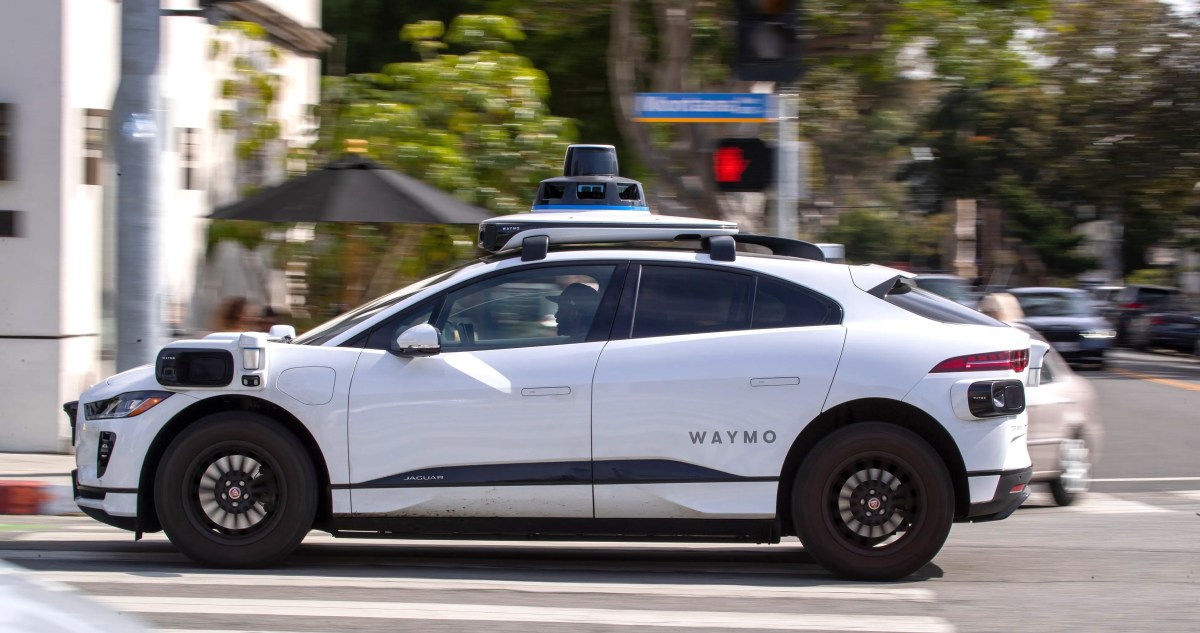
A recent TechCrunch report highlighted this concern in autonomous vehicles. Test drivers working with Waymo and Zoox reportedly suffered more than two dozen injuries during 2024 and 2025 after sudden braking and other unexpected vehicle movements. The lesson is bigger than robotaxis: automation must be designed around human safety, not treated as safe simply because it is automated.
TL;DR: Automation does not remove human risk; it changes where that risk appears. Before introducing a new system, map how your employees interact with it, test unusual situations, record incidents and provide a clear way to stop or override the process.
For a Malaysian SME, this approach can prevent small workflow problems from becoming staff injuries, customer complaints, delivery failures or regulatory concerns.
What This Means
Autonomous vehicles are often promoted as a way to reduce crashes and improve road safety. There is evidence that automated driving systems can offer safety benefits, but that does not mean every part of the development and operating process is automatically safe.
In the cases described by TechCrunch, test drivers were present inside vehicles that could make sudden movements. Their role was to monitor and support the system, but the system itself created physical strain when it braked hard or behaved unexpectedly. Some workers were reportedly unable to work for months after injuries such as whiplash.
This is a useful example of secondary risk. The original technology may be intended to solve a problem, but it can produce a different problem for the people around it. A warehouse scanning system may improve stock accuracy but cause employees to twist repeatedly. An automated approval workflow may reduce paperwork but delay urgent orders when an alert is missed. A chatbot may answer routine questions but frustrate customers when no human escalation is available.
Automation is only successful when the people operating, supervising and affected by it can use it safely and recover when it fails.
The report also shows why clear data matters. TechCrunch noted that some autonomous vehicle companies may not have the same reporting obligations as others, meaning publicly available injury data may not show the entire picture. For your business, the equivalent problem is failing to record near misses, repetitive strain, customer escalations or process breakdowns because nobody was physically injured or no order was lost.
How This Applies to Malaysian SMEs
1. Warehouse and retail operations need human-centred automation. If you use barcode scanners, inventory software, automated reorder alerts or picking systems, watch how employees actually work. A process that looks efficient on a screen may involve constant bending, reaching, walking or carrying in practice. In a Malaysian retail store, for example, an automated stock alert is useful only if staff can find the item safely and quickly. If the system sends frequent false alerts, employees may rush, interrupt customers or ignore future notifications.
Start by observing one normal shift. Ask where staff walk repeatedly, where they wait, which screens confuse them and which tasks require awkward movements. You do not need advanced analytics. A simple observation sheet can reveal whether automation is reducing work or merely moving it from one part of the operation to another.
2. Delivery and field-service businesses must prepare for exceptions. Malaysian SMEs in food distribution, electrical services, air-conditioning maintenance and e-commerce often depend on route planning, automated customer messages and digital proof of delivery. These tools can reduce coordination work, but they cannot understand every situation. A customer may provide an incomplete address, a loading bay may be blocked, heavy rain may make access unsafe, or a technician may discover a different problem on site.
Give employees a clear escalation path. Your driver or technician should know when to pause a job, contact a supervisor or override an automated instruction. Do not design a process that rewards employees for following the system even when the real-world situation is clearly unsafe or impractical.
3. Office automation can create less visible pressure. Automated sales follow-ups, payroll reminders, customer-service routing and document approvals may reduce administrative work. However, too many alerts can create constant interruption. Employees may feel pressured to respond immediately to every notification, switch between systems and work around incomplete data.
For example, an automated lead assignment process may send enquiries to several staff members without showing who owns the next action. A customer could receive repeated calls, while another enquiry receives no response. Set ownership rules, response windows and a manual reassignment process. The goal is not simply to automate more tasks; it is to make responsibility clearer.
4. AI tools need review boundaries. If you use AI to draft quotations, summarise customer messages, classify support tickets or prepare reports, define what the system may do without approval. A draft invoice, employment letter or customer response should not be treated as final merely because it was generated quickly.
Create a short review checklist: Is the customer name correct? Are the dates and quantities accurate? Does the response match company policy? Is any confidential information included? This is especially important for SMEs where one incorrect document can affect trust across several customers.
Practical Takeaways for Your Business
- Map the human steps: Write down what employees do before, during and after an automated action.
- Identify failure points: List what happens if the internet, device, sensor, integration or employee input is wrong.
- Test unusual situations: Include missing information, duplicate orders, urgent requests, equipment faults and customer disputes.
- Set an override rule: Employees should know when they can pause or bypass automation without fear of being blamed.
- Record near misses: Track confusing instructions, repeated errors, awkward physical tasks and customer escalations.
- Review alert volume: Remove notifications that do not lead to a useful action.
- Assign ownership: Every automated workflow needs a person responsible for monitoring the result.
- Train with real examples: Show employees what to do when the system gives an incomplete or unreasonable answer.
- Review after launch: Check the process after one week, one month and one quarter rather than assuming the first setup is correct.
A Simple Automation Safety Review
| Review area | Question to ask | Suggested action |
|---|---|---|
| People | Who interacts with the system? | Observe the task and ask for staff feedback. |
| Process | What happens when information is missing? | Create a manual exception route. |
| Safety | Could the workflow cause physical or mental strain? | Adjust movements, workload, timing or alert frequency. |
| Quality | What must be checked before completion? | Use a short approval checklist. |
| Accountability | Who responds when the system fails? | Name a responsible owner and backup. |
When you review results, use specific operational measures. For example, compare the number of reopened support tickets, delayed deliveries, repeated data corrections, near misses and manual overrides before and after automation. Keep the review period consistent so you can see whether the new process is actually helping.
The Bigger Picture
The autonomous vehicle story points to a broader principle for every growing business: technology performance cannot be separated from human experience. A system may appear successful because it completes tasks quickly, yet still create hidden costs through injuries, stress, confusion or poor accountability.
As Malaysian SMEs adopt cloud software, AI assistants, automated workflows and connected devices, the most valuable question is not “Can this task be automated?” It is “How should this task be shared between technology and people?” Some steps are suitable for full automation. Others need human approval, especially when they involve safety, sensitive information, unusual customer situations or significant business consequences.
Be careful with technology claims as well. The TechCrunch article included a clarification about a Waymo computing-performance statement: the quoted performance applied to a system rather than a single chip. That distinction matters. In your own business, a vendor may describe a platform using impressive totals without explaining what the figure covers. Ask whether a result applies to one feature, the entire system, ideal conditions or actual day-to-day usage.
Automation should make work more predictable, not make employees responsible for guessing what a system intended. If you build clear controls, human review and incident reporting into the process from the beginning, you can gain the operational benefits while protecting the people who keep your business running.
Ready to Streamline Your Operations?
Your business should run itself. AutoRunBiz deploys AI agents to automate your daily operations — WhatsApp orders, invoicing, customer follow-ups, and accounting. Book a free 15-min ops audit to see where automation fits your business →