
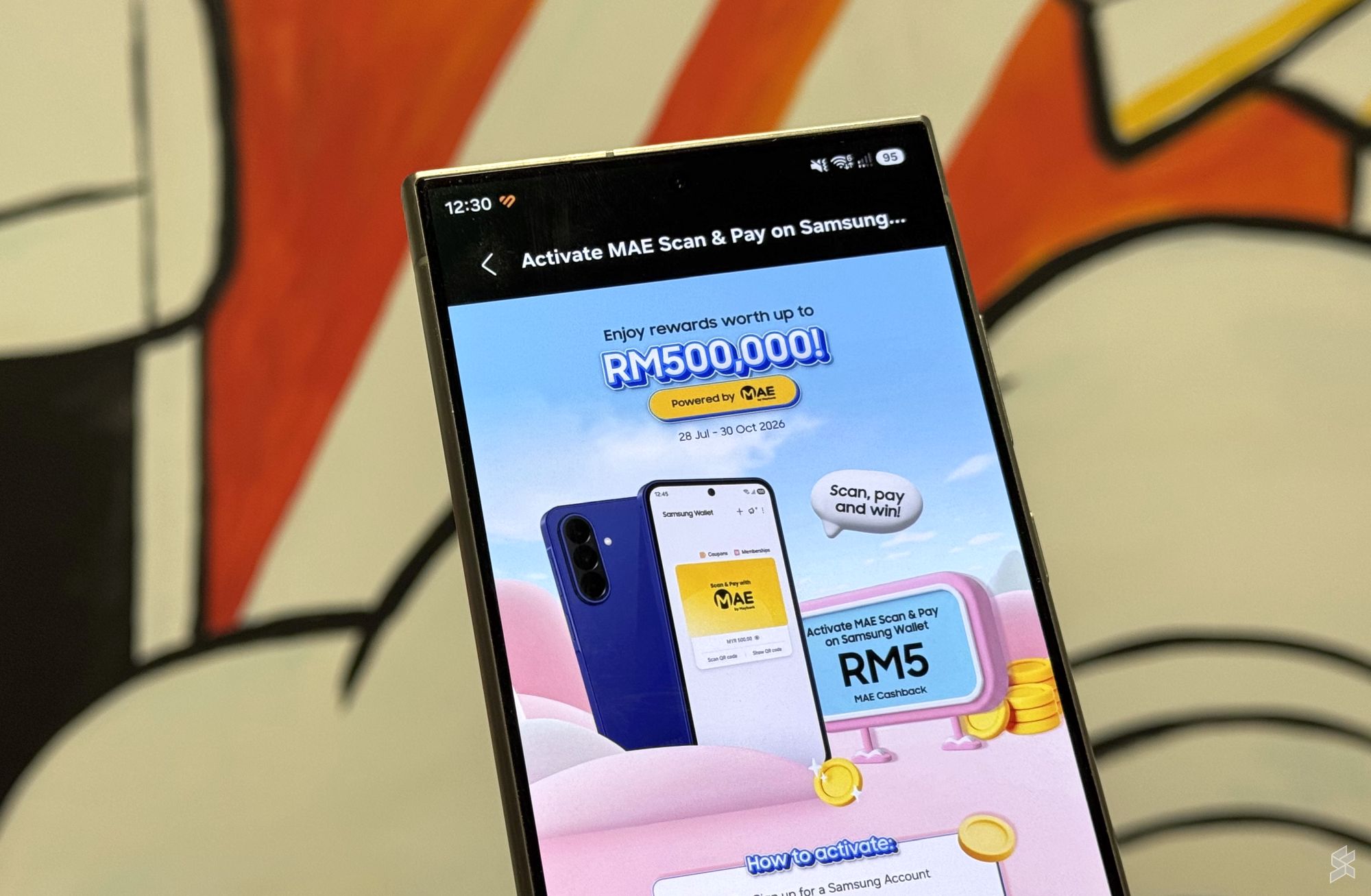
How the Maybank MAE and Samsung Wallet Linkup Changes Your Checkout Counter
You are busy running your business in Malaysia. Your day is a constant flow of customer requests, staff questions, and operational hiccups. When a news headline pops up about Maybank linking its MAE wallet to Samsung Wallet, it is easy to scroll past it. Just another bank partnership, right?
But this specific integration is different. It directly affects the moment a customer stands at your counter with their phone ready to pay. If you own a small shop, a cafe in the city, or a service business, understanding this shift allows you to remove friction from your checkout flow without spending on expensive new hardware.
TL;DR: This partnership trains a massive user base (Samsung phone owners with Maybank accounts) to pay without opening a separate app. Your business captures this value by having a ready checkout flow. A visible QR code and an active NFC terminal are all you need to serve these newly activated customers faster.
What This Means in Plain Terms
Maybank MAE is the bank’s own digital wallet. Samsung Wallet is the native payment hub built directly into tens of millions of phones in Malaysia. By linking these two, a customer no longer needs to search for the MAE app in their app drawer, wait for it to load, and navigate to the payment screen. The integration removes an entire layer of navigation. The customer simply double-taps the lock screen of their phone, and the payment tool is ready to scan your DuitNow QR or tap your terminal.
Think about the last time you saw a customer struggle at the counter. They open an app, it needs an update, their data is slow, or they forgot the password. That moment of friction can stall your entire queue. This partnership patches that specific leak for a very large segment of the Malaysian market.
How This Applies to Your Malaysian SME
1. Faster Service During Peak Hours.
If you run a store in a mall or a F&B outlet in a business district, the lunch rush is your primary revenue window. Every second spent waiting for a payment app to load is a second you lose. Samsung Wallet, linked directly to MAE, allows for a near-instant scan. Your staff can focus on packing the order or greeting the next customer instead of waiting. This is a small efficiency gain that compounds significantly over a week.
2. Capturing the Largest User Overlap.
Maybank is the largest bank in the country, and Samsung is the dominant Android phone brand. The overlap between your customers who have a Maybank account and use a Samsung phone is enormous. This specific promotion is designed to train that exact user group to activate their digital wallet permanently. By simply ensuring your DuitNow QR code is visible and your terminal supports phone tapping, you become a destination for these newly activated users looking to use their preferred method.
3. Reducing Staff Training Burden.
A common pain point for SMEs is training staff on how to handle different payment methods. “Is it Touch ‘n Go? GrabPay? Card?” With a phone-native wallet like Samsung Wallet, the payment is universal. Your staff does not need to know the interface of every banking app. They simply need to point to the QR code or the terminal. The phone handles the rest. This simplifies your training, reduces errors at the counter, and creates a consistent customer experience regardless of who is serving.
“This specific Maybank-Samsung partnership is less about a short-term promotional offer and more about permanently changing how your customers choose to transact. Your counter is where this new behavior is solidified.”
Practical Takeaways for Your Business
You do not need to overhaul your entire payment system. Here is a simple checklist to benefit from this shift right now:
- Test your own DuitNow QR code. Physically take a Samsung phone, link your own MAE wallet, and try scanning the QR at your counter. Is it fast? Is the QR code faded or damaged?
- Verify your terminal capabilities. Call your payment terminal provider and ask if your device supports NFC tapping specifically from phone-based wallets. Some older terminals only take cards.
- Update your counter signage. A simple sticker that says “Pay by Phone” or “Scan Here” triggers the customer to pull out their wallet before they even reach the counter.
- Brief your team for 5 minutes. Tell your staff about this update. When a customer asks, “Can I pay with Samsung Wallet?”, your team should confidently say “Yes, just scan this.” Confidence at the counter builds trust.
Your Checkout Experience Upgrade
| Aspect | Before This Shift | With MAE + Samsung Wallet |
|---|---|---|
| Customer Checkout Steps | Unlock phone, find MAE app, open it, wait for loading, scan QR or enter amount | Double tap lock screen, scan QR or tap terminal |
| Staff Role at Counter | Wait for the customer to navigate their app, sometimes guide them | Simply point to the QR or terminal |
| Risk of Transaction Abandonment | Higher, due to slow apps, data issues, or forgot passwords | Lower, as the native wallet is always accessible |
| Perception of Your Business | Functional but potentially slow or “old-fashioned” | Smooth, modern, and efficient |
The Bigger Picture for Malaysian SMEs
This move by Maybank is a clear signal of where the financial landscape is heading in Malaysia. Banks are realizing that they do not need to own your customers’ home screen. Their goal is to be the best service behind the Samsung Wallet, the Apple Pay, or the Google Pay interface. By embedding their MAE card directly into the phone’s native wallet, Maybank ensures it is the default choice for millions of users without requiring them to open the MAE app ever again.
For you, the business owner, this means the fragmentation of payment apps might finally start to consolidate. You do not need to support ten different e-wallet apps on your phone. You support one ecosystem (DuitNow QR and NFC terminals) that bundles all the major wallets together. This simplifies your operations significantly. The customer uses whichever phone they have, and your counter just accepts it.
This partnership is a step toward making digital payments as invisible as possible. The less your customer thinks about the payment process, the more they focus on your product and service. That is the ultimate goal of business automation at the checkout counter.
Your Next Step
Do not treat this announcement as just another tech headline. Treat it as a free upgrade to your business’s efficiency. The behavior that this promotion is seeding will stick around long after the reward period ends. If your checkout counter is ready for it today, you are building a smoother, faster experience that keeps your customers coming back without the friction.
Ready to Streamline Your Operations?
Your business should run itself. AutoRunBiz deploys AI agents to automate your daily operations — WhatsApp orders, invoicing, customer follow-ups, and accounting. Book a free 15-min ops audit to see where automation fits your business →