
The tablet you ignored might be the tool your team actually needs
You carry a phone in your pocket and a laptop in your bag. The phone handles calls and WhatsApp. The laptop handles invoices, quotations, and spreadsheets. Between them, most days work out fine — until you’re standing in a client’s parking lot trying to reopen a PDF that your phone refuses to display properly.
That’s the everyday reality for Malaysian SME owners. You do business in the field, not just at a desk. And for years, tablets sat awkwardly in the middle: too big for a pocket, too limited for real work. So you skipped them, and nobody blamed you.
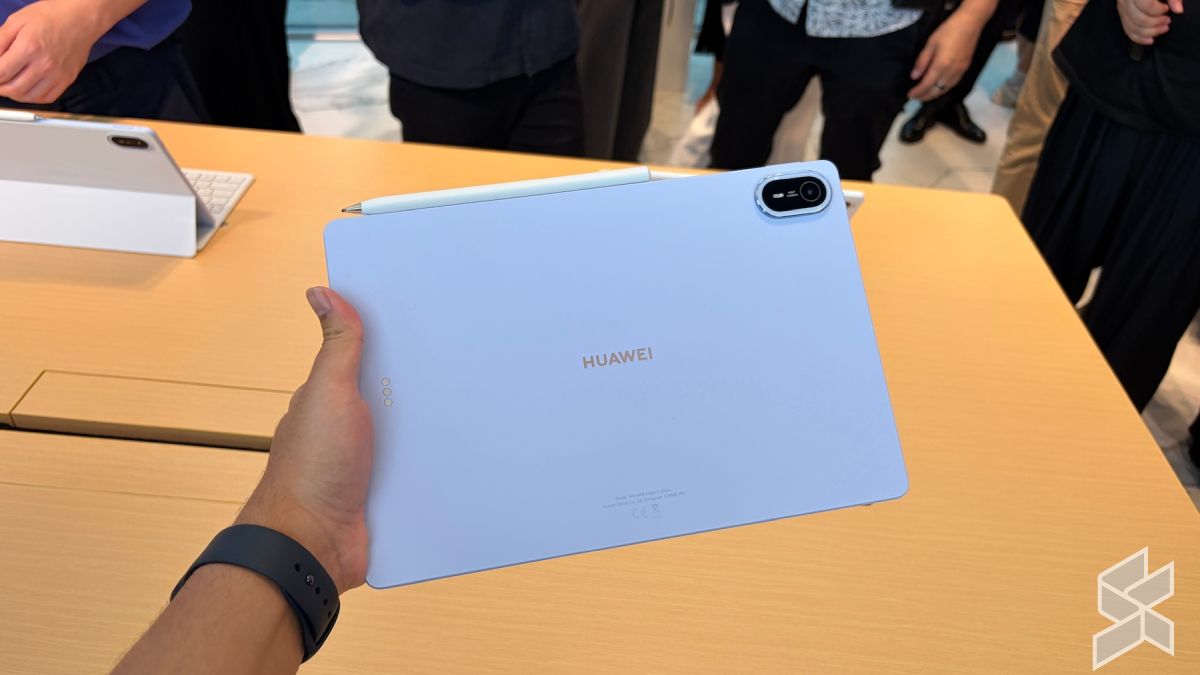
The Huawei MatePad Air 2026 launching in Malaysia on 18 August is worth pausing over — not because gadget launches deserve your attention, but because this category of device has quietly become a business tool in its own right. The launch comes with preorder perks bundled with the device, which tells you something important: the manufacturer is pitching this at people who will actually put it to work, not just early tech adopters.
TL;DR: The MatePad Air 2026 lands in Malaysia on 18 August with a preorder package. For SME owners, the real story isn’t the gadget — it’s how a device this size can bridge the gap between your office, your vehicle, and your client’s site.
What This Means
Let’s translate the launch announcement into plain language. A modern tablet is no longer just a bigger phone. It can run full desktop-class productivity apps — document editing, spreadsheets, presentation tools — while staying lighter than most laptops and starting up instantly like a phone. That middle ground is exactly where many SME tasks live: short, mobile, and needing more screen space than a phone can give you.
The preorder period matters for a simple business reason: early buyers get extras. For a business, those extras are usually attachments you would otherwise buy separately — keyboard covers, styluses, screen protection. When a manufacturer bundles those into a preorder, outfitting a team suddenly becomes far less complicated to plan.
But here’s the part that should genuinely interest you: tablets are common enough in Malaysian offices now that the real question isn’t “which tablet is best.” It’s “do we even have a clear workflow for staff who work outside the office?” Because the device is only half of the story.
A device only saves you time when the person carrying it knows exactly what they’re supposed to do with it. The tool is the easy part — the workflow is the business.
How This Applies to Malaysian SMEs
1. Field teams stop juggling paper and phones. Think about your technicians, delivery staff, or site supervisors. Today, they likely receive job orders via WhatsApp, print or screenshot details, complete the job, then come back to the office to key everything into your system. That’s hours of duplicated effort every week. A tablet changes the flow: they see the job spec on screen, tick tasks off as they go, snap before-and-after photos, capture the customer’s signature with a stylus, and sync it all back without stepping into the office. For a business in KL traffic — where a “quick trip back” can eat an hour — that is not a small saving.
2. Client meetings become on-the-spot operations. You’ve been there: a potential customer asks a question, and you promise to “email the details later.” Later often becomes tomorrow, and tomorrow becomes after they’ve signed with someone faster. A tablet in the meeting means your quotation, portfolio, product catalog, and proposal are all present in the room. You edit the price list on the spot, capture the signature, and email the final document before you’ve left the building. The sale closes because the friction never got a chance to appear.
3. Your office doesn’t need a desk for every role. Malaysian SMEs are used to tight spaces. A retail business needs staff on the floor, not parked in a backroom on a desktop. A tablet flips that: stock checks, order updates, and customer lookups happen right on the sales floor. The MatePad Air 2026 preorder launch is a reminder that you can now equip a roaming workforce without the complexity of a full computer setup — no cables, no docking stations, no “wait, that file is on my laptop.”
Practical Takeaways
- Decide the job before choosing the device. List the three tasks the tablet must handle — reading documents, capturing signatures, running your inventory app — then match the device to those tasks.
- Put the preorder window in your calendar. The MatePad Air 2026 launches on 18 August, and preorder extras typically only apply during the launch window. If you’re serious, don’t rely on memory.
- Test the keyboard and pen. The two accessories that matter for business are text input and handwriting input. A tablet without a good keyboard setup is still a consumption device.
- Verify your software runs on it. Your accounting system, inventory software, or CRM may have a mobile version. Check before buying, not after.
- Buy one, test it in your real workflow. Outfit a single staff member for a week before equipping the whole team. Real usage reveals what spec sheets don’t.
What to Check Before You Equip Your Team
| What to Check | Why It Matters for Your Business | Question to Ask Yourself |
|---|---|---|
| Preorder availability | Extras are usually bundled only around the 18 August launch | Will my team actually use the included accessories? |
| Weight and battery | Staff carry this between car and client site, often outdoors | Will it survive a full 9-to-6 day without charging? |
| Software compatibility | Your business apps need to run smoothly | Does my cloud system have a tablet-friendly interface? |
| Ecosystem fit | Files and photos need to move between devices easily | How will this sync with the devices my team already uses? |
| Training effort | Staff need to adopt it without resistance | Can my team learn the basics in under an hour? |
The Bigger Picture
The MatePad Air launch is one signal in a longer trend: the line between “office computer” and “mobile device” is disappearing for small businesses. Malaysian SME owners are already comfortable with phones — your staff live on WhatsApp and mobile banking. The next step is giving that mobile workforce the screen space and input tools to do real work without dragging a laptop everywhere.
What matters more than the specific tablet is that you build workflows that assume your people are not at a desk. That means cloud-based documents, digital signatures, and mobile access to your records. When those pieces are in place, the device is just the physical endpoint of a system that moves as fast as you do.
The 18 August release date is a useful reminder to audit how your team actually works today. If you spot steps that only exist because your staff weren’t equipped for the field, a tablet — this one or any other — is an easy fix. The harder fix is making sure your processes let your people finish the work where the customer is, not only where the office is.
Start there, and the hardware takes care of the rest.
Ready to Streamline Your Operations?
Your business should run itself. AutoRunBiz deploys AI agents to automate your daily operations — WhatsApp orders, invoicing, customer follow-ups, and accounting. Book a free 15-min ops audit to see where automation fits your business →