
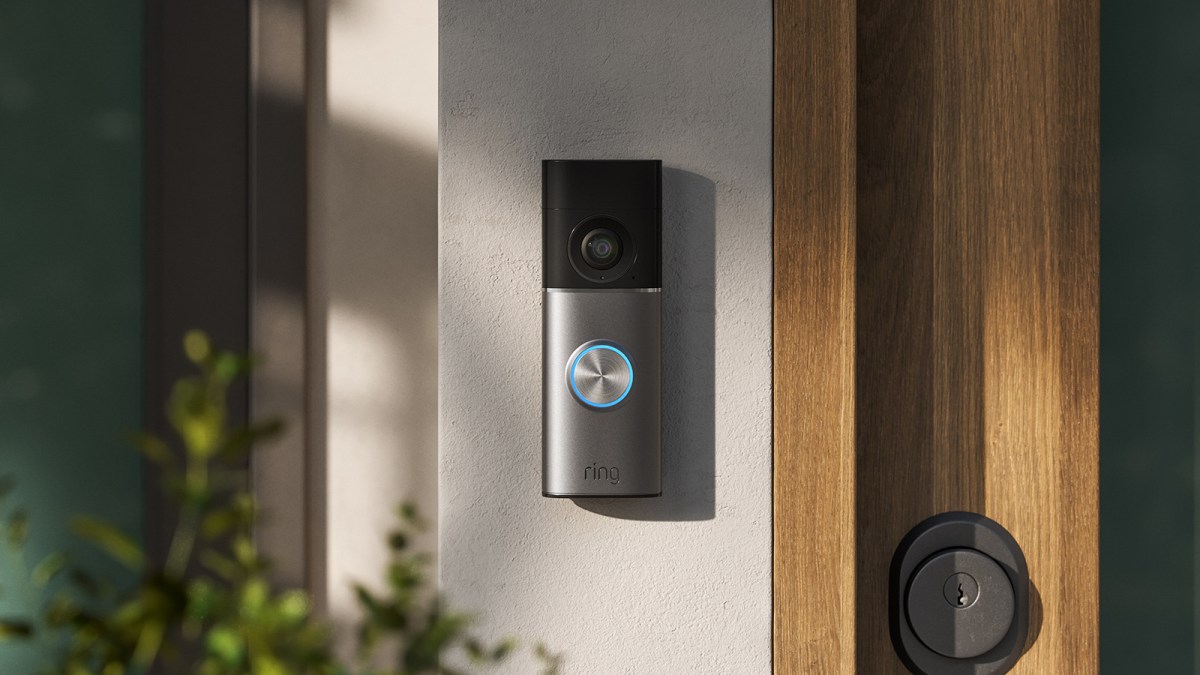
Why Cloud Video Security Decisions Matter to Your Business
If your business uses cameras, cloud software, smart access systems or other connected tools, you are probably balancing two practical needs: keeping information private and still being able to use helpful features. Strong security can sometimes limit search, alerts, remote access or collaboration. More flexible systems may create questions about who can access your data and for how long.
This is not only a concern for large organisations. A café may rely on cameras to check an incident after closing. A warehouse may need alerts when someone enters a restricted area. A service business may allow a manager to review footage remotely. When these functions depend on cloud processing, you need to understand how encryption works before choosing a system or accepting its default settings.
TL;DR: Ring is introducing TAKE, a cloud encryption standard that temporarily allows the company to access video for selected features, then deletes the relevant encryption keys within 24 hours, according to TechCrunch. You can apply the same thinking to your SME: decide which data needs useful cloud features, which data should remain inaccessible to providers, and who controls recovery access.
What This Means
Encryption changes readable information into coded information. A key is needed to turn it back into something usable. With end-to-end encryption, only authorised endpoints hold the keys, which can provide strong privacy but may prevent some cloud features from working.
Ring says its new TAKE standard, short for “Throw Away the Key Encryption”, uses rotating encryption keys that are temporarily stored in the cloud. The company can access those keys to process videos for features that the customer has enabled. After the request is completed, Ring says it deletes the keys within 24 hours, as reported by TechCrunch.
This approach aims to sit between two common choices. One choice gives you strong end-to-end protection but may restrict video search, descriptions or sharing with trusted users. The other allows more cloud functionality but requires you to trust the provider’s security controls and data-handling process. Ring says TAKE supports features such as Smart Alerts, which can identify people, vehicles or packages in a camera’s view, while still deleting the temporary key after processing. These feature details are described in the source article.
The important point is that encryption is not a single yes-or-no decision. You also need to ask when data can be decrypted, who can request access, how long keys exist, how activity is recorded and what happens if an account or device is lost.
Useful security is not just about hiding data. It is about controlling exactly when data can be used, by whom, and for what business purpose.
How This Applies to Malaysian SMEs
For a Malaysian retail shop, the practical issue may be camera footage rather than technical encryption terminology. You might want a cloud system to identify unusual activity, find a delivery event or review a customer dispute. At the same time, footage can include employees, customers, visitors and nearby members of the public. Before enabling smart detection, decide whether the feature is necessary, who may view the footage and how long recordings should remain available.
A warehouse or workshop may have a different need. You may want alerts when a person enters a loading area after operating hours, or when a vehicle arrives at a gate. Cloud processing can make these alerts easier to manage across locations. However, you should separate operational footage from sensitive business information. For example, restrict general staff to live alerts while allowing only authorised managers to review recordings. Keep a written list of approved users and remove access when someone changes role or leaves your company.
Professional service firms also need to think carefully about cloud data. A clinic, tuition centre, consultancy or repair business may use cameras around reception areas. Even when the system is intended for security, the footage may reveal appointment times, customer identities or confidential conversations. If you enable cloud search or automated descriptions, check the provider’s terms, retention settings and access logs. You should also consider whether the feature is appropriate for areas where privacy expectations are higher.
Recovery is another operational concern. Ring says customers may recover encryption keys by authenticating near their cameras, using a passphrase, an approved device, cloud backup or passkeys, according to TechCrunch. Your own systems may offer similar methods. Do not leave recovery to one person’s phone or email account. Create a controlled backup process so the business can regain access if an owner is unavailable, a device is lost or an employee account is compromised.
A Simple Comparison
| Security approach | What it may support | What you should check |
|---|---|---|
| End-to-end encryption | Strong provider separation from your content | Whether search, alerts, sharing and recovery still work |
| Temporary cloud decryption | Cloud-based analysis and smart notifications | Key lifetime, access controls, deletion and audit logs |
| Local processing | Analysis within your own device or network | Device security, maintenance and remote access limitations |
Ring says TAKE is based on Messaging Layer Security, or MLS, an open messaging standard developed by the Internet Engineering Task Force, and that rollout will begin in September 2026 with TAKE becoming the default worldwide, as reported by TechCrunch. Users can still manually select end-to-end encryption. The lesson for you is simple: never assume the default setting matches your business risk.
Practical Takeaways for Your Business
- List the data involved: Identify whether your system handles video, customer records, documents, access logs or employee information.
- Separate convenience from necessity: Enable cloud analysis only when it supports a clear business task, such as after-hours alerts or incident searches.
- Review the default setting: Check whether your provider uses end-to-end encryption, temporary decryption or another model.
- Ask five provider questions: Who can access the data? When can they access it? How long are keys retained? Are actions logged? Can you delete the data?
- Control user permissions: Give staff the minimum access needed for their role and review the list regularly.
- Protect recovery methods: Use passkeys or strong passphrases where available, and keep a business-controlled recovery process.
- Set a retention rule: Decide how long footage or records should remain available before automatic deletion.
- Document consent and notices: Tell employees and visitors when recording or automated identification is used, especially where personal information may be captured.
- Test an incident procedure: Know how to disable a compromised account, preserve relevant evidence and contact the provider.
The Bigger Picture
Cloud services are moving towards a middle path between maximum privacy and maximum functionality. Providers want to offer automated alerts, search, descriptions and intelligent analysis, but these functions often require systems to process information temporarily. That makes the provider’s controls, logs and deletion promises just as important as the encryption label.
For SME owners, this means security reviews should become part of normal software selection. Do not ask only whether a tool is “encrypted”. Ask what the encryption protects, when it can be bypassed for an enabled feature, how access is approved and what happens after processing ends.
Privacy concerns around connected cameras are also increasing. The source article reports that Ring faced criticism over its Familiar Faces feature, including a class action lawsuit alleging that images of passersby were stored without consent, as reported by TechCrunch. Regardless of the outcome of any case, the business lesson is clear: automated identification deserves closer review than ordinary recording.
Your best approach is not to reject every cloud feature or activate everything automatically. Choose based on the sensitivity of the data, the usefulness of the feature and the provider’s ability to demonstrate control. A short quarterly review of settings, users, recovery options and retention rules can prevent a small configuration decision from becoming a serious business problem.
Final Checklist
Before adopting or changing a cloud security system, ask yourself: What data is collected? Which features need access to it? Who can view the results? How long do encryption keys exist? How do we recover access? What happens when an employee leaves? If you can answer these questions clearly, you are in a much stronger position to use automation without giving up sensible control.
Ready to Streamline Your Operations?
Your business should run itself. AutoRunBiz deploys AI agents to automate your daily operations — WhatsApp orders, invoicing, customer follow-ups, and accounting. Book a free 15-min ops audit to see where automation fits your business →