
Your business may be a target before you realise it
You do not need to run a bank, a large online store, or a technology company to attract cybercriminals. If your business uses email, online banking, cloud software, messaging apps, customer databases, or shared documents, it has something attackers may want: access, information, or a way into another organisation.
That risk is easy to underestimate when you are busy serving customers, managing staff, fulfilling orders, and keeping daily operations moving. A suspicious email can look like a supplier request. A fake login page can resemble a familiar service. One reused password can expose several business accounts at once.
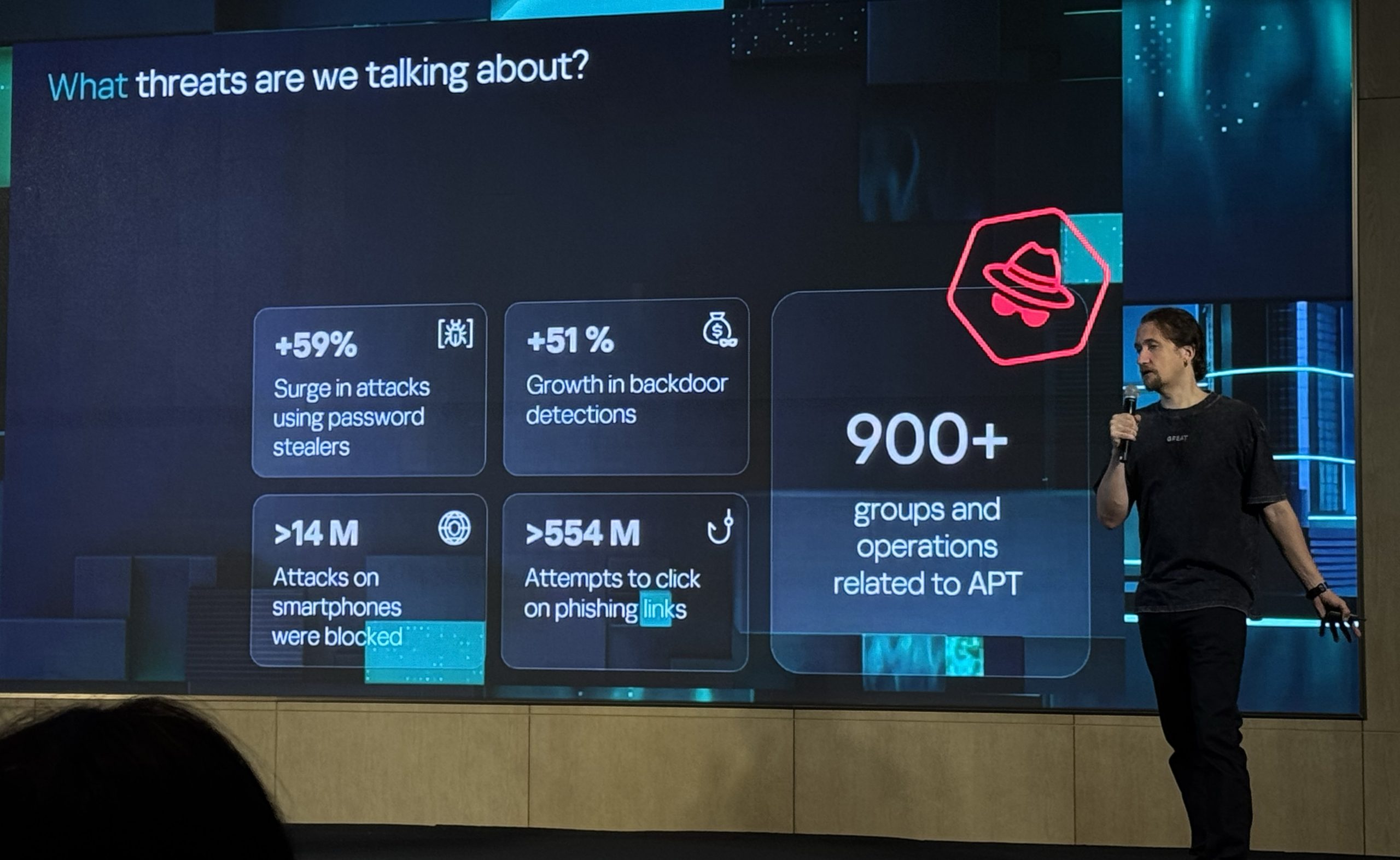
A report cited by SoyaCincau says Kaspersky blocked 75 million attacks across the Asia-Pacific region during the first six months of 2026, showing that cyber threats remain active across the region. Source: SoyaCincau
TL;DR
Cybersecurity is not only an IT concern. For a Malaysian SME, it is an everyday business process involving passwords, payments, staff access, backups, and customer information.
Start with strong account protection, staff awareness, regular updates, tested backups, and a simple response plan. These steps reduce the chance that one mistake will disrupt your operations.
What This Means
The 75 million blocked attacks figure does not mean every Malaysian business experienced an attack. It does show that hostile activity is frequent and that automated security systems are constantly stopping suspicious behaviour across APAC. Source: SoyaCincau
Many attacks are not highly complicated. They often begin with a convincing message, a stolen password, an unpatched device, or a staff member being persuaded to approve something they did not request. Criminals may pretend to be a director, supplier, courier company, bank, software provider, or government agency.
For you as a business owner, the practical lesson is simple: cybersecurity is about reducing opportunities for mistakes and limiting the damage if something goes wrong. You do not need to understand every technical detail. You do need clear rules for how your team handles accounts, files, payments, devices, and unusual requests.
Security is strongest when it is built into normal work, not treated as an emergency task after an incident.
How This Applies to Malaysian SMEs
If you operate a retail shop, restaurant, workshop, clinic, tuition centre, agency, or professional service firm, your business probably depends on several digital accounts. These may include email, point-of-sale systems, accounting software, delivery platforms, social media, online banking, and cloud storage. Each account can become a separate entry point if it uses weak protection or is shared carelessly.
Consider a common supplier-payment scenario. A staff member receives an email that appears to come from a regular supplier and is told that bank details have changed. If your team updates the payment information without verifying the request through a separate channel, the business may send funds to the wrong account. A simple rule helps: payment-detail changes must be confirmed by calling a known contact number, not by replying to the same email.
Customer data also deserves attention. A salon may hold names and contact details. A clinic may handle more sensitive records. An online seller may store delivery information and order histories. A small agency may keep client documents in shared folders. Give each employee access only to the information needed for their role, and remove access promptly when someone leaves.
Remote and mobile work create another practical concern. Employees may access business email and documents from personal phones, home networks, or shared computers. If a device is lost or infected, saved passwords and open sessions can expose company accounts. Require screen locks, device updates, multi-factor authentication, and immediate reporting when a device is lost.
Malaysian SMEs also need to consider impersonation through WhatsApp and social media. A criminal may copy your company logo, use a manager’s photograph, or send a message from a compromised account. Your team should know that urgent instructions involving payments, passwords, gift cards, or confidential files require verification, even when the message appears to come from someone familiar.
A simple risk view for your business
| Business area | Common warning sign | Practical control |
|---|---|---|
| Urgent request, unexpected attachment, or unfamiliar login page | Use multi-factor authentication and verify unusual requests separately | |
| Payments | New bank details or pressure to act immediately | Require a second-person check and telephone confirmation |
| Cloud files | Unexpected sharing invitation or missing document | Review permissions and limit access by role |
| Devices | Slow performance, strange pop-ups, or unknown applications | Install updates, use endpoint protection, and report symptoms quickly |
| Staff accounts | Former employee still appears in systems | Disable access immediately and review active users regularly |
Practical Takeaways
- Protect every important account. Turn on multi-factor authentication for email, banking, cloud storage, accounting systems, social media, and administrator accounts where available.
- Stop password reuse. Use a reputable password manager so each important service has a different, strong password.
- Create a payment-verification rule. Confirm changes to bank details using a known phone number or an existing business contact, not the message that requested the change.
- Train staff with examples. Show your team how fake invoices, delivery notices, login pages, and manager impersonation can look. Keep the guidance short and practical.
- Update software and devices. Apply operating-system, browser, application, router, and security updates as soon as reasonably possible.
- Back up essential information. Identify files and systems your business cannot operate without. Keep backups protected from ordinary user access and check that restoration actually works.
- Limit access. Employees should receive only the permissions needed for their jobs. Administrator access should be reserved for trusted, authorised users.
- Prepare an incident list. Record who will contact your IT provider, bank, software vendors, insurer, and relevant authorities if an account is compromised.
- Encourage quick reporting. Staff should be praised for reporting a suspicious click or message early. Fear of blame can delay the response.
A 30-day starting plan
- Week one: List every critical account, identify who owns it, and remove unused users.
- Week two: Enable multi-factor authentication and replace reused passwords.
- Week three: Run a short staff briefing covering suspicious links, payment requests, and reporting procedures.
- Week four: Check backups, update devices, review file permissions, and conduct a simple incident drill.
What to do if you suspect an incident
Act quickly but avoid making the situation worse. Disconnect an affected computer from the network if appropriate, but do not immediately delete evidence or reset every device without guidance. From a clean device, change compromised passwords and revoke active sessions. Contact your bank immediately if payments or banking credentials may be involved.
Write down what happened, when it started, which accounts or devices were affected, and what actions have already been taken. Contact your IT support provider or cybersecurity specialist. If personal data may have been exposed, seek professional advice on your notification and legal obligations.
The Bigger Picture
The regional volume reported by Kaspersky reinforces a long-term reality: digital risk is becoming part of ordinary business administration, not a rare technical problem reserved for large companies. Source: SoyaCincau
As more Malaysian SMEs use cloud platforms, digital payments, online sales channels, and remote collaboration, business continuity will depend on how well these systems are managed. Your suppliers and customers may also expect stronger security practices before sharing information or working with you.
The best approach is steady improvement. You do not need to complete every security project at once. Begin with the accounts, processes, and information that would cause the greatest disruption if compromised. Document the rules, assign responsibility, and review them regularly as your business grows.
Cybersecurity should support your team rather than slow it down. Clear verification steps, sensible access controls, reliable backups, and practical training allow employees to work confidently while making common attacks harder to succeed.
Ready to Streamline Your Operations?
Your business should run itself. AutoRunBiz deploys AI agents to automate your daily operations — WhatsApp orders, invoicing, customer follow-ups, and accounting. Book a free 15-min ops audit to see where automation fits your business →