
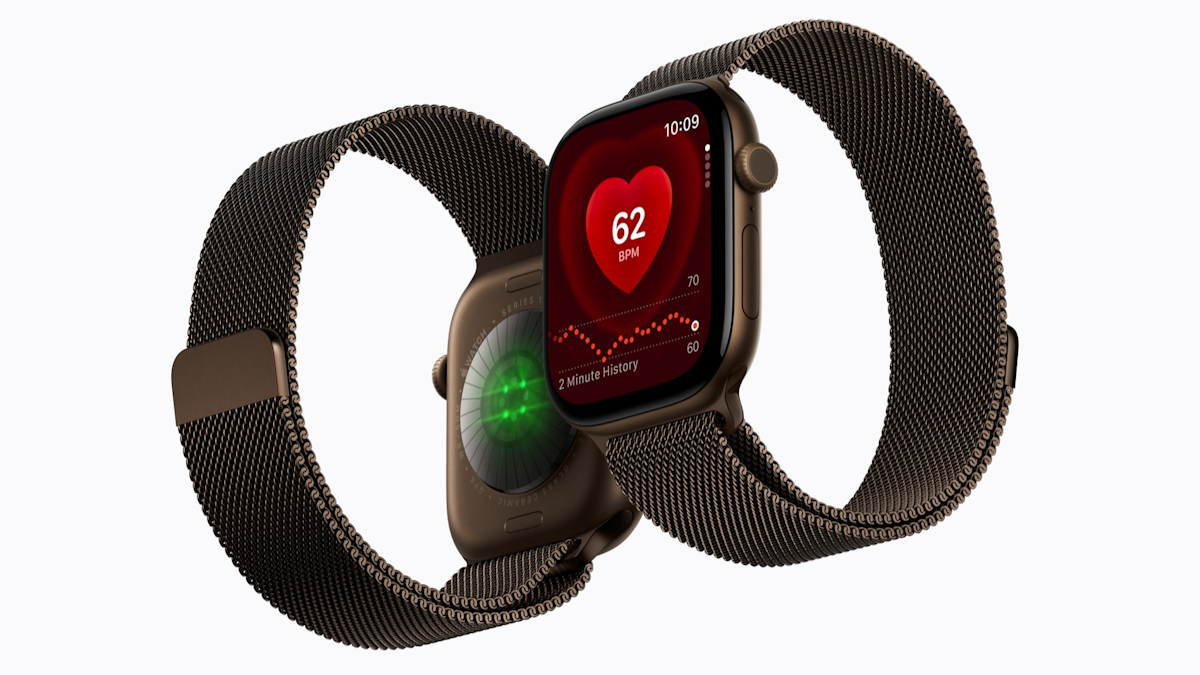
Could a Smartwatch Help You Run Your Business Better?
When you are managing staff, customers, suppliers and daily operations, small delays can quickly become distractions. You may miss an important call while serving a customer, overlook a calendar reminder during a site visit, or need to check a delivery update when your phone is buried in your bag.
That is where a newer smartwatch can become more than a personal gadget. The Apple Watch Series 12 is reported to be available in Malaysia from 18 September 2026, with pricing starting from RM1,799, according to SoyaCincau. For an SME owner, the useful question is not simply whether the watch has new specifications. It is whether quick access to information can make your working day more controlled and less fragmented.
TL;DR: The Apple Watch Series 12 may help Malaysian SME owners handle notifications, appointments, calls and task reminders without constantly reaching for a phone. It should support your workflow, not replace proper business systems, communication processes or automation.
If you are considering it, focus on practical use: which alerts matter, which staff need access, how it fits your existing tools and whether it helps you respond faster without creating more interruptions.
What This Means
A smartwatch is a small wearable computer that connects to your phone and selected digital services. Depending on the apps and settings you use, it can display calendar events, messages, reminders, calls, navigation prompts and activity information directly on your wrist.
For business owners, this can reduce the need to repeatedly pick up your phone. You can glance at an appointment reminder before entering a meeting, see that a staff member needs an urgent reply, or dismiss a non-essential notification without stopping what you are doing.
That convenience only works when the device is configured carefully. If every social media update, group chat and promotional alert appears on your wrist, the watch becomes another source of noise. The value comes from selecting notifications that support decisions and ignoring the rest.
The best business wearable is not the one that shows you everything. It is the one that shows you the right thing at the right time.
How This Applies to Malaysian SMEs
1. Retail and service businesses. If you operate a shop, salon, clinic, workshop or food outlet, you may spend much of the day away from a desk. A watch can help you notice calls from a supplier, appointment reminders or messages from a supervisor while you are serving customers. You can then decide whether to respond immediately or deal with it during a scheduled admin period.
This is especially useful when your business depends on bookings. A calendar reminder before a customer appointment can help you prepare staff, equipment or stock. However, you should still keep bookings in one shared system rather than relying on one person’s wrist notification. The watch should act as a prompt, while your booking platform remains the official record.
2. Sales teams and field staff. If you visit customers, inspect sites or attend supplier meetings, you may not want to keep taking your phone out during conversations. A glance at a reminder can help you stay on schedule, while navigation prompts may help you move between appointments. You can also use short voice replies when a response cannot wait, although sensitive business details should not be dictated in public places.
Before issuing any wearable to staff, define what it is for. For example, a salesperson may need appointment reminders and urgent customer calls, while a delivery coordinator may need task alerts and location information. Clear rules prevent the device from becoming an always-on channel for every internal conversation.
3. Construction, logistics and maintenance. In operational businesses, employees may work with tools, stock or vehicles and cannot comfortably handle a phone. A wearable notification could signal a changed meeting time, an assigned task or a message from the operations lead. It may also help staff follow a schedule while keeping both hands available.
Safety comes first. You should not expect employees to read notifications while driving, operating machinery or performing hazardous work. Build a simple rule into your process: alerts can be checked only when the worker is stationary and in a safe location. Technology should support a safe workflow, not pressure people to respond instantly.
4. Professional services firms. Accountants, consultants, designers and agency owners often move between calls, meetings and focused work. A smartwatch can provide a discreet reminder before a client call or show that a scheduled meeting is about to begin. This can help you protect your calendar and reduce the habit of checking your phone between tasks.
For client-facing work, privacy settings matter. Hide message previews on the watch face, use a passcode and avoid displaying confidential names or project information where other people can see them. You should also review which business apps are allowed to send alerts.
Useful Numbers to Consider
| Item | What it tells you | Business action |
|---|---|---|
| 18 September 2026 | Reported Malaysia availability date for Apple Watch Series 12 | Check official local availability and compatibility before planning adoption |
| RM1,799 starting price | Reported entry price in Malaysia | Assess whether the device supports a clearly defined workflow |
| 1 pilot group | A practical way to test the workflow before wider deployment | Start with the owner, operations lead or field supervisor |
| 3 notification categories | A manageable starting point: urgent, scheduled and informational | Allow only business-critical alerts during the pilot |
The availability date and starting price above come from the source article. The other rows are implementation guidelines, not reported product specifications. They are designed to help you evaluate the device based on business use rather than technical excitement.
Practical Takeaways
- Start with one workflow. Choose appointment reminders, urgent calls or field task alerts instead of trying to connect every business app at once.
- Separate urgent from important. A customer escalation may require immediate attention, while a general group-chat update can wait.
- Keep one source of truth. Continue using your shared calendar, CRM, task board or operations platform as the official record.
- Protect business information. Use a passcode, hide message previews and review app permissions regularly.
- Set response expectations. Receiving an alert does not mean every employee must answer immediately.
- Test with a small group. Try the workflow with one or two roles first and ask whether it reduces missed tasks or creates more distractions.
- Document the process. Write down which alerts are allowed, when staff may check them and what should happen if the device is unavailable.
- Connect it to automation carefully. If your existing systems can send selected reminders or task notifications, use those links to reduce manual follow-up. Do not automate every message.
Where Automation Fits
A wearable can become more useful when it receives clean, timely information from the systems you already use. For example, a booking system could send a reminder before a scheduled appointment. A task platform could notify an operations lead when a job is assigned. A customer enquiry system could flag only messages that meet a defined urgency rule.
The important step is to improve the process before adding the device. If your team currently relies on scattered WhatsApp messages, personal notes and verbal instructions, a smartwatch will not fix the underlying problem. You first need clear ownership, consistent records and agreed response times.
For many SMEs, the right approach is to map the day’s recurring activities: customer follow-ups, stock checks, appointments, approvals and site visits. Then identify which two or three events genuinely benefit from a wrist-level prompt. This keeps the setup practical and makes it easier to measure whether the change helps.
The Bigger Picture
Wearable devices are part of a wider movement towards work tools that place information closer to the moment of action. That does not mean every employee needs a smartwatch. It means business owners can choose how information reaches people based on their role and working environment.
For Malaysian SMEs, the long-term opportunity is better coordination between people and systems. A receptionist may manage appointments, a supervisor may oversee tasks, and an owner may approve exceptions. Each person needs different information. Well-designed automation can deliver the right prompt to the right person without forcing everyone to monitor the same inbox all day.
The risk is creating an always-connected workplace where people feel pressured to respond constantly. A healthy implementation includes quiet periods, clear escalation rules and respect for safety and privacy. Technology should help your team focus on important work, not turn every notification into an emergency.
If you are considering the Apple Watch Series 12, treat it as a workflow experiment. Identify a specific problem, configure only the alerts that matter, test the process with a small group and review the result after a defined period. If it helps you miss fewer appointments, respond to genuine issues more reliably or stay informed while moving around, it may have a useful role in your SME. If it simply adds another stream of interruptions, adjust the process before adding more devices.
Ready to Streamline Your Operations?
Your business should run itself. AutoRunBiz deploys AI agents to automate your daily operations — WhatsApp orders, invoicing, customer follow-ups, and accounting. Book a free 15-min ops audit to see where automation fits your business →