
Google’s Android update points to a more inclusive workplace
For a Malaysian SME owner, an Android phone is often more than a personal device. It may be the tool your sales team uses to photograph products, the device your supervisor carries around a worksite, or the channel your staff use to coordinate deliveries, stock and customer enquiries. That is why Google’s latest Android update deserves attention.
Google has announced five updates focused on accessibility, personalisation and practical assistance. The features include Motion Assist for people who experience motion sickness, Guided Vision for blind and low-vision users, Gemini-powered reminders for important items, Google Keep integration in Google Messages, and more ways to personalise individual chats. TechCrunch reports that Google announced the updates on 1 September 2026.
These are not necessarily enterprise software features. However, they show how everyday mobile tools are becoming more useful for mixed-ability teams, mobile workers and busy owners who need to remember details without interrupting their day. For a business with one to 50 employees, small improvements in communication and task handling can make daily operations more consistent.
What Happened
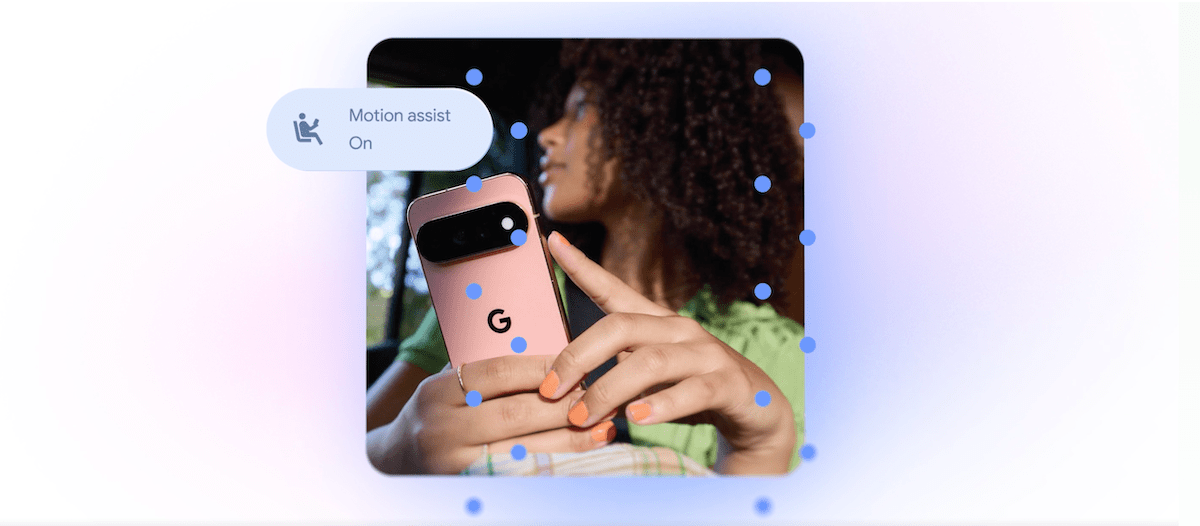
The most distinctive feature is Motion Assist. It places a bubble overlay on the Android screen that responds to movement in a vehicle. The aim is to reduce the disconnect between what a user sees on the display and what the body feels while travelling. According to TechCrunch, users can set Motion Assist to activate automatically, add it to Quick Settings, and customise the bubble’s shape, colour and transparency. The feature is available to users of Android 17, according to Google’s announcement as reported by TechCrunch.
Motion Assist follows Apple’s Vehicle Motion Cues, which Apple introduced in 2024. TechCrunch describes Apple’s feature as animated dots around the display that move in response to vehicle motion. The broader lesson is that phone makers are responding to practical discomforts that affect people while commuting or working on the move.
Google is also introducing Guided Vision. The feature uses the phone camera and Gemini to help blind and low-vision users read small print, view menus in dim environments and identify objects. It can give voice guidance when the camera is not positioned correctly, including instructions to move the phone, pan around or centre an object. TechCrunch reports that Guided Vision is intended for Android 9 and newer in countries where Gemini is available.
Another feature adds remembered items to Find Hub. A user can tell Gemini where an item has been placed, such as storing a passport in a bedroom drawer, and can attach a photo to help identify it later. Google is also adding Google Keep integration to Google Messages, allowing users to share and edit lists or notes inside a conversation. TechCrunch identifies grocery lists, holiday notes and other shared information as examples.
Finally, Google Messages is gaining more personalisation options. Users can customise individual chats with backgrounds, photos and colours, while the text bubbles automatically match, according to TechCrunch.
Why This Matters for Malaysian SMEs
Malaysia’s SME teams often work across offices, shops, warehouses, construction sites, customer locations and vehicles. A technician may need to identify equipment labels. A café operator may need to check supplier information during a busy shift. A retail assistant may need to confirm product details in a storeroom. Guided Vision could provide another way for staff to use a phone camera and spoken assistance for these tasks, particularly when text is small, lighting is poor or a worker has low vision.
You should treat this as a support tool rather than a replacement for training or clear procedures. For example, your operations team could test whether Guided Vision helps staff read packaging instructions, identify tools or inspect labels. Any information affecting safety, compliance or customer commitments should still be checked by a trained person. AI-generated assistance can be useful, but it should not be accepted automatically when an error could affect a job.
Remembered items could also help mobile teams. Consider a business that keeps keys, samples, documents, spare parts or event materials in different places. A staff member could record where an item was stored and attach a photo. Later, another authorised team member may be able to find it more quickly. This works best when your team agrees on simple naming habits, such as recording the item, location and date.
Google Keep inside Messages may be particularly relevant to small teams that already coordinate through group chats. Instead of sending a long sequence of separate messages, you could maintain a shared checklist for a site visit, delivery preparation or stock replenishment. The key is to define who updates the list and when it is considered complete. A shared note is useful only when it becomes part of a clear workflow.
| Android update | Possible SME use | Important control |
|---|---|---|
| Motion Assist | Help travelling staff read messages more comfortably | Do not use phones while driving |
| Guided Vision | Read labels or identify objects in workplace settings | Verify critical information manually |
| Remembered items | Record where documents, tools or supplies are stored | Protect sensitive location details |
| Keep in Messages | Coordinate checklists and shared notes | Assign an owner for updates |
| Chat personalisation | Distinguish customer, project or internal conversations | Keep business communication professional |
How to Test These Features Responsibly
Start with one workflow instead of asking the entire company to change its phone habits at once. Choose a recurring task, such as preparing delivery items or checking equipment before a service visit. Identify where staff lose time, then test whether a shared note, remembered item or camera-based assistance addresses that specific problem.
Before using AI features with business information, review your internal rules. Avoid recording passwords, confidential customer information or sensitive access details in personal accounts. Check which Google account is being used, who can view shared notes and what happens when an employee leaves the business. Your business should also make clear that workers must not take photos of customers, documents or restricted areas without permission.
Accessibility is not only a compliance discussion. In a small business, making everyday tools easier to use can help more people contribute confidently and consistently.
The Bigger Picture
Google’s Android update reflects a shift in how AI is being placed inside ordinary phone activities. Instead of appearing only as a separate chatbot, Gemini is being connected to the camera, messaging, notes and device-finding tools. TechCrunch identifies Gemini as a central part of Guided Vision and remembered items.
For Malaysian SMEs, this suggests that automation will increasingly arrive through tools your team already uses. You may not need to launch a large digital transformation project to improve one process. A phone feature, shared note or voice-assisted task could remove a small point of friction in the working day.
Still, useful technology depends on good operating habits. Set clear responsibilities, protect business information and verify important outputs. If you test these Android features with a defined business task, you can judge their value based on actual results rather than novelty. The objective is simple: help your team communicate clearly, find information faster and make everyday work more accessible.
Ready to Streamline Your Operations?
Technology moves fast. Your operations should keep up. AutoRunBiz builds AI systems that run your daily workflows — from WhatsApp order capture to accounting. Book a free 15-min ops audit →