
Why Power Resilience Matters to Your Business
A short power interruption can create a surprisingly long list of problems for your business. Your point-of-sale system may stop, customers may be unable to make payments, online orders can pause, security cameras may go offline, and staff may have to switch to manual work. For a small business with limited spare capacity, even a brief disruption can cause confusion and lost working time.
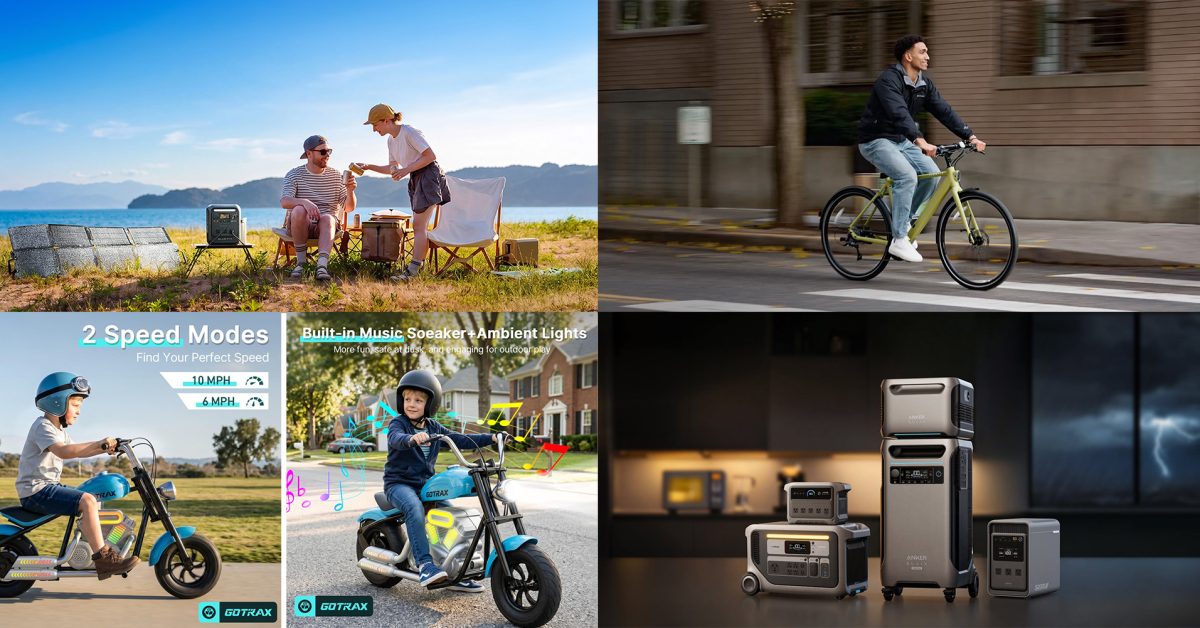
You may not need a large generator or a full building-wide backup system. In many cases, the more practical question is: which essential devices must keep running, and for how long? Portable battery power stations are becoming one possible answer. The source article highlights new products such as Bluetti’s 1,004.8Wh Elite 100 Mini, Anker SOLIX systems, and Jackery’s 1,024Wh HomePower model, showing how backup power is moving into a more compact, modular format.
TL;DR: A portable power station is a rechargeable battery with multiple power outputs. For Malaysian SMEs, it can support essential devices during short interruptions, mobile work, events, site visits, and emergency response—but only if you calculate your actual load first.
The featured Bluetti Elite 100 Mini has a stated capacity of 1,004.8Wh, while the article also mentions larger Anker systems reaching 7,680Wh. These figures come from the source article: Electrek source article. Capacity is useful, but it is not the only factor that should guide your decision.
What This Means
A portable power station stores electricity in a built-in battery. You recharge it from a wall socket, solar panel, vehicle charging system, or another compatible input. When needed, you connect devices through sockets, USB ports, or other outputs.
Think of it as a flexible backup battery rather than an automatic replacement for your entire electrical supply. A small unit may support a Wi-Fi router, laptop, phone chargers, receipt printer, or LED lighting. A larger unit may support refrigeration, equipment chargers, selected office devices, or longer periods of operation.
The number printed on the product—such as 1,004.8Wh—describes stored energy. A device using 100 watts continuously could theoretically run for around 10 hours from 1,000Wh, but real-world operation will be shorter because of conversion losses, battery protection limits, and changes in device consumption. For planning, use a safety margin rather than assuming the full advertised capacity is available.
You also need to check the station’s output rating. A battery may have enough stored energy for a device but still fail to start it if the device requires more power at startup. Motors, compressors, pumps, and some refrigeration equipment can draw a temporary surge.
The right backup system is not the biggest one you can find. It is the one matched to your most important devices, operating hours, and working conditions.
How This Applies to Malaysian SMEs
Retail shops and cafés: Your first priority may be keeping payments and communication available. A compact unit could support a router, tablet, phone chargers, receipt printer, and selected lighting. If you operate a café, you should not assume that a portable station can run coffee machines, chillers, ovens, and refrigeration for a full shift. Instead, identify the minimum setup that lets you continue taking orders, informing customers, and protecting perishable stock while you manage the interruption.
Small offices and professional services: If your team depends on cloud applications, internet calls, shared drives, and online customer support, a backup station can help keep core work moving. Connect the network equipment first, then prioritise one or two laptops used for customer communication and operations. You may not need every monitor, printer, or desktop computer running. A written priority list will help your staff act quickly instead of deciding device by device during a disruption.
Workshops, contractors, and mobile teams: A portable unit can be useful away from your premises. You might need to recharge phones, tablets, barcode scanners, cameras, measuring equipment, or communication devices at a project site. If your business works across construction sites, farms, warehouses, or outdoor events, portability may matter more than maximum capacity. Check the unit’s weight, handles, charging options, protection against dust and moisture, and suitability for transport.
Home-based and online sellers: Many Malaysian microbusinesses operate from homes, shared spaces, or small stockrooms. A power station can keep your router, laptop, label printer, and mobile devices active during short interruptions. This is especially useful when you need to reply to customers, update order status, or complete a time-sensitive delivery handover. However, separate backup planning is still needed for internet availability, because battery power will not help if your telecommunications service is also interrupted.
Cold storage and food businesses: This area requires extra care. Refrigerators and freezers use compressors, which may need higher starting power than their normal running wattage suggests. Before connecting one, check its rated consumption and startup requirements, then confirm that the power station supports them. For valuable stock, consider a temperature monitor with its own backup battery so you know whether conditions remain safe.
A Simple Sizing Method
Start with the devices you genuinely need. Record their wattage from the label, charger, or manufacturer documentation. If the label gives volts and amps, multiply them to estimate watts. Then estimate the number of hours each device must operate.
| Example device group | Planning load | Target runtime | Estimated energy |
|---|---|---|---|
| Router and network equipment | 25W | 8 hours | 200Wh |
| Two laptops | 120W | 6 hours | 720Wh |
| LED lighting | 40W | 6 hours | 240Wh |
| Phone and small device charging | 30W | 4 hours | 120Wh |
The figures in this table are planning examples, not measurements for every device. The total example load is 1,280Wh before losses and reserve capacity. That means a unit advertised around 1,000Wh would not comfortably cover this entire setup for the stated period. Actual consumption varies by device and usage, so measure where possible and include headroom.
Practical Takeaways
- List essential devices first: Separate must-run equipment from devices that can wait.
- Calculate watt-hours: Multiply watts by operating hours for each device, then add the totals.
- Allow reserve capacity: Do not plan to drain the battery completely during normal use.
- Check surge output: Be careful with fridges, pumps, motors, power tools, and other equipment with startup loads.
- Confirm Malaysian compatibility: Check plug type, voltage, frequency, warranty support, and local service arrangements before purchasing.
- Test before an emergency: Run your intended setup for a controlled period and record the actual battery usage.
- Label connections: Mark which ports and cables belong to critical equipment so staff can set up quickly.
- Protect the battery: Follow the manufacturer’s instructions for storage temperature, charging, ventilation, and regular checks.
- Plan communications separately: Keep mobile data options, contact lists, and offline procedures ready.
- Review staff procedures: Decide who connects the equipment, who informs customers, and who monitors remaining capacity.
Beyond Power: Building a Practical Continuity Plan
A battery system is only one part of business continuity. You should also keep essential files accessible through appropriate backup arrangements, maintain manual order forms, record important supplier and customer contacts, and define how your team handles delayed transactions. If your business depends on a cloud system, know how to continue basic operations when internet access is unavailable.
For offices, place the power station where staff can reach it without creating trip hazards. For shops and cafés, keep cables away from customer areas and wet locations. For mobile teams, create a packing checklist covering chargers, adapters, extension leads, communication devices, and protective cases.
The article also mentions solar-panel bundles for the Bluetti Elite 100 Mini. Solar input may be useful for extended field work or remote locations, but performance depends on sunlight, panel placement, weather, and the device’s charging specifications. Treat solar charging as an additional option, not an assumption that the unit will recharge quickly under every Malaysian condition.
The Bigger Picture
The wider trend is toward modular resilience. Instead of treating backup power as something reserved for large facilities, smaller businesses can build a system around specific operational priorities. A compact station may suit a home office or retail counter, while a larger expandable system may suit a workshop, warehouse, or business with refrigeration needs.
The source article’s range—from the roughly 1,000Wh Bluetti model to the 7,680Wh Anker system—illustrates that businesses can choose different capacity levels rather than adopting one standard solution. Those product capacities are reported in the source article: Electrek source article.
For you as an SME owner, the important decision is not whether a particular launch promotion looks attractive. It is whether the equipment fits your real workflow. Begin with the devices that protect sales, communication, customer service, and safety. Measure their needs, test the setup, train your team, and review the plan every few months.
When backup power is treated as part of daily operations rather than an emergency gadget, it becomes easier to make sensible choices. You can keep essential work moving, reduce confusion during interruptions, and give your team a clear response when normal electricity is temporarily unavailable.
Ready to Streamline Your Operations?
Your business should run itself. AutoRunBiz deploys AI agents to automate your daily operations — WhatsApp orders, invoicing, customer follow-ups, and accounting. Book a free 15-min ops audit to see where automation fits your business →