
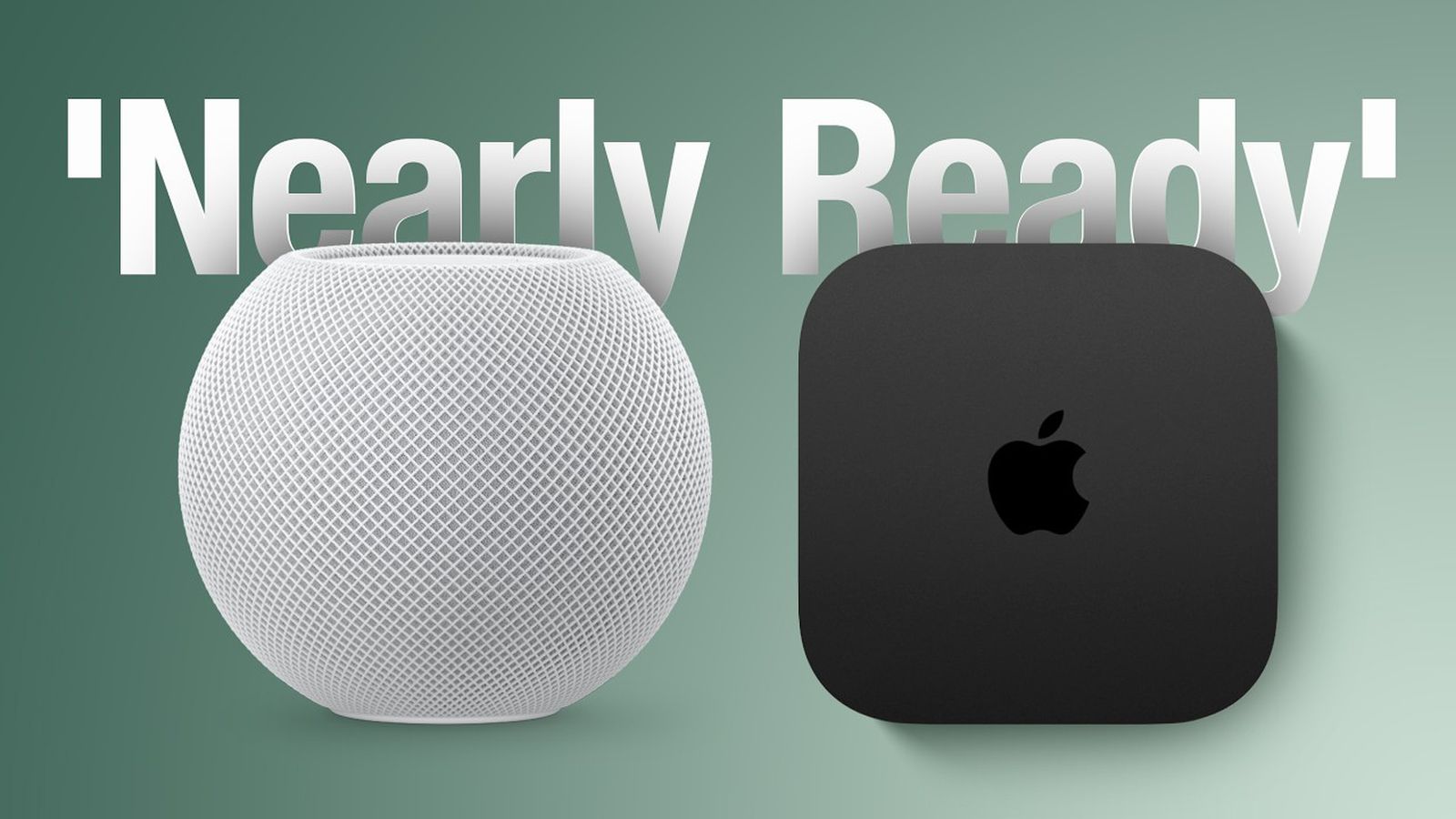
Apple’s Store Changes Point to a New Smart-Home Wave
Apple is preparing parts of its retail stores for new home products, according to MacRumors, citing Bloomberg’s Mark Gurman. The reported changes may look like a retail merchandising update, but they signal something more important for Malaysian SME owners: smart-home technology is moving towards simpler, more visible and more useful everyday experiences.
For you, this matters whether you operate a café, homestay, property business, interior design studio, electrical shop or small office. When major technology brands make a new device the centrepiece of a store demonstration, they are not only selling hardware. They are teaching customers how connected devices can control routines, display information and support daily operations.
The reported Apple products are consumer-focused, but the underlying ideas can be adapted to Malaysian businesses. A small hotel could use a central dashboard for guest information and room controls. A café could manage music, schedules and announcements. A retail shop could combine cameras, sensors and staff notifications. The practical lesson is to watch the workflow opportunity, not simply the device launch.
What Happened
Apple is reportedly reorganising sections of its physical stores this autumn to create space for new home products. The work is said to focus on areas known as “Avenues”, which are perimeter display walls used for products such as HomePod, Apple TV, AirPods, Beats and selected third-party accessories, according to the source report.
The reported changes include rearranging product sections and adding accessory bays for upcoming devices. Apple is already expected to introduce an upgraded Apple TV and a new HomePod mini. The report says these products may include faster chips to support Siri artificial intelligence, while keeping broadly familiar designs. These details remain reported expectations rather than confirmed product specifications, as noted by MacRumors.
The larger retail preparation may be connected to Apple’s long-rumoured home hub with a display, sometimes referred to as HomePod with Display or “HomePad”. The device is reportedly expected between October and early next year, with a seven-inch square display and options for a tabletop base or wall mount, according to the article.
The proposed device is expected to use an operating system based on tvOS, with Siri AI as a central feature. Code references found in macOS Tahoe 26.7 reportedly point to a Widget Gallery and customisable home screens with icons, widgets and clock faces. The article also reports that widgets from a linked iPhone could be suggested automatically. These details are based on software findings and reporting, not an official Apple announcement, as explained by MacRumors.
For a small business, the key question is not “Which new device should I buy?” It is “Which repeated task should become easier, clearer or more reliable?”
Why This Matters for Malaysian SMEs
Malaysian SMEs often operate with small teams where one person handles several responsibilities. A shop supervisor may manage staff, customer enquiries, stock checks and opening procedures. A homestay operator may coordinate cleaners, guest messages, access instructions and maintenance. A simple screen-based hub could become useful when it places the right information in front of the right person at the right time.
Consider a Klang Valley café. A wall-mounted dashboard could display the day’s opening checklist, delivery reminders, equipment maintenance alerts and staff notices. Voice controls could help a supervisor set timers or check a shared calendar while working on the floor. The value comes from reducing interruptions and missed steps, not from owning a fashionable gadget.
A small office in Penang, Johor Bahru or Kota Kinabalu could use a central display for meeting-room schedules, visitor instructions, weather alerts and internal reminders. A retail outlet could show daily sales targets, promotion schedules and delivery updates. If the business already uses cloud calendars, messaging tools or automation platforms, a smart display may provide a more visible front end for information that is otherwise buried inside phones and laptops.
For property and hospitality businesses, connected-home products may also influence guest expectations. Travellers increasingly encounter smart speakers, streaming systems, digital access and automated lighting in accommodation. You do not need to copy a large hotel. Instead, you can identify one or two guest-facing improvements, such as clearer check-in information, easier entertainment access or faster responses to common requests.
However, you should assess privacy, reliability and staff training before introducing connected devices. A voice assistant placed in a customer-facing area may capture conversations or create uncertainty about recording. A display that depends on internet access may fail during an outage. Your implementation should include clear permissions, sensible device placement and a manual backup process.
Practical SME Use Cases
| Business type | Possible use | Important safeguard |
|---|---|---|
| Café or restaurant | Timers, opening checklists, delivery reminders and staff notices | Keep manual timers and printed procedures available |
| Homestay operator | Guest instructions, cleaning schedules and maintenance alerts | Do not display private guest information publicly |
| Retail shop | Promotion schedules, stock reminders and staff announcements | Limit dashboard access to authorised employees |
| Small office | Meeting schedules, visitor directions and internal updates | Use strong account security and separate guest access |
| Interior design or renovation firm | Demonstrate connected lighting, audio and home controls to clients | Explain compatibility before recommending products |
How You Can Prepare Before Buying Anything
Start with an operations audit. Write down the recurring questions your team asks every day: What time is the next delivery? Which room needs cleaning? Has the customer appointment arrived? Which machine needs servicing? What promotion is active today? These questions reveal where a shared display or automated notification might help.
Next, identify the systems you already use. Check whether your calendar, customer relationship management software, accounting platform, inventory system or messaging tools can share information through integrations. A smart-home device will not automatically improve your business if your data remains scattered across separate applications.
Then run a small pilot in one location or workflow. For example, use a shared screen for a café opening checklist or a homestay maintenance board. Ask staff whether the information is visible, accurate and useful. Review the process after two weeks and remove anything that creates noise. A focused dashboard is usually more effective than a screen filled with every possible alert.
You should also establish basic security rules. Use separate business accounts rather than personal accounts, enable multi-factor authentication where available, restrict voice purchasing and review connected-device permissions. For devices placed in customer areas, create a short notice explaining how voice or camera features work when relevant.
The Bigger Picture
Apple’s reported store preparation suggests that the next stage of smart-home adoption may depend less on isolated gadgets and more on central interfaces. A display-based hub can make connected technology easier to understand because customers can see what it does, where it belongs and how it works with other devices. That is why Apple reportedly needs dedicated retail space to demonstrate the product’s role within a wider home setup, according to the source article.
This direction could affect SMEs in several ways. Retailers may need better demonstration zones. Installers may receive more requests for integrated home systems. Interior designers may be expected to plan for device placement, power points and network coverage. Property operators may need to explain connected features to tenants and guests. Service businesses could also develop setup, training and support packages around smart-home ecosystems.
At the same time, you should avoid treating every new AI-enabled device as an automatic productivity solution. A new hub can display information, but it cannot fix unclear responsibilities, incomplete data or weak processes. Before adopting any technology, define the task, the person responsible and the result you expect to improve.
The most useful opportunity for Malaysian SMEs is to make daily information easier to access. Whether Apple confirms a new home hub or not, the trend towards visual dashboards, voice assistance and connected environments is continuing. You can prepare by documenting workflows, improving your business data and testing one practical automation at a time.
What You Should Do Next
- List five repetitive tasks that interrupt your team during a normal working day.
- Choose one task that can be improved with a shared screen, alert or voice command.
- Check whether your existing business software supports calendar, messaging or workflow integrations.
- Create privacy and security rules before placing connected devices in public or staff areas.
- Measure the pilot by missed tasks, response time and staff adoption rather than device features.
For Malaysian SME owners, the important story is not simply that Apple may be preparing new home products. The larger signal is that connected technology is becoming easier to demonstrate and easier for ordinary users to understand. If you focus on real operational problems, these developments can help you design a more organised, responsive and customer-friendly business.
Ready to Streamline Your Operations?
Technology moves fast. Your operations should keep up. AutoRunBiz builds AI systems that run your daily workflows — from WhatsApp order capture to accounting. Book a free 15-min ops audit →