
Your Phone Video Can Already Become a Measurable 3D Record of Your Site
Standing in your shoplot after a water pipe bursts, you face a familiar Malaysian business moment. The renovation you approved six months ago is now a mess of torn drywall and soggy ceiling boards. Your contractor insists the damaged wall was structural. Your insurance adjuster reads the same rubble differently. You have dozens of photos — but photos flatten everything. What you actually need is the three-dimensional record of what the space looked like before the pipe burst: a measurable, accurate, timestamped model of your physical premises.
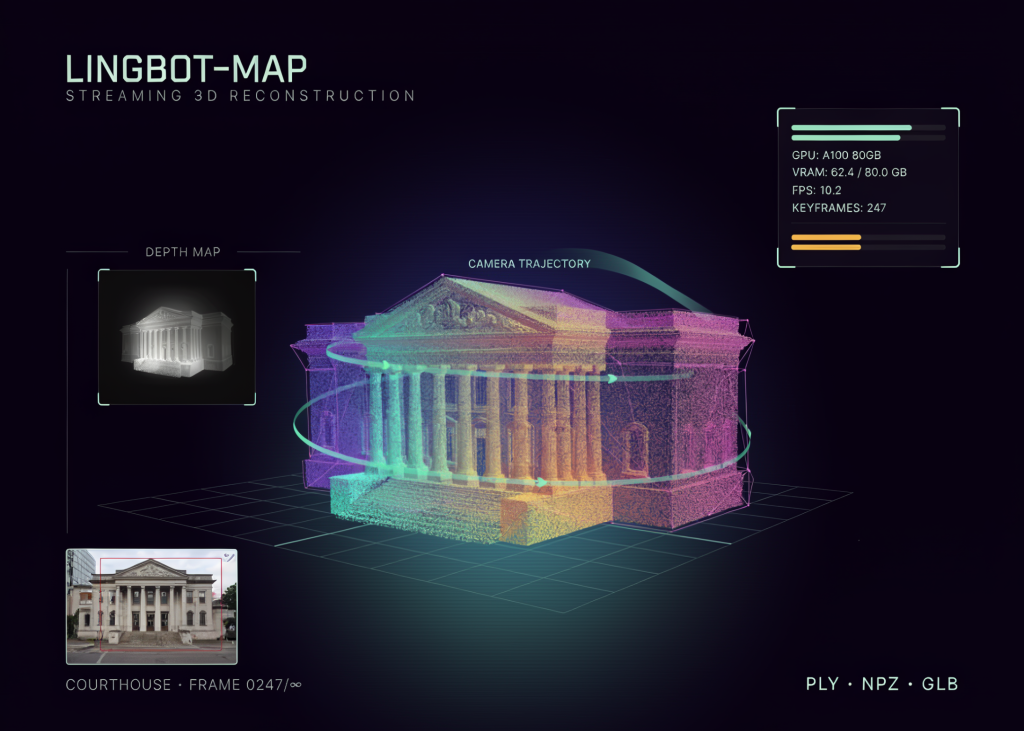
That gap between “we saw it” and “we can prove it” is exactly what a new class of AI tools is stepping into. LingBot-Map, an open-source research model documented in a recent technical tutorial, turns ordinary photo and video sequences into 3D point clouds, camera trajectories, and exportable geometry files. It figures out where each photo was taken in real space, estimates depth for every pixel, and stitches the results into a file you can view, measure, and archive. For a business owner who has ever argued with a landlord, a tenant, a contractor, or an insurance company, this is not a research curiosity.
TL;DR: A research-grade AI pipeline can reconstruct 3D models from everyday videos, automatically adjusting its workload based on the graphics hardware you have. For Malaysian SMEs in renovation, property, insurance, F&B, and retail, the practical meaning is simple: site documentation is moving from specialist service to routine file. You don’t need to read the code — you need to understand the capability and start keeping visual records you can actually measure later.
What This Means
LingBot-Map’s tutorial walks through a full workflow: setting input, downloading a 4.6 GB pretrained checkpoint, extracting frames from video at 10 frames per second, constructing a streaming model with long-range memory, running mixed-precision inference, and exporting the result as PLY, NPZ, or GLB files. You can ignore most of that. The important part for you is the GPU-aware auto-tuning step.
Before processing starts, the software checks how much graphics memory is available and adjusts its own workload. Under 18 GB of VRAM, it limits itself to 48 frames and uses fewer camera iterations. With 18–30 GB, it allows 96 frames. With 30 GB or more, it processes up to 240 frames and refines the geometry harder. It also decides whether to use bfloat16 or float16 precision based on the age of your GPU. Think of it like a printing dialog that inspects your printer before choosing resolution: the same document produces a draft on a small machine and gallery quality on a big one.
Photographs flatten a space into pixels. A 3D point cloud preserves the geometry — and geometry is what wins arguments about “who changed what” and “was that there before.”
| Graphics memory (VRAM) | Max frames processed | Camera iterations | KV-cache window |
|---|---|---|---|
| Under 18 GB | 48 | 2 | 48 |
| 18–30 GB | 96 | 4 | 64 |
| 30+ GB | 240 | 4 | 64 |
How This Applies to Malaysian SMEs
Renovation contractors and interior designers. Malaysian fit-out work is often governed by verbal instructions and WhatsApp photos. When disputes arise — sunken tiles, concealed wiring, a wall that “wasn’t in the original quote” — you need evidence that respects measurements. A slow walkthrough video taken at each project milestone, run through a reconstruction pipeline, produces a timestamped 3D file of the site. Later, you can measure a doorway width, confirm column positions, or verify that the false ceiling was already at that height before you touched it. The tutorial’s max_frames limit is a useful reminder: you don’t need to film everything in one take; you need consistent, systematic coverage at the moments that matter — before demolition, before closing up walls, before handover.
Property agents and shoplot landlords. Unit handovers in Malaysian commercial buildings generate disputes year after year. Did the tenant install that partition? Was the aircon leaking before they moved out? Was the ceiling already stained? A photograph captures a flat slice; a 3D reconstruction captures the space with its actual geometry, including the camera trajectory — meaning you can later prove from which position each observation was made. For an SME managing a small portfolio of shoplots, maintaining a per-tenancy 3D record at key dates takes only a few minutes of filming per handover.
Insurance claims and risk planning. When floods hit — and Malaysian SMEs from Klang Valley to Penang to Johor know this cycle well — claims stall because adjusters must reconstruct pre-loss conditions from fragmented memories. A point cloud of your stock arrangement, office partitions, or factory floor, captured before any disaster, gives the adjuster a measurable reference. The tutorial’s 55.0 confidence percentile default filters out unreliable depth points, so the exported file is geometrically honest rather than impressively messy. The same file formats (PLY or GLB) open in widely available 3D viewers, which means your evidence can be examined by any party without special training.
Small-scale manufacturers. SME factory owners frequently re-arrange layouts: new machines, new cable trays, new wall penetrations. A quick reconstruction of the production floor before any change documents clearances and positions. Later, when a machine needs to be craned in or a safety audit requires a floor plan, the geometry file answers questions that photos cannot.
Practical Takeaways
- Before any renovation, fit-out, or tenancy handover begins, film a slow, steady walkthrough of the full space. Consistent lighting and minimal moving objects produce cleaner reconstructions.
- Keep the raw video files organized by date and premises — the AI runs best on orderly input, and you (or a future claim) will need the originals.
- Know your hardware limit. Under 18 GB of graphics memory, expect about 48 frames per reconstruction run; cloud GPU runtimes (the tutorial itself runs in a hosted environment) are the practical route if your office machines are modest.
- Export your final record as PLY or GLB. These are open, widely supported formats — a future adjuster, landlord, or contractor can open them without special instructions.
- Before relying on any reconstructed file for a dispute, verify at least a few distances against a physical tape measure. The AI is consistent, but geometry that disagrees with reality undermines your credibility.
The Bigger Picture
The auto-tuning design in LingBot-Map signals where mainstream tools are heading: software that adapts to available hardware instead of demanding a fixed specification. That matters for Malaysian SMEs because most offices run on ordinary laptops, not server racks. When AI tools scale their own workload, small teams can start with what they have and upgrade gradually — their older data remains usable.
Long term, 3D reconstruction will follow the path of digital photography itself: from specialist equipment to default practice. We already photograph every room before we start work. The next step is recording spaces in three dimensions by default, because storing a video takes trivial effort compared to explaining an unrecorded space later. The companies that systematically build this archive now will be the ones that walk into disputes with geometry on their side.
Ready to Streamline Your Operations?
Your business should run itself. AutoRunBiz deploys AI agents to automate your daily operations — WhatsApp orders, invoicing, customer follow-ups, and accounting. Book a free 15-min ops audit to see where automation fits your business →