
When Your Software Can Find and Fix Its Own Weak Spots
If your business relies on a website, customer portal, accounting integration, online booking system, or internal application, security is already part of your daily operations—even if you do not have a security team. A small coding mistake can expose customer details, disrupt operations, or create urgent work for you and your staff.
The difficulty is that many automated security tools produce long lists of possible problems without proving whether those problems are real. You may end up paying attention to harmless warnings while a serious weakness remains buried in the backlog. For a busy SME owner, that is not a practical way to manage risk.
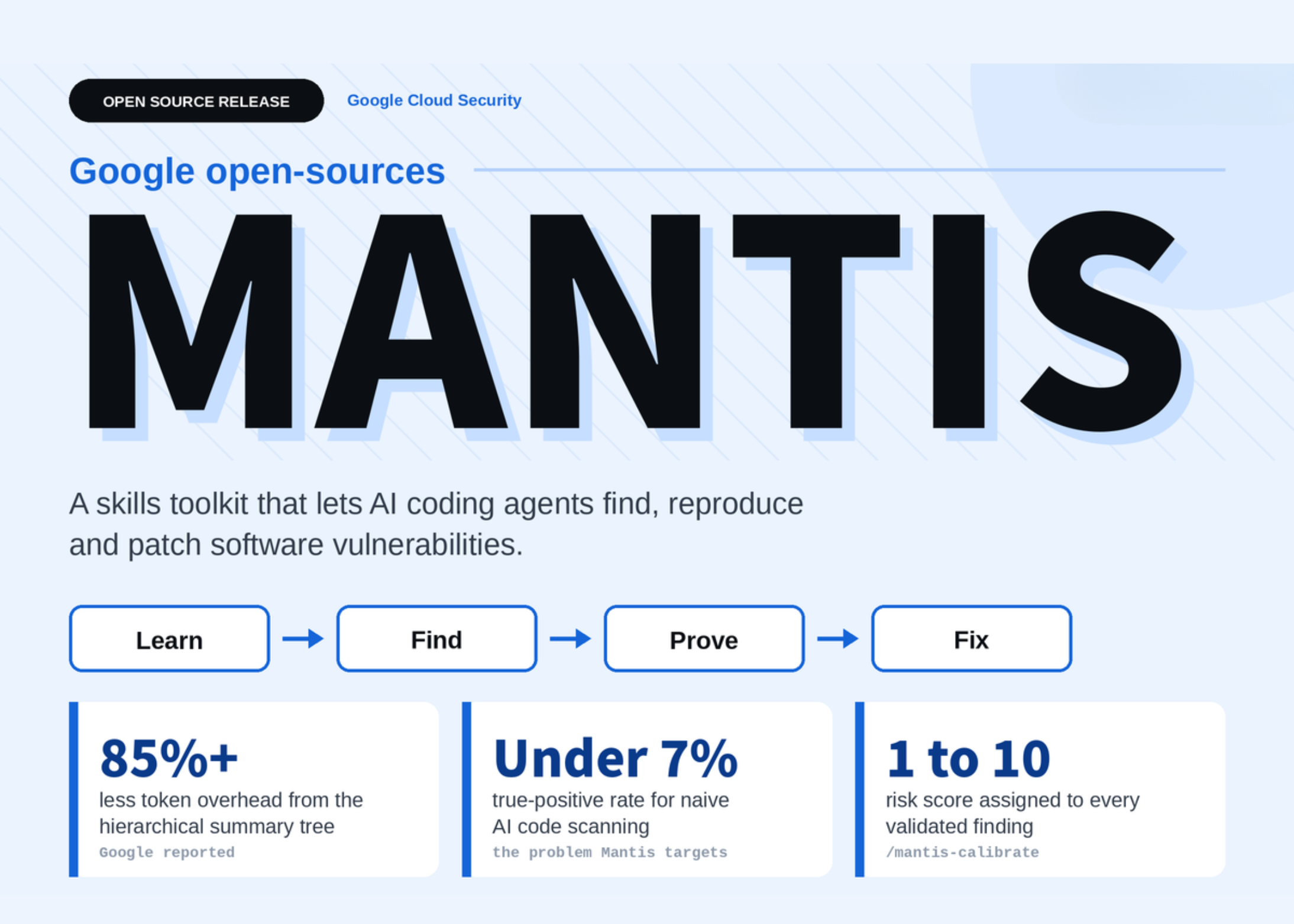
Google’s open-source Mantis toolkit offers a different approach. Instead of stopping at “this code may be vulnerable”, it guides an AI coding agent through investigation, reproduction, patching, and retesting. It is currently intended for local and internal evaluation rather than production deployment, but its design points to a useful direction for businesses that depend on software.
TL;DR: Mantis helps an AI coding agent investigate suspected vulnerabilities, reproduce them in a controlled environment, apply a patch, and attack the patched version again. For your SME, the lesson is simple: automated security checks are more useful when they prove the problem and verify the fix.
The toolkit is not a standalone scanner that you aim at a repository and leave running. It is a collection of modular commands that work with coding-agent frameworks, including Gemini CLI, Antigravity CLI, Google ADK, or comparable tools. Google says a hierarchical summary tree can reduce token overhead by more than 85 percent, while the toolkit targets naive AI scanning workflows that may produce true-positive rates below 7 percent. Source for reported figures
What This Means
Think of Mantis as a structured security review process for an AI coding assistant. It divides the work into separate stages, with each stage producing information for the next one. This matters because security is not just about spotting suspicious code. You need to understand how the system works, decide whether the issue can happen, demonstrate it safely, fix it, and confirm that the fix has not created another problem.
The early stages build context. A history command looks through previous code changes for security fixes. A summary command maps the directories, while an architecture command creates a reference guide for the application. A threat-modelling stage identifies trust boundaries, such as where customer input enters your system, where staff access internal functions, and where data moves to external services.
The middle stages investigate possible findings. Research searches the code based on the plan, while deduplication, review, and criticism remove repeated or impossible findings. This is important because a list of 100 warnings does not necessarily mean your system has 100 actual vulnerabilities.
The final stages focus on proof and action. Mantis can reproduce payloads inside gVisor or a virtual machine with networking disabled, assemble multi-step exploit chains, apply a patch, and re-attack the patched code. It can also assign a risk score from 1 to 10 and prepare a report for human review. Source for toolkit workflow and capabilities
The useful standard is not “the AI found a problem”. It is “the problem was reproduced safely, fixed, and tested again.”
| Mantis stage | Plain-language purpose | SME benefit |
|---|---|---|
| History and architecture | Understand how the application was built and changed | Shows where old security decisions may need review |
| Research and review | Search for suspicious patterns and remove weak findings | Reduces time spent on irrelevant alerts |
| Reproduction | Demonstrate whether the issue can actually occur | Creates evidence for prioritising real risks |
| Patch and re-attack | Apply a fix, then test the fixed version | Helps confirm that the change addresses the original weakness |
| Risk scoring and reporting | Record severity and explain the result | Gives you a clearer review trail for management and vendors |
How This Applies to Malaysian SMEs
Suppose you operate an online retail business with a web store, payment gateway, delivery integration, and customer account area. Your developer may receive a warning that a customer input field could be abused. Rather than immediately treating the warning as a crisis, a structured agent can inspect the surrounding code, check whether the relevant feature is active in the release version, and attempt reproduction in an isolated environment. You still need a qualified person to approve the work, but the evidence can make the discussion more focused.
For a Malaysian service business, the same approach can apply to a booking or membership system. A gym, tuition centre, clinic-related service, repair company, or professional firm may store names, phone numbers, appointment details, and account credentials. If a developer adds a new feature quickly, an AI-assisted review can examine access controls and test whether one user could view another user’s record. The goal is not to let an AI make unsupervised changes to your live system. The goal is to catch weaknesses before release and provide a repeatable review process.
It is also relevant when you rely on external developers or software vendors. Ask whether their security review includes reproduction and retesting, rather than only an automated scan report. A long report filled with technical terms may look impressive but still leave you unsure about what is real. A better report should identify the affected feature, show a safe demonstration, explain the business impact, describe the patch, and record the result of testing after the patch.
Many SMEs also connect several systems through APIs: accounting, inventory, customer relationship management, messaging, delivery, and payment services. These connections create trust boundaries. An AI review process can help map where information enters and leaves your systems, but you should ensure testing takes place on copies or staging environments. Do not provide an agent with unrestricted access to production data, customer records, payment credentials, or live infrastructure.
Practical Takeaways
- Start with one non-critical application. Use a staging copy of a website or internal tool rather than your live business system.
- Ask for proof, not just alerts. A finding should explain whether the issue can occur and what feature is affected.
- Separate testing from production. Use an isolated environment with networking disabled where possible. Mantis describes gVisor or a virtual machine for this purpose. Source for sandbox details
- Keep a human approval step. Your developer or security specialist should review proposed patches before they are merged.
- Retest after every security fix. Confirm that the original weakness is closed and that the change has not affected normal functions.
- Limit permissions. Give the coding agent only the repository, test data, and tools it needs.
- Record decisions. Keep the finding, reproduction notes, patch, retest result, and responsible person together.
- Ask vendors better questions. Find out how they handle false positives, reproduction, patch verification, and access to your data.
What You Should Not Do Yet
Do not treat Mantis as a ready-made replacement for professional security testing. The source article describes it as suitable for local and internal evaluation, not yet recommended for production. It is open-sourced under the Apache 2.0 licence, but that does not remove the need for careful configuration, code review, access control, and qualified oversight. Source for deployment guidance and licence
You should also avoid running unfamiliar exploit payloads against a live website, customer database, or third-party service. Even when the intention is defensive, an unsafe test can interrupt operations or create a contractual and legal issue. Start with an isolated copy and obtain permission from the relevant system owner.
The Bigger Picture
The long-term trend is toward software agents that do more than generate code. They will increasingly be expected to inspect changes, explain risks, test behaviour, and prepare fixes. The important question for your business will not be whether an AI tool sounds confident. It will be whether the tool follows a controlled process and leaves behind evidence that a person can review.
Mantis also highlights the value of modular automation. You do not have to adopt an entire security platform at once. You can begin by improving one part of your workflow, such as generating an application map, checking access controls, or retesting fixes. Over time, these steps can become part of your release checklist.
For an SME owner, the practical lesson is straightforward: use AI to make security work more structured, not less accountable. Keep production access restricted, require proof before prioritising an issue, and make retesting part of every fix. That approach can help you and your technical partners spend less time sorting noisy warnings and more time addressing weaknesses that genuinely affect your customers and operations.
Ready to Streamline Your Operations?
Your business should run itself. AutoRunBiz deploys AI agents to automate your daily operations — WhatsApp orders, invoicing, customer follow-ups, and accounting. Book a free 15-min ops audit to see where automation fits your business →