
AI Agents Are Moving From Advice to Action
You may already use AI to draft customer replies, summarise documents, or suggest social media content. The next step is more consequential: an AI agent that can connect to your email, calendar, payments, forms, shopping tools, and other business systems, then carry out tasks for you.
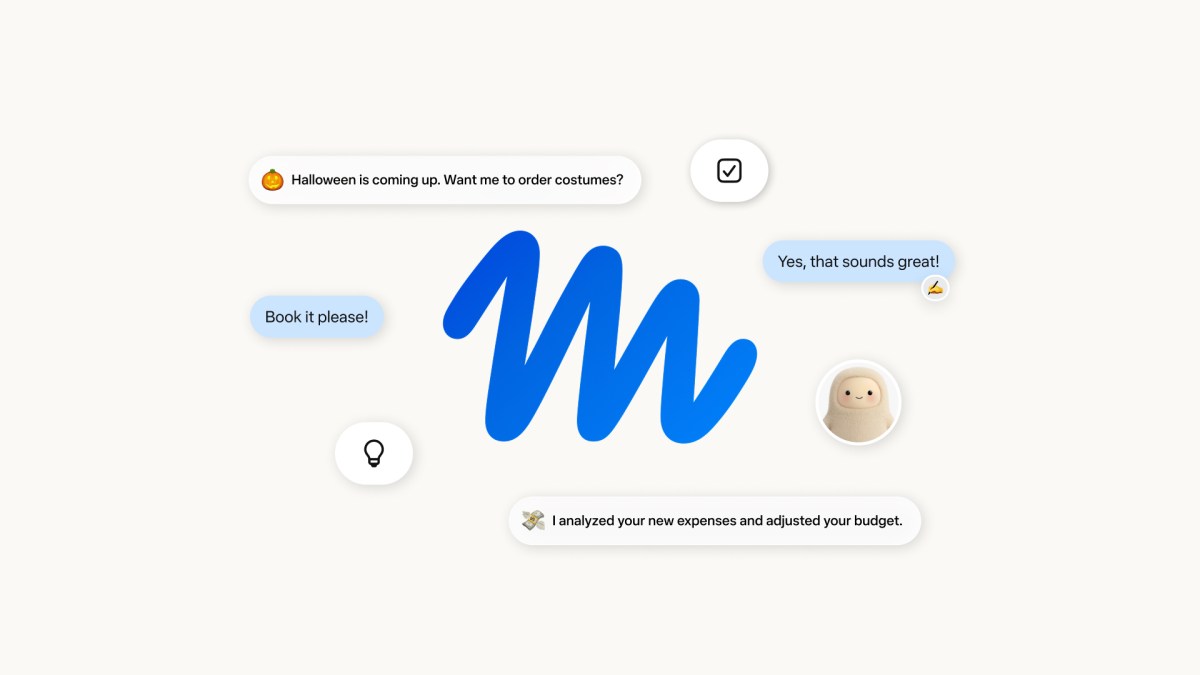
That is the idea behind Meta’s Muse, a personal AI agent announced for users in the United States. Rather than only answering questions, Muse is designed to perform actions such as sending emails, booking travel, completing forms, creating plans, and making purchases. The announcement matters to you because the same direction is likely to influence the tools Malaysian SMEs use for sales, operations, administration, and customer service.
The opportunity is clear, but so is the concern. An assistant that can act on your behalf needs far more access than a chatbot that only provides suggestions. Before you connect business accounts, you need to know what the system can see, what it can change, who approves important actions, and how activity is recorded.
TL;DR
AI agents can reduce repetitive work, but they require stronger controls than ordinary chat tools. Start with low-risk workflows, connect only necessary systems, and require human approval for payments, refunds, customer commitments, and data sharing.
What This Means
A normal chatbot waits for your question and gives you an answer. An AI agent can plan several steps, use connected applications, and continue working after you leave the app. In Muse’s case, users can choose services individually, while Meta says the agent operates in a dedicated virtual machine and is separated from sensitive passwords and payment methods. The company also says conversations and data are not shared with its advertising systems, although those claims still need careful scrutiny by security experts.
For a business owner, the important distinction is recommendation versus execution. An AI tool might recommend that you follow up with a customer. An agent could read the relevant conversation, draft the reply, check your calendar, schedule a meeting, and send the message. Each step saves time, but each step also creates a new opportunity for an error.
Consider a simple example. If an agent sees an email asking for a revised quotation, it may understand the request correctly but use an outdated product list. If it has permission to send the quotation automatically, the mistake reaches the customer before you notice it. The risk is not that AI is always wrong. The risk is that a fast system can turn a small misunderstanding into a real business action.
The safest AI agent is not the one with the most access. It is the one with the clearest boundaries.
How This Applies to Malaysian SMEs
For a Malaysian trading, distribution, or service business, the first practical use case is administrative coordination. An agent could read incoming enquiries, classify them by product or location, prepare a response in English or Bahasa Malaysia, and suggest a follow-up slot in your calendar. You could keep final approval with a salesperson or owner while allowing the system to handle the repetitive preparation work. This is a sensible starting point because the agent assists with speed without independently committing stock, delivery dates, or special terms.
Customer service is another area where controlled automation can help. A small team may receive questions through WhatsApp, email, Facebook, and a website form. An agent could identify common questions, retrieve approved answers, and create a support ticket when a case needs attention. You should give it an approved knowledge base rather than allowing it to invent policies. For example, it may explain your delivery process, but a human should approve exceptions involving damaged goods, refunds, warranty disputes, or sensitive customer information.
Professional firms such as accountants, consultants, recruitment agencies, and renovation contractors can use agents for document-heavy workflows. An agent could collect information from a customer, identify missing documents, organise files, and prepare an internal checklist. However, you should separate preparation from professional judgement. It may flag that a form appears incomplete, but a qualified person should review tax, employment, legal, or regulatory matters before anything is submitted.
Retailers and food businesses may also use agents to turn sales or inventory information into action. A system could prepare a reorder list, compare current stock with minimum levels, and draft supplier messages. Do not begin by allowing automatic purchasing. Keep ordering recommendations subject to review until you have measured how often the system misunderstands product variants, units, delivery schedules, or supplier terms.
For Malaysian SMEs, language and context require particular attention. Customer messages may mix Bahasa Malaysia, English, Mandarin, Tamil, abbreviations, and informal local expressions. An agent can produce a fluent response that still misses the intended meaning. Set up a review queue for ambiguous messages, and give staff clear instructions on when to take over. Good automation should fit how your customers actually communicate, not how a software demo assumes they communicate.
A Practical Control Model for Your First AI Agent
| Workflow | Suggested starting permission | Human control |
|---|---|---|
| FAQ replies | Draft only | Approve unusual or unclear answers |
| Meeting scheduling | Suggest available slots | Confirm external appointments |
| Quotation preparation | Prepare draft from approved items | Check price, terms, tax, and delivery |
| Stock replenishment | Generate recommendation | Approve supplier and quantity |
| Payments and refunds | No direct authority initially | Human approval required |
The table is a practical permission ladder: start with tasks that are easy to inspect, then expand access only after the workflow performs reliably. Keep a record of what the agent received, what it recommended, what a staff member changed, and what was finally executed.
Practical Takeaways
- Choose one workflow first. Pick a repetitive task with a clear beginning and end, such as sorting enquiries or preparing follow-up drafts.
- Separate reading from acting. Let the agent read selected information before allowing it to send, edit, delete, purchase, or submit.
- Use least-privilege access. Connect only the applications and folders required for the specific workflow.
- Set approval thresholds. Require human approval for refunds, discounts, contracts, payments, hiring decisions, and customer complaints.
- Protect personal data. Do not upload customer identification documents, bank details, health information, or employee records unless the provider’s controls and your internal policy support it.
- Create an approved answer library. Include current delivery rules, warranty terms, escalation contacts, and service boundaries.
- Test difficult cases. Try mixed languages, incomplete requests, angry customers, duplicate orders, and outdated information.
- Review activity regularly. Look for incorrect assumptions, excessive permissions, and actions that staff cannot explain.
- Train your team. Employees need to know when an AI suggestion is acceptable and when a manager must review it.
Questions to Ask Before Connecting a Business Account
Do not rely only on a polished demonstration. Ask the provider where data is stored, how long it is retained, whether it is used to train models, how access is revoked, and what happens when an integration fails. Confirm whether you can export activity logs and whether your business can delete connected data. You should also understand how the system handles an instruction hidden inside an email or document that attempts to redirect the agent.
Ask what happens after an employee leaves. Access should be tied to business accounts and roles, not to one person’s private login. Review connected applications whenever responsibilities change. If the agent can act in WhatsApp, email, cloud storage, or accounting software, the account recovery and multi-factor authentication process should be documented.
The Bigger Picture
Muse reflects a wider movement from AI that produces content to AI that performs work. For SMEs, this could reduce the amount of time spent moving information between inboxes, spreadsheets, calendars, forms, and customer systems. The strongest results will not come from giving one assistant unrestricted access to the whole business. They will come from designing small, dependable workflows with clear ownership.
Trust will become a business requirement, not merely a technology preference. Your customers will want to know whether an automated system handled their data, while your staff will need confidence that automation will not silently create commitments. Providers that explain permissions, maintain usable logs, support approvals, and respond clearly to incidents will be easier to adopt.
Start with a workflow where mistakes are visible and recoverable. Measure accuracy, staff review time, customer response time, and escalation frequency before expanding. If the agent proves dependable, add one permission at a time. That approach lets you benefit from practical automation while keeping responsibility where it belongs: with people who understand your customers and your business.
Ready to Streamline Your Operations?
Your business should run itself. AutoRunBiz deploys AI agents to automate your daily operations — WhatsApp orders, invoicing, customer follow-ups, and accounting. Book a free 15-min ops audit to see where automation fits your business →