
When One Computer Becomes the Bottleneck
You may already be experimenting with AI for customer replies, document summaries, internal search, sales preparation, or administrative work. The challenge becomes clearer when several AI tasks run at once: one staff member asks for a quotation draft, another summarises a meeting, and an automated assistant checks incoming enquiries.
If all these requests run through one computer, the problem is not necessarily the model. Your AI workload may simply be waiting in a queue while other computers in the office remain unused. This is especially relevant when an AI agent breaks one large task into many smaller requests handled by subagents.
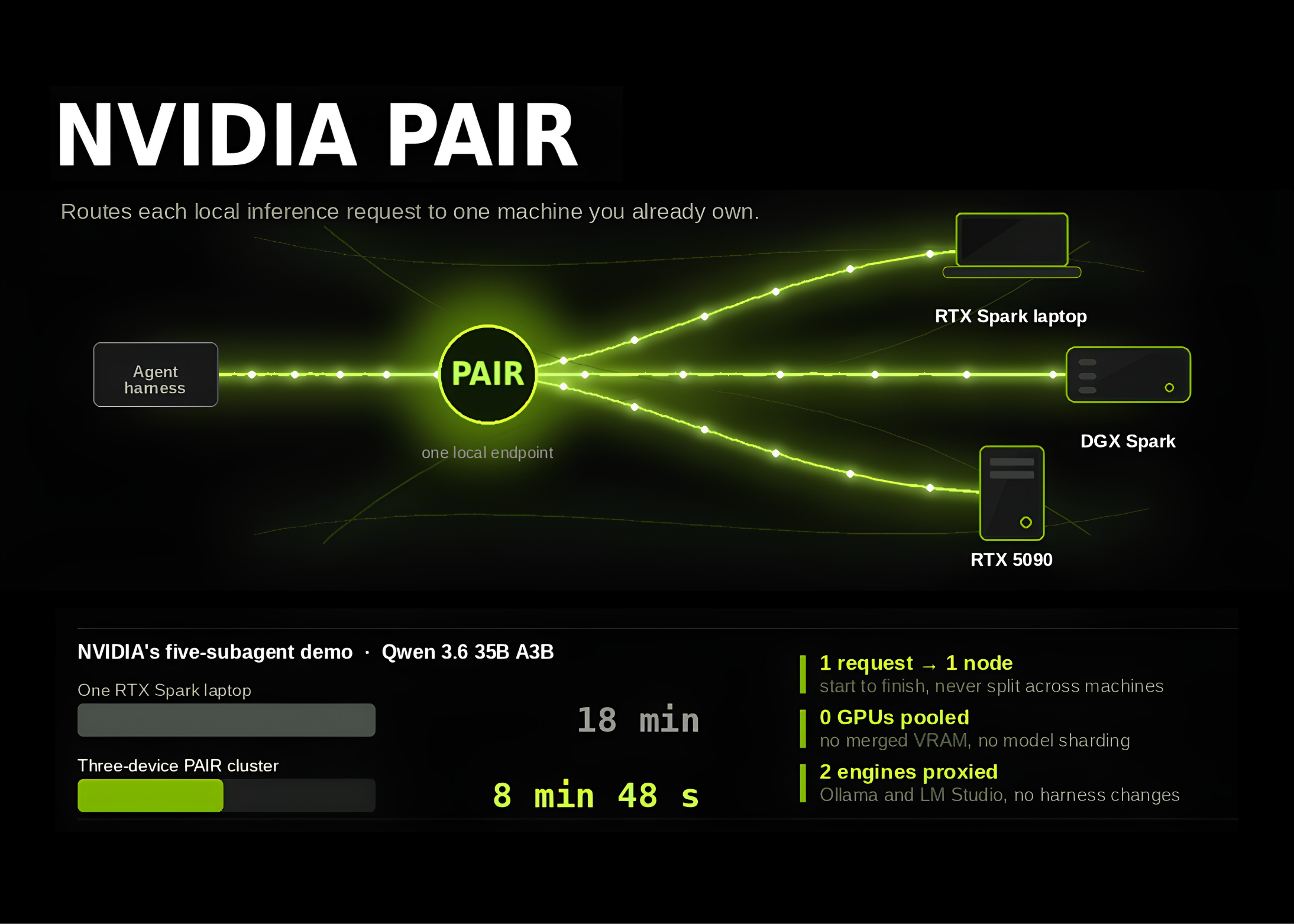
NVIDIA’s Personal AI Router, or PAIR, is designed for this situation. It is open-source software that distributes separate local AI requests across compatible computers on the same network. It does not combine several computers into one large machine, but it can help you make better use of the devices you already have.
TL;DR: PAIR sits between your existing AI tools and local model engines such as Ollama or LM Studio. It sends each eligible request to a suitable paired computer, while keeping processing on your local network.
For an SME, the practical value is less about buying a new AI platform and more about organising local AI workloads across several available machines.
What This Means
Think of PAIR as a traffic controller for local AI requests. Your AI application sends a request in the usual way. PAIR checks which paired computer is online, which one has the required model, and which one is handling fewer jobs. It then forwards that request to one suitable machine.
The important detail is that PAIR does not replace Ollama or LM Studio. Those tools still run the model. PAIR simply decides where the request should be executed. It also does not require you to rewrite the software used by your AI agents because it supports compatible Ollama and LM Studio interfaces. The repository also provides OpenAI-compatible proxy endpoints. Source: MarkTechPost
PAIR uses mDNS to discover nearby machines. If automatic discovery does not work, you can add a device by IP address. A six-digit PIN is used to approve pairing, after which communication is protected with mutual TLS certificates. This means you should still treat the setup as an internal business system, not an open service that anyone on the internet can access.
There is also a clear limitation: each request stays on one node for its entire lifetime. PAIR does not pool the memory of several graphics cards, split one model across different computers, or turn three smaller machines into one larger accelerator.
The useful way to view PAIR is simple: it improves workload distribution, not the size of a single AI machine.
How PAIR Chooses a Computer
A computer is considered for a request only when it has the required engine enabled and the exact model requested. The scheduler also considers whether the node is ready, how many jobs it is handling, and its current graphics processor utilisation. This means different computers can store different models, but a request cannot be sent to a machine that does not have the correct model installed.
Ready to Streamline Your Operations?
Your business should run itself. AutoRunBiz deploys AI agents to automate your daily operations — WhatsApp orders, invoicing, customer follow-ups, and accounting. Book a free 15-min ops audit to see where automation fits your business →