
When Your Team Has to Learn the Tool Before Using It
You may have tried introducing AI into your business and found that the hardest part is not the technology. It is getting your team to understand where to start. One screen says “chat”, another says “agent”, and a third offers a branded feature that sounds impressive but does not clearly explain what it does.
For a Malaysian SME, this creates a practical problem. Your sales staff want quick replies for customer enquiries. Your operations team needs help checking orders. You may want management summaries from email, spreadsheets, or accounting records. If everyone must first learn several AI modes, names, icons, and menus, adoption slows down before the useful work even begins.
The lesson from Google Gemini and similar AI products is straightforward: your team should describe the job, while the software decides which AI function is needed.
TL;DR
AI tools become harder to use when they expose internal features instead of presenting one simple place to ask for help.
For your SME, choose workflows that let staff use familiar channels and plain-language requests, with clear approval steps for sensitive actions.
What This Means
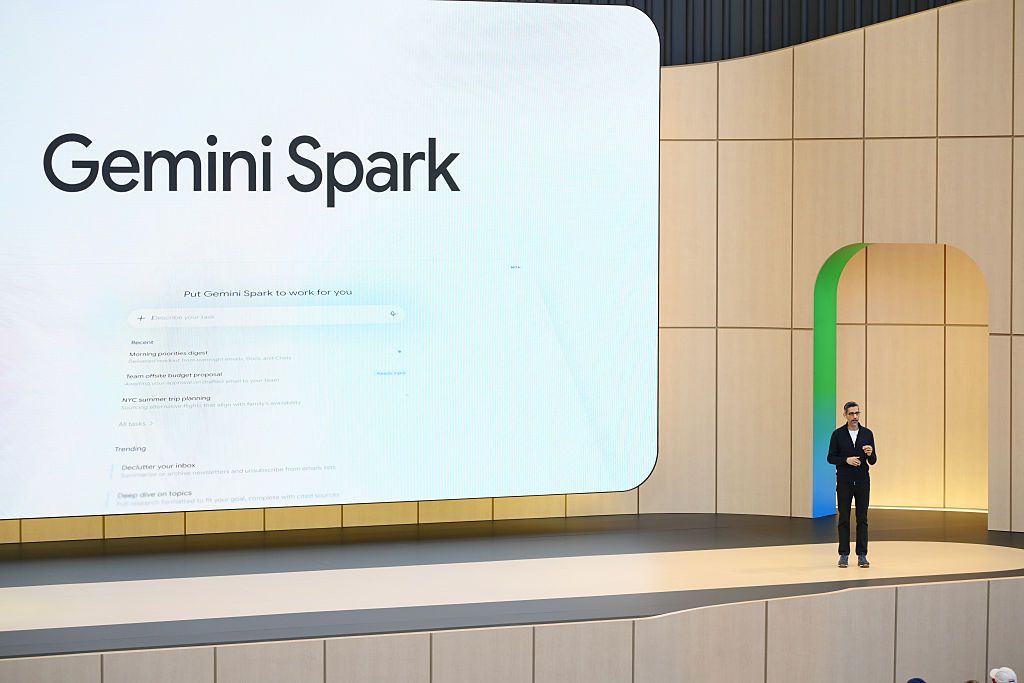
Google’s Gemini app includes several branded experiences, including chat, Spark, and Daily Brief. The source article argues that users should not need to know which feature is suitable before making a request. If someone says, “Find the customer’s latest email and draft a reply,” the application should understand that the task involves searching information and preparing content. The user should not have to select a special mode first.
The same issue appears across the AI industry. Some products separate ordinary conversation from work-oriented functions. Others ask users to switch between chat, research, automation, or agent modes. These labels may make sense to product teams, but they can feel unnatural to a busy business owner or staff member.
An interaction mode is simply the way you use an AI system for a particular type of work. A chat mode may answer questions. An agent mode may perform several steps, such as reading a document, updating a record, and preparing a message. A briefing mode may summarise information. The underlying functions can be useful, but exposing every function as a separate destination adds mental effort.
Good business automation should hide technical complexity, not ask your staff to memorise it.
This does not mean every task should be fully automatic. It means the interface should begin with your business request. The system can then suggest the appropriate workflow, ask for missing information, and request your approval before sending, updating, or publishing anything.
How This Applies to Malaysian SMEs
Consider a local trading company receiving enquiries through WhatsApp, email, and phone calls. A salesperson may need to check product availability, confirm delivery areas, and respond in Bahasa Malaysia or English. If the employee must select separate AI features for translation, product search, drafting, and customer follow-up, the process becomes cumbersome. A better setup starts with one instruction: “Check whether this item is available, prepare a reply in Bahasa Malaysia, and flag anything that needs my confirmation.”
For a restaurant, café, or food supplier, the same principle can support daily operations. You may receive supplier invoices, delivery notes, staff requests, and customer feedback in different formats. Instead of asking your supervisor to learn several automation menus, give them a clear workflow: upload the document, extract the relevant information, compare it with the purchase record, and highlight discrepancies. The system may use document reading and data comparison behind the scenes, but your staff only needs to understand the business process.
Professional service firms such as accountants, agencies, consultants, and property companies can also benefit. A client may send a long email with several questions and attachments. Your team could ask the system to summarise the request, list the required follow-up actions, draft a response, and identify information that must not be disclosed. This is more useful than telling staff to switch between “chat”, “research”, and “agent” sections without explaining which one fits the job.
For Malaysian SMEs working across languages, simplicity matters even more. Your team may use English for suppliers, Bahasa Malaysia for internal communication, and Mandarin or Tamil with particular customers. A practical AI workflow should let staff specify the desired language and tone in the request. It should not force them to find a separate translation feature or create a new conversation for every step.
There is also a privacy consideration. An AI assistant that connects to email, calendars, customer records, or internal documents may surface information that is technically available but not relevant. The source article describes this problem through unsolicited reminders and resurfaced searches. In your business, an automated summary should focus on approved work data, not every piece of personal or historical activity connected to an account.
A Simple Comparison for Your Business
| Approach | What Staff Must Do | Likely Business Effect |
|---|---|---|
| Feature-first AI | Choose chat, agent, research, or another mode before starting | More training and uncertainty |
| Request-first AI | Describe the task in ordinary language | Faster adoption and fewer wrong selections |
| Fully automatic action | Allow the system to complete work without review | Higher risk if records or messages are incorrect |
| Approval-based automation | Review important outputs before sending or updating | Better control over customer and operational work |
The figures in this table describe operating approaches, not measured industry results. The important point is the trade-off: simpler use should be paired with suitable review controls.
Practical Takeaways
- Start with jobs, not AI features. List the work your staff repeat each week, such as replying to enquiries, preparing quotations, checking documents, or summarising meetings.
- Use one clear entry point where possible. A shared form, chat channel, or business inbox is easier to remember than a collection of specialised screens.
- Write instructions in your team’s language. “Prepare a reply for this customer” is more approachable than “activate the autonomous response agent”.
- Separate drafting from sending. Let AI prepare a message, but require a person to approve customer communications, payment-related instructions, and contractual statements.
- Limit connected data. Give the workflow access only to the records it needs for that task.
- Test with three common cases. Use a normal request, an incomplete request, and a sensitive request to see how the system behaves.
- Measure completion, not feature usage. Ask whether staff answered customers faster, reduced manual copying, or missed fewer follow-ups.
- Keep a fallback process. Your team should know what to do when the AI gives an uncertain answer or a connected system is unavailable.
Questions to Ask Before Choosing an AI Tool
- Can an employee describe a task without knowing the product’s internal feature names?
- Can the system ask for clarification instead of guessing?
- Can you see which documents or records it used?
- Can a manager approve actions before they affect a customer or business record?
- Can staff use the languages and communication channels they already understand?
- Can you remove access when an employee changes role or leaves the company?
If the answer to most of these questions is no, the tool may still have useful capabilities, but it could create extra work for your team. A technically powerful application is not automatically suitable for a small business.
The Bigger Picture
The long-term direction of business AI is likely to move away from asking people to select every capability manually. The best systems will behave more like a helpful colleague: you explain the outcome you want, the system identifies the steps, and you remain in control of important decisions.
This is why familiar interfaces matter. Text messaging, email, search boxes, and existing business applications already fit into daily routines. When AI is added to those places without forcing staff to learn a new vocabulary, the transition becomes easier. The technology becomes part of the workflow rather than another destination your employees must remember to visit.
For you as an SME owner, this changes how you should evaluate automation. Do not begin by asking which AI model is most impressive or which product has the largest list of features. Begin by asking whether your team can complete a real task with minimal instruction, whether the result can be checked, and whether the system respects your information boundaries.
Google’s branding problem points to a wider business lesson: your employees do not need to understand the machinery behind automation. They need a reliable way to get work done. If you keep the request simple, connect only the necessary information, and add human approval where it matters, AI can support your SME without making everyday operations more confusing.
Source for the discussion of Gemini, AI interaction modes, Daily Brief, Spark, and the wider industry trend: TechCrunch.
Ready to Streamline Your Operations?
Your business should run itself. AutoRunBiz deploys AI agents to automate your daily operations — WhatsApp orders, invoicing, customer follow-ups, and accounting. Book a free 15-min ops audit to see where automation fits your business →