
Could a Better Tablet Make Your SME Easier to Run?
When you run a Malaysian SME, work rarely stays in one place. You may review documents at the shop, answer customers from a vehicle, check stock in a storeroom, and join a supplier call from home. A desktop computer is useful, but it does not follow you. A phone is convenient, but its small screen can make longer tasks tiring.
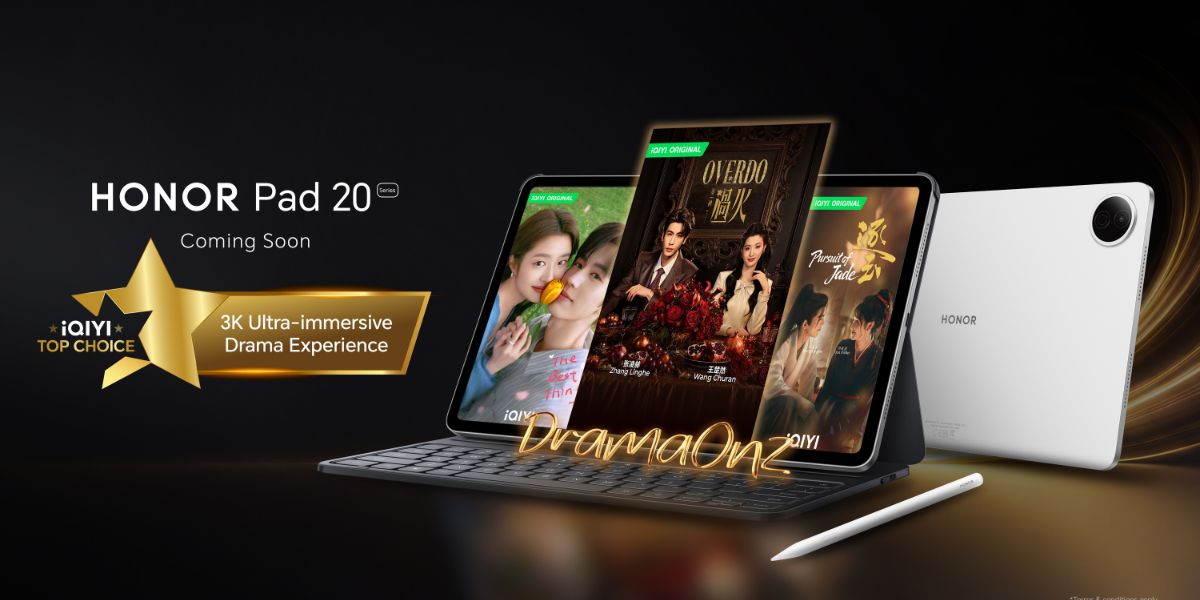
That is where a business tablet may fit. HONOR is scheduled to introduce the HONOR Pad 20 and HONOR Pad 20 Pro in Malaysia on 24 August 2026, according to SoyaCincau. The important question for you is not simply which model has better specifications. It is whether a tablet can remove friction from the daily tasks that slow your team down.
TL;DR: The HONOR Pad 20 series could suit SMEs that need a larger mobile screen for documents, meetings, customer presentations and cloud-based work. Wait for confirmed Malaysian specifications and test your actual business apps before deciding.
A tablet will not fix an unclear process by itself. However, when paired with sensible workflows, it can help you move information between staff, customers and business systems more smoothly.
What This Means
The HONOR Pad 20 and Pad 20 Pro are tablet devices aimed at people who want more screen space than a smartphone without carrying a traditional laptop everywhere. The Malaysian launch date reported by SoyaCincau is 24 August 2026, but detailed local specifications, bundled accessories and business suitability should be confirmed through official channels when the products are announced.
For an SME, the value of a tablet usually comes from mobility, visibility and simplicity. You can display a quotation during a customer visit, inspect a shared spreadsheet while walking through a warehouse, or let a staff member update a task list without returning to a desk. The device becomes a practical front end for your existing tools, such as email, messaging, accounting, inventory, appointment and customer relationship systems.
The larger display may also make shared work more comfortable. A manager and customer can review a product catalogue together. A supervisor can check a delivery list with a driver. A trainer can show a short procedure to a new employee. These are small moments, but repeated small delays can make daily operations feel heavier than they need to be.
A tablet is useful when it puts the right information in front of the right person at the moment work happens.
Still, do not assume “Pro” automatically means “better for your business”. A more advanced model may be useful if you need demanding multitasking, accessories or stronger performance. If your main tasks are reading documents, video calls and form updates, the standard model may already be sufficient. The correct choice depends on your workflow, not the label.
How This Applies to Malaysian SMEs
Retail and service businesses: If you operate a boutique, salon, clinic, showroom or repair shop, a tablet can act as a customer-facing screen. You could show available products, service options, before-and-after images, booking details or digital forms. Instead of asking customers to look at a small phone, you can discuss choices together. Your staff can also check appointment schedules or update customer notes while remaining on the shop floor.
Food, hospitality and events: Cafés, caterers, small hotels and event teams often move between counters, kitchens, meeting rooms and venues. A tablet can display event schedules, guest requirements, menu details and checklists. A supervisor might use it to confirm setup tasks, while the service team records issues for follow-up. If your business uses cloud-based ordering or booking tools, verify that the apps work properly on the tablet before purchasing devices for multiple staff.
Construction, renovation and field services: Your team may need to review drawings, photographs, measurements, quotations and job instructions away from the office. A larger screen can make these materials easier to inspect with a customer or subcontractor. Staff can capture site photos, complete digital forms and send updates immediately. Before relying on the tablet at job sites, check cellular connectivity options, protective cases, screen visibility outdoors and whether the device remains practical in dusty or wet environments.
Wholesale, distribution and small manufacturing: Tablets can support stock checks, delivery confirmation and production updates. A warehouse worker might open a shared inventory list while checking shelves. A sales representative can review product information during a customer visit. A delivery coordinator can record proof of delivery without carrying paperwork between locations. You should first map where information is currently written down, retyped or passed through messaging apps. Those handoff points are where a tablet may provide the greatest improvement.
Professional services: Accountants, consultants, educators, agents and small agencies can use a tablet for meetings, presentations, document review and note-taking. It may help you leave the office without losing access to shared files. However, consider keyboard support if your staff writes lengthy reports, and confirm compatibility with the document and video-conferencing software you already use.
Key Questions Before You Decide
| Business need | What to check | Why it matters |
|---|---|---|
| Mobile document work | Screen size, file compatibility and keyboard options | Determines whether staff can work comfortably away from a desk |
| Customer meetings | Display quality, speakers and front camera | Affects presentations and video calls |
| Field operations | Connectivity, battery performance and protective accessories | Helps staff remain productive outside the office |
| Shared business systems | Android app support, browser performance and user access controls | Ensures your current tools function as expected |
| Team deployment | Updates, warranty handling and device management | Makes several devices easier to maintain consistently |
Do not judge the tablet only from promotional images. Bring your real workflow into the evaluation. Open the spreadsheets your team uses, join a video call, fill in a form, connect to your printer if necessary, and test the messaging and accounting applications that matter to your business. A short practical trial can reveal more than a long specification list.
Practical Takeaways
- Identify one bottleneck first. Choose a repeated problem, such as paper-based job updates, slow stock checking or awkward customer presentations.
- Test the standard Pad 20 and Pad 20 Pro against that task. Do not select a model simply because it has a “Pro” name.
- Confirm Malaysian details after launch. Check local specifications, software support, accessories, warranty coverage and connectivity options through official HONOR information.
- Protect business access. Use screen locks, separate user accounts where available, strong passwords and approved cloud storage.
- Prepare a simple staff procedure. Explain where files are stored, how forms are submitted and what happens if the device is lost.
- Consider accessories as part of the workflow. A case, stand or keyboard may matter more than a small difference in technical specifications.
- Start with a pilot. Place one device with the staff member who experiences the problem most often, then review the results after regular use.
The Bigger Picture
The arrival of more capable tablets in Malaysia reflects a broader change in how small businesses work. Your office is no longer limited to a single counter or back room. Staff may need secure access to documents, forms and customer information wherever service takes place. A portable screen can help bridge the gap between desk-based systems and real-world operations.
That does not mean every SME should replace laptops or issue tablets to everyone. Different jobs need different tools. A tablet may be ideal for viewing, approving, capturing and presenting information. A laptop may remain better for extensive writing, complex spreadsheets or specialist software. The sensible approach is to match each device to a clear responsibility.
The HONOR Pad 20 series launch on 24 August 2026 gives you an opportunity to review your current workflows, whether or not you eventually buy either model. Ask yourself where staff duplicate data, wait for information, carry paperwork or struggle to show customers what they need to see. Those answers will tell you more about your technology priorities than any product announcement.
For a Malaysian SME, the best device is not necessarily the newest or most powerful. It is the one your team can use consistently, securely and confidently to complete important work with fewer interruptions.
Ready to Streamline Your Operations?
Your business should run itself. AutoRunBiz deploys AI agents to automate your daily operations — WhatsApp orders, invoicing, customer follow-ups, and accounting. Book a free 15-min ops audit to see where automation fits your business →