
When a Useful Business Tool Becomes Too Slow to Trust
You depend on digital tools to help you notice customer requests, supplier updates, industry changes and operational problems before they become urgent. When one of those tools becomes slow or unavailable, the issue is not merely inconvenient. It can interrupt decisions, delay responses and make your team question whether important information has been missed.
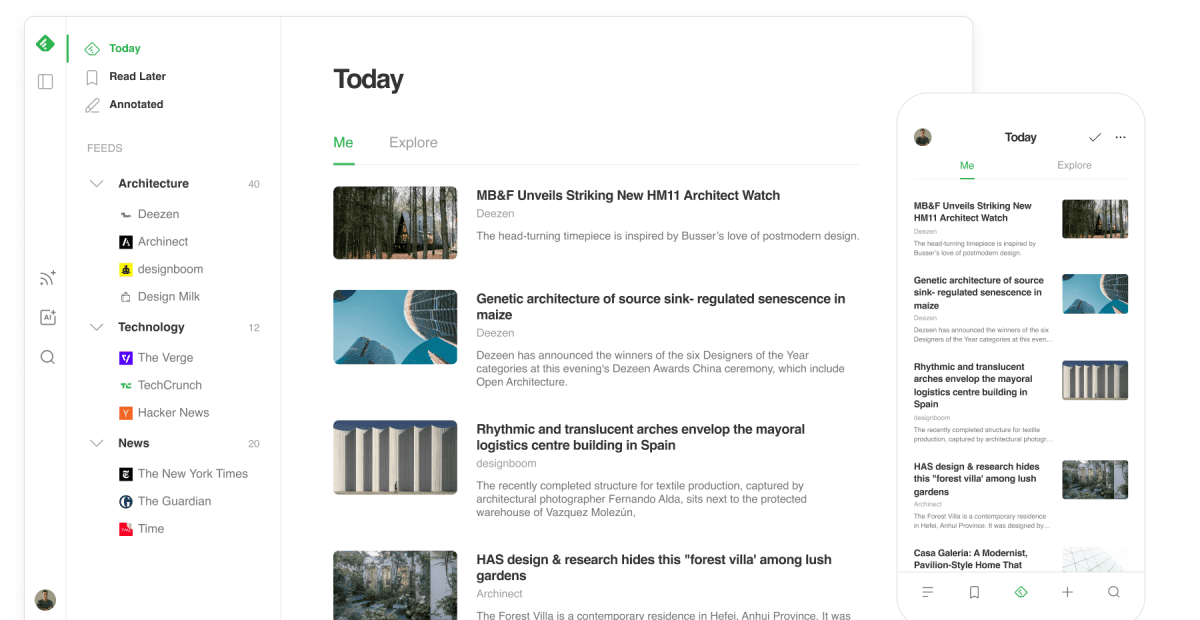
That is the practical lesson from Feedly’s recent slowdown. Users reported that its web application had become extremely slow for more than a week, while some mobile users experienced separate access problems. Feedly later attributed the web slowdown to a bug connected to the “Mark as Read” function on accounts with many folders, rather than to its move towards artificial intelligence. Source: TechCrunch
For you as an SME owner, the important question is not whether you use Feedly. It is whether your business is adding advanced features while the basic workflow remains fragile.
TL;DR
New AI capabilities do not compensate for slow, unreliable core functions. Before adding automation, make sure your essential processes work quickly, clearly and consistently.
Choose systems with visible support, status updates, testing and simple recovery procedures. Your team should always know what to do when a key tool fails.
What This Means
Feedly is a news-reading platform that has increasingly promoted artificial intelligence and cyber threat intelligence for business users. However, its users were still depending on the basic reading experience, including opening feeds, organising folders and marking items as read. When that foundation became slow, the advanced direction of the product became less relevant to affected customers.
This is a common technology mistake. A company introduces a new feature, dashboard or AI assistant while an everyday function remains difficult to use. The result is a gap between the product’s public ambition and the user’s actual experience.
The reported incident also shows why a bug can be more damaging when it affects a repeated action. If you mark items as read dozens or hundreds of times each day, a delay in that function becomes part of your entire working rhythm. Feedly said its issue was linked to accounts with many folders, and that a fix had been released while the team continued confirming whether all users were affected. Source: TechCrunch
Useful technology is not defined by its most impressive feature. It is defined by whether your team can depend on its basic actions every working day.
How This Applies to Malaysian SMEs
Suppose you operate a trading company in Johor, Selangor or Penang. Your sales staff may collect enquiries from WhatsApp, email, Facebook and a website form. An automation platform can route each enquiry to the right person, create a follow-up task and send a confirmation message. But if the basic assignment rule fails, the AI summary does not help. The enquiry can still sit unanswered because the underlying workflow did not create the task.
For a service business, such as an air-conditioning contractor, renovation firm or pest-control provider, reliability is even more visible. A customer request must become a job record, then an appointment, then a technician update and finally an invoice or completion message. If your system is slow when staff update job status, employees may return to spreadsheets or personal chat messages. You then lose a clear record of what has happened and what still needs attention.
Retailers and wholesalers face a similar risk when managing stock and supplier information. You may want automated alerts when an item is running low or when a supplier changes delivery details. Before building advanced forecasting, confirm that product records, stock movements and purchase orders are updated correctly. A sophisticated recommendation based on incomplete data can create more confusion than a simple, accurate reorder list.
Professional firms also need to examine their document and approval processes. An accounting practice, recruitment agency or property management company might use automation to classify documents or extract information. That can be helpful, but clients still expect files to be found quickly, approvals to be visible and messages to be sent on time. If the document folder structure is unclear or the approval notification is unreliable, the advanced feature does not solve the operational problem.
The lesson is particularly relevant if your business has between one and 50 employees. You may not have a dedicated IT team monitoring every application. A system failure can therefore remain unnoticed until a customer complains. You need straightforward tools, clear ownership and a backup procedure that ordinary staff can follow without technical training.
A Simple Reliability Check
| Business area | Core function to test | Warning sign | Practical response |
|---|---|---|---|
| Sales enquiries | Capture and assignment | Leads remain unassigned | Review routing rules daily |
| Customer service | Ticket creation and status | Staff use separate personal notes | Keep one shared service record |
| Operations | Task and job updates | Updates are entered in batches | Test mobile and desktop workflows |
| Finance administration | Approval and document tracking | Files or approvals cannot be located | Define one owner and one storage location |
The table is a management checklist rather than a measure of software quality. Use it to identify where a delay can affect customers or staff most quickly.
Practical Takeaways
- List your five essential workflows. Examples include receiving an enquiry, scheduling a job, approving a document, updating stock and following up with a customer.
- Test the basic actions first. Can staff open a record, search for information, update a status and find the latest version without unnecessary steps?
- Do not hide problems behind new features. If a core process is unreliable, pause additional automation until the issue is understood.
- Assign an internal owner. One person should monitor whether the system is working and collect feedback from users.
- Keep a manual fallback. For example, maintain a simple shared form or spreadsheet for urgent enquiries if the main system is unavailable.
- Check support communication. A useful provider should explain known incidents, provide updates and identify the affected function.
- Review changes before removing old tools. Feedly said its Classic app had been retired because it no longer met certain mobile requirements, and existing users were not notified before the final shutdown. Source: TechCrunch
- Measure time and errors. Record how long a common task takes and how often staff need to repeat it. This gives you a practical baseline for improvements.
Questions to Ask Before Adding AI
Before adopting an AI assistant or advanced automation, ask whether the underlying information is complete, current and accessible. If customer details are stored across multiple personal devices, the assistant may not see the full picture. If staff use inconsistent names for products or services, automated reports may be difficult to trust.
Ask your provider how it handles failures. Will you receive a status notification? Can you export your data? Is there an activity log showing whether a message, task or approval was completed? These questions matter because your team needs a way to verify results instead of assuming that an automated step happened.
Also ask your staff what slows them down. The problem may not be a lack of advanced intelligence. It may be too many folders, unclear permissions, duplicate records or an approval process that requires repeated data entry. Fixing those issues can produce a more immediate improvement than adding another feature.
The Bigger Picture
Feedly’s situation illustrates a broader direction in business software. Vendors are increasingly adding AI, analytics and specialised intelligence to attract professional users. Those capabilities can support better research, prioritisation and decision-making, but they depend on a stable foundation.
For Malaysian SMEs, this means technology selection should be based on operational fit rather than feature lists alone. A system that handles your daily enquiries, jobs, documents and approvals reliably may be more valuable than a more advanced platform that your team finds difficult to use.
As your company grows, the cost of unreliable processes is not limited to system downtime. Staff create workarounds, information becomes fragmented and managers spend more time checking whether tasks were completed. A dependable core system gives you a clearer operating rhythm and makes later automation easier to manage.
Start with the workflows your customers notice most. Make those fast, visible and consistent. Then add intelligence where it genuinely helps your team decide, prioritise or respond. That order keeps your business practical: strong foundations first, advanced features second.
Ready to Streamline Your Operations?
Your business should run itself. AutoRunBiz deploys AI agents to automate your daily operations — WhatsApp orders, invoicing, customer follow-ups, and accounting. Book a free 15-min ops audit to see where automation fits your business →