
Stop Confusing Prompts with Processes (and Processes with Your Entire Operation)
You’ve probably spent the last year hearing about “Prompt Engineering” like it’s the holy grail of business efficiency. You write a careful instruction for an AI tool, it spits out a result, and you hope for the best. It works for a single email, a draft post, or a quick summary.
But what happens when that email needs to be sent to 10 different types of clients? What happens when the draft post needs to be checked against your brand voice, scheduled, and the comments monitored? Suddenly, the prompt isn’t enough. The AI world is moving fast. The terms “Loop Engineering” and “Graph Engineering” are popping up in technical articles. Before your eyes glaze over, let us tell you exactly what this means for your business. This isn’t about tech buzzwords. This is about deciding whether you need a better instruction, a better process, or a better organizational structure for your automation.
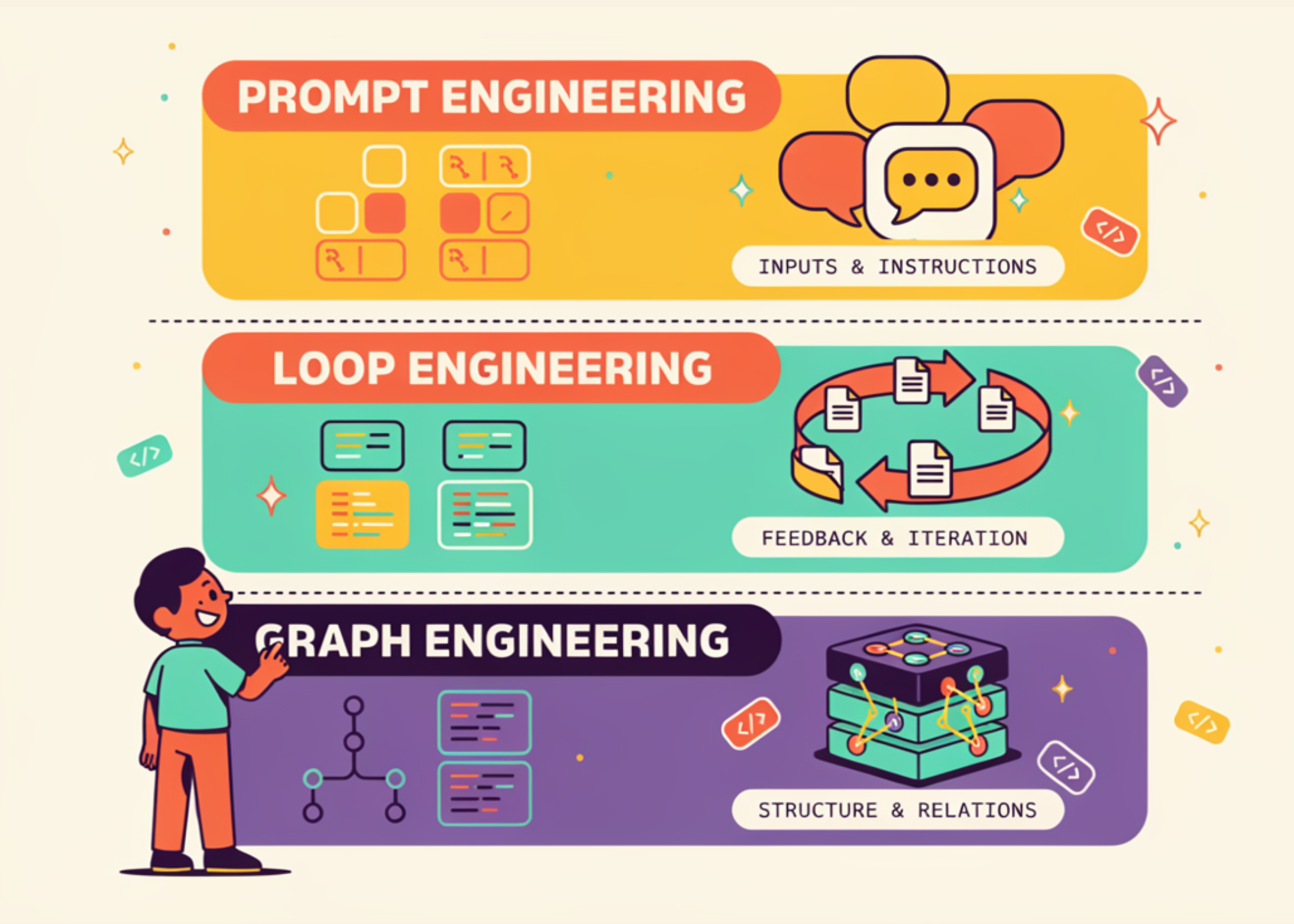
TL;DR: Don’t get caught up in the hype around the latest AI term. Your business runs on a stack. A single instruction is a Prompt. A self-checking, repeatable task is a Loop. Coordinating multiple tasks across different roles is a Graph. Know which layer your problem sits at, or you’ll waste time over-engineering simple tasks.
What These Three Layers Actually Mean for Your Daily Work
1. Prompt Engineering (The Single Task)
This is the foundation. You give the AI an instruction. “Write a polite rejection email for vendor X.” It works when a human is present to judge the output. It breaks the moment you need to do it 50 times, or pass the result to another system without looking at it.
Source on Prompt Engineering
2. Loop Engineering (The Repeatable Process)
This is where efficiency starts. A Loop takes a Prompt and adds scaffolding. It can check its own work (using a second model or a rule). It can recover from failure. It keeps going until a stop condition is met. The defining assumption of a prompt is that a human is present at every iteration. A Loop removes that human from the minute-by-minute decisions.
Source on Loop Engineering
3. Graph Engineering (The Multi-Agent Team)
This is for when you have multiple specialists (agents) working on different parts of a job. The “Graph” defines who does what, what they share, and how they hand off. The source material brilliantly defines this as two distinct designs: the Org Graph (who works there, stable roles) and the Work Graph (what is happening right now, ephemeral tasks). This is the architecture of a fully automated department.
Source on Graph Engineering
How This Changes Your Game as a Malaysian SME Owner
Let’s move away from the abstract and into your operations. Most SMEs get stuck on Layer 1. They have a few ChatGPT prompts saved, but nothing runs on its own. Here is how you can climb the stack and actually get work done.
Your Customer Service Team:
You currently have a prompt to handle basic inquiries. “You are a friendly CSR for a boutique in KL.”
Layer 1 (Prompt): The owner reads every response before sending. Works for 10 chats a day.
Layer 2 (Loop): The AI replies, checks the sentiment of its own reply, logs the issue in your WhatsApp or CRM, and tags the conversation as “Resolved” or “Escalated”. This requires no human in the middle. The loop checks the stop condition (is the customer satisfied?).
Layer 3 (Graph): The customer service agent passes “RMA requests” to the logistics agent, and “billing issues” to a finance agent, while a marketing agent quietly adds the happy customer to a loyalty campaign list. The Org graph knows who owns the customer, the Work graph routes the specific issue.
Your Marketing Content:
This is the easiest place to apply Loops. You aren’t just writing a Facebook caption (Layer 1). You are writing a Loop that drafts the caption, cross-references it with your brand guideline prompt, requests approval from the team manager via email, and then posts it. The loop only stops when the post is live and the analytics trigger is set.
The stop condition is crucial. The research paper on coding-agent loops states that a loop without a mechanical stop condition just keeps spending tokens. For your business, that means paying for work that never completes. You must define the exit clause.
Source: Loop engineering and stop conditions
Your Operations & Supply Chain:
This screams “Graph Engineering” for larger SMEs, but most can stick to Loops for now. A single agent can handle the loop of “Check stock in accounting system -> If low, draft PO to supplier -> Wait for confirmation -> Update stock level”. When you need to coordinate this with a separate Sales Forecasting Agent and an Accounts Payable Agent, you are building a Graph.
The source material includes an important caution from Anthropic’s multi-agent research: early versions “spawned 50 subagents for simple queries”, and the fix was a better prompt, not a bigger graph. Don’t build a graph if a prompt will do.
Source: Prompt engineering for coordination failures
“A prompt controls one model response. A loop controls one agent’s behavior cycle. A graph controls the organization of many agents. Each layer preserves the layer beneath it.”
Why this matters to you: You don’t need a complex agent network if your core instructions (prompts) are weak. Get Layer 1 right before you build Layer 3. The highest leverage work you can do today is cleaning up your prompts for the tasks you run most often.
Which Layer Do You Need Right Now?
| Your Business Problem | AI Layer | What Gets Designed |
|---|---|---|
| I need a draft for an email to a client | Prompt | The instruction text |
| I need the email drafted, checked, logged in my CRM, and sent automatically | Loop | The goal, the tools, the stop condition |
| I need the sales email drafted, the support ticket updated based on the reply, and inventory checked by different systems working together | Graph | The nodes (agents), edges (handoffs), and shared state |
Your 2-Minute Action Plan
Don’t overcomplicate this. Use these questions from the source research to decide your next step:
- Are you happy with the output?
If you are, just stick to improving your Prompts. Spend 20 minutes refining how you write your instructions. Use XML tags or clear headers. The source notes that Anthropic recommends separating system prompts into labeled sections to improve clarity.
Source: Anthropic guidance on prompts - Does the task run on its own without you?
If yes, you need a Loop. The biggest mistake is not defining the stop condition. How does it know it’s done? Use a “maker/checker split” where a second model or a simple schema verification confirms the work. The source identifies five primitives for loops: automations, worktrees, skills, plugins, and sub-agents. Start with a clear goal.
Source: The primitives of loops - Does your system involve multiple departments or conflicting goals?
If yes, you are looking at a Graph problem. Do not just pile agents on. Define the “Org Graph” first. Who owns what zone (logistics, sales, support)? Then let the “Work Graph” dictate the flow for a specific customer issue.
Source: Org Graph vs Work Graph
The Bigger Picture: You Are Becoming an Architect, Not a Pilot
The era of thinking “AI is just a better search engine” is over. The era of “I just need a good prompt” is fading for growing businesses. You are no longer just the pilot giving instructions to a plane. You are the architect deciding if the plane should just fly to Penang (a stable Loop) or coordinate a fleet to cover all of Malaysia (a structured Graph).
The source material leaves us with a powerful caution: “Two engineers can build an identical loop and get opposite outcomes. One moves faster on work they understand deeply. The other avoids understanding the work at all.” This is the final truth. The system cannot tell the difference. You must understand your business process before you automate it. The label on the engineering layer matters far less than your clarity on the business outcome it must serve.
Source: Operator matters as much as architecture
For the next quarter, look at your business not as a list of tasks, but as a stack. Where is the friction? Is it a lack of clarity (Prompt)? A lack of discipline (Loop)? Or a lack of coordination (Graph)? Answer that honestly, and you will know exactly which engineering layer to focus on. This is how you move from tinkering with AI to actually building an automated business that serves you.
Ready to Streamline Your Operations?
Your business should run itself. AutoRunBiz deploys AI agents to automate your daily operations — WhatsApp orders, invoicing, customer follow-ups, and accounting. Book a free 15-min ops audit to see where automation fits your business →